

PDFMagic: PDF Editor & Scanner
iCubemedia Inc. · Business
Independent analytics for this App Store listing. AppTracker is not affiliated with iCubemedia Inc.
Chart standing · US
What changed · US
Listing changes AppTracker has observed for this app in this storefront — new versions, price moves, rating shifts, and store copy.
Bug Fixes UX issues patched
Price & rating history · US
Reconstructed from the listing changes AppTracker has observed in this storefront. A field is charted once it has changed more than once, and each line starts at the value it moved from.
Price · Free now · 4 changes on record
Average rating · ★ 3.80 now · 4 changes on record
Ratings breakdown · US
The star breakdown behind this app's rating in this storefront.
In-app purchases · US
What this app sells inside itself, grouped by kind and priced for this storefront.
Screenshots



Keywords this app targets
Search terms AppTracker associates with this app — estimates, not search volume. ❝ = in the app's title; a highlighted number is its current position for that term.
Similar apps
Competitors and close alternatives, as estimated by AppTracker.
 iLovePDF - PDF Editor & Scan
ILOVEPDF S.L.
2 shared topics · 3 shared title words
iLovePDF - PDF Editor & Scan
ILOVEPDF S.L.
2 shared topics · 3 shared title words
 PDF Export Pro - PDF Editor
LiveBird Technologies Private Limited
2 shared topics · 3 shared title words
PDF Export Pro - PDF Editor
LiveBird Technologies Private Limited
2 shared topics · 3 shared title words
 PDF Editor - Convert File
Wellresion Limited
2 shared topics · 3 shared title words
PDF Editor - Convert File
Wellresion Limited
2 shared topics · 3 shared title words
 PDFelement: PDF Editor, Viewer
Wondershare Technology Group Co.,LTD
2 shared topics · 3 shared title words
PDFelement: PDF Editor, Viewer
Wondershare Technology Group Co.,LTD
2 shared topics · 3 shared title words
 PDF Reader - Editor & Scanner
DAOWEI NETWORK TECHNOLOGY PTE. LTD.
2 shared topics · 3 shared title words
PDF Reader - Editor & Scanner
DAOWEI NETWORK TECHNOLOGY PTE. LTD.
2 shared topics · 3 shared title words
 PDF Expert: Editor & Reader
Readdle Technologies Limited
2 shared topics · 2 shared title words
PDF Expert: Editor & Reader
Readdle Technologies Limited
2 shared topics · 2 shared title words
 PDF Editor & Files Converter.
Sofiya Pliskun
2 shared topics · 3 shared title words
PDF Editor & Files Converter.
Sofiya Pliskun
2 shared topics · 3 shared title words
 PDF Converter - PDF Editor・
Techgear Inc
1 shared topic · 3 shared title words
PDF Converter - PDF Editor・
Techgear Inc
1 shared topic · 3 shared title words
About
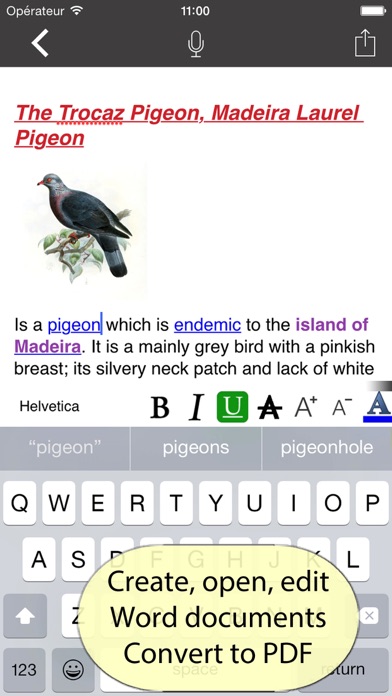
Your whole PDF toolbox and it never leaves your iPhone. PDFMagic does what the big online PDF sites do, but right on your device: nothing is uploaded, nothing is stored on a server, and most tools work with no internet at all. Your documents never leave your iPhone. ORGANIZE • Merge, split, reorder, rotate, crop and delete pages • Create a PDF from photos, text or a scan • Start from a template — lined paper, grids, planners OPTIMIZE • Compress to shrink file size • Repair a damaged PDF • OCR — make a scan searchable, on device • Enhance a scan — auto-straighten, color, grayscale or black & white EDIT & SIGN • Add text, drawings and highlights • Fill in forms and flatten them • Draw a signature and place it • Page numbers, watermarks, Bates numbering and pages-per-sheet CONVERT — ON DEVICE • Word and Excel to PDF, and PDF back to editable Word or Excel • Images, text, RTF, Markdown and HTML to PDF • PDF to JPG SECURE & PRIVATE • Password-protect or unlock a PDF • True redaction — permanently removes the text underneath, not just a black box • Auto-redact and Privacy Check — find emails, phone numbers and cards • Sanitize metadata before you share AI & ADVANCED — ON YOUR DEVICE • Summarize any PDF at the length you choose • Extract contacts, totals, dates and addresses • Pull out action items and deadlines • Proofread and rewrite text • Classify, tag and auto-file a document • Upscale images and remove backgrounds • Read QR codes and barcodes • Translate and compare documents Powered by Apple's on-device intelligence — your documents are never sent to a server. IMAGE TOOLS • Compress, convert, resize and upscale images • Convert images to and from PDF WHY PDFMAGIC • On-device and private — your files stay with you • Works offline — no signal needed • Document scanner with edge detection • No account, no sign-up The core PDF tools are free. Use the AI & advanced tools free by watching a short ad, or go Premium to remove every ad and use them without limits. PDFMagic Premium is offered as a weekly or yearly auto-renewable subscription, or a one-time lifetime purchase. Payment is charged to your Apple Account. Subscriptions renew automatically unless cancelled at least 24 hours before the end of the current period; manage or cancel anytime in Settings > Apple Account > Subscriptions. Terms of Use: https://pdfmagic.xyz/terms Privacy Policy: https://pdfmagic.xyz/privacy Questions or feedback? Email - info@icubemedia.ca
What's new · 2.6.4
Bug Fixes UX issues patched
Details