

PDF Expert: Editor & Reader
Readdle Technologies Limited · Productivity
Independent analytics for this App Store listing. AppTracker is not affiliated with Readdle Technologies Limited.
Chart standing · US
What changed · US
Listing changes AppTracker has observed for this app in this storefront — new versions, price moves, rating shifts, and store copy.
Nothing flashy, just some solid technical tune-ups in this update. Got ideas or feedback? Send them our way: rdsupport@readdle.com.
Ratings breakdown · US
The star breakdown behind this app's rating in this storefront.
In-app purchases · US
What this app sells inside itself, grouped by kind and priced for this storefront.
Screenshots




Keywords this app targets
Search terms AppTracker associates with this app — estimates, not search volume. ❝ = in the app's title; a highlighted number is its current position for that term.
Similar apps
Competitors and close alternatives, as estimated by AppTracker.
 Converter & Editor: PDF Expert
The Last Sunrise LLC
1 shared topic · 5 shared title words
Converter & Editor: PDF Expert
The Last Sunrise LLC
1 shared topic · 5 shared title words
 PDF Reader Pro - Sign,Edit PDF
PDF Technologies, Inc.
1 shared topic · 1 shared title word
PDF Reader Pro - Sign,Edit PDF
PDF Technologies, Inc.
1 shared topic · 1 shared title word
 PDF Export Pro - PDF Editor
LiveBird Technologies Private Limited
2 shared topics · 2 shared title words
PDF Export Pro - PDF Editor
LiveBird Technologies Private Limited
2 shared topics · 2 shared title words
 PDF Hero - PDF Editor & Reader
Mosaic S.r.l.
2 shared topics · 2 shared title words
PDF Hero - PDF Editor & Reader
Mosaic S.r.l.
2 shared topics · 2 shared title words
 PDF Editor ®
SMM service, s.r.o.
1 shared topic · 2 shared title words
PDF Editor ®
SMM service, s.r.o.
1 shared topic · 2 shared title words
 PDF Reader & PDF Editor
ABISHKKING LIMITED.
2 shared topics · 2 shared title words
PDF Reader & PDF Editor
ABISHKKING LIMITED.
2 shared topics · 2 shared title words
 iLovePDF - PDF Editor & Scan
ILOVEPDF S.L.
2 shared topics · 2 shared title words
iLovePDF - PDF Editor & Scan
ILOVEPDF S.L.
2 shared topics · 2 shared title words
 PDFMagic: PDF Editor & Scanner
iCubemedia Inc.
2 shared topics · 2 shared title words
PDFMagic: PDF Editor & Scanner
iCubemedia Inc.
2 shared topics · 2 shared title words
About
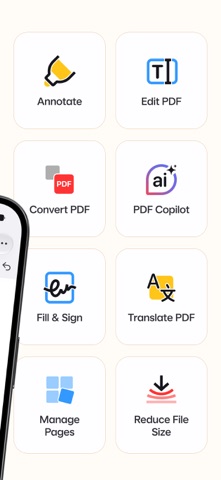
PDF Expert is a fast and easy PDF app to read, annotate, fill and sign PDF forms, convert files to PDF, and merge, split or compress documents – all in one intuitive app for iPhone, iPad, Mac & Vision Pro. Read PDF files with comfort, highlight and mark up text, fill out forms, sign contracts, create and convert PDFs, and summarize long documents in seconds with AI-powered tools. Unlock unlimited possibilities with PDF Expert Premium and work across all your Apple devices. "PDF Expert is one of my must-have iPad apps and a desktop-class PDF reader." – MacStories "The best app for managing, editing, and reading PDFs on your iPad." – The Sweet Setup ▶ WITH PDF EXPERT, YOU CAN: READ PDFs - PDF reader with Day, Night, and Sepia modes for comfortable reading anytime - Scroll PDFs vertically or horizontally and search text in any document - Open and view PDF files from email, web, Files, or any app via the Share menu - Read PDFs out loud with Text to Speech ANNOTATE AND MARK UP PDFs - Highlight, underline, and strike through text in your PDFs - Mark up documents with pen, shapes, text, notes, and comments - Add stamps such as Approved or Confidential - Record your voice and add audio notes to PDFs FILL AND SIGN PDF FORMS - Fill out PDF forms with text fields, checkboxes, and radio buttons - Sign PDF documents in seconds – draw your signature or add it from an image - Save your signature to sign contracts, agreements, invoices, and applications faster - Fill, sign, and send forms right from your iPhone – no printing or scanning needed - Supports all major form formats, including AcroForms and static XFA forms ***PREMIUM FEATURES*** EDIT PDFs - Edit text directly in a PDF – just as you would in a Word document - Add, replace, and resize images in your PDFs - Add links to other pages or websites - Add outlines to navigate large PDFs CREATE AND CONVERT PDFs - Create PDFs from Word files, images, and other documents - Convert Word to PDF, JPG to PDF, and PNG to PDF in seconds - Convert PDF to Word, Excel, PowerPoint, JPG, PNG, and TXT MERGE, SPLIT AND ORGANIZE PDFs - Merge and combine multiple PDF files into one - Split PDFs and extract pages into a new file - Add, delete, rotate, and reorder pages with thumbnail preview COMPRESS PDFs - Compress PDFs to reduce file size for email and sharing - Shrink large PDF files to save space on your device SUMMARIZE PDFs WITH AI – PDF COPILOT - List Main Points – get key takeaways from any PDF - Summarize – get concise summaries of entire PDFs or annotations - Ask Anything – find details with AI answers and references - Explain – get instant explanations of words or phrases PROTECT YOUR FILES - Password-protect PDF Expert - Redact – permanently black out sensitive information WORK WITH SCANNED DOCUMENTS - Open scanned PDFs to fill out, sign, annotate, and share CONSTRUCTION TOOLS - Scale and measure drawings with the Measure tab - Polygon, polyline, and redline tools MORE FEATURES - Customizable toolbar - Presentation Mode - Print and share PDFs via email or cloud ONE ACCOUNT FOR ALL YOUR APPLE DEVICES One Premium subscription covers PDF Expert on iPhone, iPad, and Mac – no need to buy versions separately. Read more about our terms and conditions here: https://pdfexpert.com/privacy https://pdfexpert.com/terms Don’t hesitate to reach out to us at http://readdle.com/contact
What's new · 7.26.2
Nothing flashy, just some solid technical tune-ups in this update. Got ideas or feedback? Send them our way: rdsupport@readdle.com.
Details