

Chewsy: Where To Eat
Jesse Haynes · Food & Drink
Independent analytics for this App Store listing. AppTracker is not affiliated with Jesse Haynes.
Chart standing · US
What changed · US
Listing changes AppTracker has observed for this app in this storefront — new versions, price moves, rating shifts, and store copy.
New in 1.4: - Add a whole list from a photo: see a "10 Best Burgers" post? Tap the camera in Add A Place, pick the screenshot, and we'll look up every restaurant on it. Review what we found and add them all at once. The picture never leaves your phone. - The camera button now handles both: snap a sign to add one place, or pick a screenshot of a list to add a dozen. Chewsy works out which you meant. - Reserve a table or order delivery right from a place's page, once you've decided where you're going. - Search This Area on the Map: pan to a neighborhood and find places right there, with the same price, cuisine, and open-now filters as everywhere else. - Easier to read: buttons and menus now have proper contrast in dark mode.
In-app purchases · US
No in-app purchases.
Screenshots




Keywords this app targets
Search terms AppTracker associates with this app — estimates, not search volume. ❝ = in the app's title; a highlighted number is its current position for that term.
Similar apps
Competitors and close alternatives, as estimated by AppTracker.
 cRawl - Map Your Appetite
Yuta Shirotani
cRawl - Map Your Appetite
Yuta Shirotani
 Chaptr: Couples App
Mickey Dodkins
Chaptr: Couples App
Mickey Dodkins
 Chow: Meal Planner & Groceries
Flame Industries
Chow: Meal Planner & Groceries
Flame Industries
 ChefSphere: AI Meal Planner
ChefSphere OU
ChefSphere: AI Meal Planner
ChefSphere OU
 Restaurants I Wanted to Try
Susumu Yamanaka
Restaurants I Wanted to Try
Susumu Yamanaka
 SassyEats
Michael Sanchez
1 shared topic
SassyEats
Michael Sanchez
1 shared topic
 Plenty: Shopping List
Netkreatives
Plenty: Shopping List
Netkreatives
 ChewChart
Josh Williams
ChewChart
Josh Williams
About
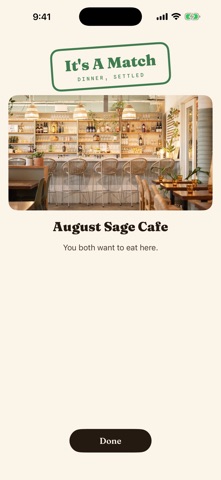
Where do you want to eat? I do not know. Where do you want to eat? Chewsy ends that conversation. Keep one shared list of every place you have been meaning to try, then actually decide. Chewsy is built for two people (or a whole lunch crew) who can never pick a restaurant. KEEP A LIST YOU BOTH SHARE Search any restaurant and Chewsy fills in the rest: hours, price, photos, and tags. Everything lives on one list you and your partner both see. Mark places Want To Try, In Rotation, or Not For Us, add private notes only the two of you can read (get the birria tacos), and log visits with ratings. THREE WAYS TO DECIDE Tonight: filter by open now, price, or cuisine and browse what fits. Pick For Us: one tap and Chewsy picks, weighted toward places you have been meaning to try. Do not like it? Re-roll. Swipe Match: you both swipe on the same deck from your own phones. A place you both heart is a match. Settle it right there, or keep swiping and pick from your matches at the end. BUILT FOR MORE THAN TWO Add friends with a code and pull them into a match. Perfect for the lunch crew that argues every single day. Friends only see the matches they are in, never your list, notes, or ratings. START FROM NOTHING New to Chewsy? Tell us a few cuisines you love, and Chewsy finds real spots near you to swipe through. Your list builds itself in about a minute. PRIVATE BY DESIGN Your list, your notes, your ratings. They stay between the people you share a household with. No ads, no feed, no strangers reviewing your date night spots. One time purchase, no subscription. ONE PURCHASE, WHOLE HOUSEHOLD Chewsy works with Family Sharing: buy it once and everyone in your Apple Family gets it at no extra cost. Your partner installs it free, you match, dinner gets decided. Sign in with Apple. That is it.
What's new · 1.4
New in 1.4: - Add a whole list from a photo: see a "10 Best Burgers" post? Tap the camera in Add A Place, pick the screenshot, and we'll look up every restaurant on it. Review what we found and add them all at once. The picture never leaves your phone. - The camera button now handles both: snap a sign to add one place, or pick a screenshot of a list to add a dozen. Chewsy works out which you meant. - Reserve a table or order delivery right from a place's page, once you've decided where you're going. - Search This Area on the Map: pan to a neighborhood and find places right there, with the same price, cuisine, and open-now filters as everywhere else. - Easier to read: buttons and menus now have proper contrast in dark mode.
Details