

Screen Time Control: Pausi
Hakan Onder · Productivity
Independent analytics for this App Store listing. AppTracker is not affiliated with Hakan Onder.
Chart standing · US
What changed · US
Listing changes AppTracker has observed for this app in this storefront — new versions, price moves, rating shifts, and store copy.
• Need more time? When a daily limit is reached, add 5, 15, 30, or 60 minutes—or allow access until the current limit period ends—without changing your saved limit. • Daily-limit enforcement and recovery are now more reliable. • Improved onboarding, translations, and overall stability.
Screenshots



Keywords this app targets
Search terms AppTracker associates with this app — estimates, not search volume. ❝ = in the app's title; a highlighted number is its current position for that term.
Similar apps
Competitors and close alternatives, as estimated by AppTracker.
 Tollgait: Screen Time Budget
VALERIE A FOLEY
Tollgait: Screen Time Budget
VALERIE A FOLEY
 Opal: Screen Time Control
Opal OS
Opal: Screen Time Control
Opal OS
 ScreenZen- Screen Time Control
ScreenZen LLC
ScreenZen- Screen Time Control
ScreenZen LLC
 Slate - Minimalist Launcher
Myriad Studios Limited
Slate - Minimalist Launcher
Myriad Studios Limited
 PULSE LMU
Ludwig-Maximilians-Universitaet Muenchen
PULSE LMU
Ludwig-Maximilians-Universitaet Muenchen
 陽春鎖 PlainLock
Chang Jhih Yeh
陽春鎖 PlainLock
Chang Jhih Yeh
 ScrollKick Screen Time Control
Ihor Pakhomov
ScrollKick Screen Time Control
Ihor Pakhomov
 Kids App Qustodio
Qustodio Technologies SL
Kids App Qustodio
Qustodio Technologies SL
About
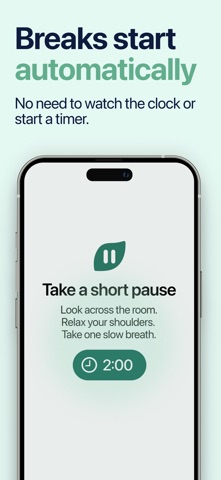
Pausi helps you take control of long screen sessions with smart breaks, app limits, and simple usage insights. Instead of only tracking total screen time, Pausi focuses on continuous usage. Choose the apps you want to monitor, set your preferred session limit, and Pausi steps in when it is time to pause. Whether you want better digital balance for yourself or a healthier screen routine for your child, Pausi makes screen breaks easier to manage. Key Features • Smart Break Reminders — Set how long an app can be used before a break is required. • App-Based Monitoring — Choose specific apps or categories you want Pausi to watch. • Break Duration Control — Decide how long each break should last before usage can continue. • Usage Insights — See simple statistics that help you understand screen habits over time. • For Families and Individuals — Use Pausi for yourself or as part of your child’s screen time routine. Why Pausi? Long, uninterrupted screen sessions are easy to miss. Pausi helps create natural stopping points, so screen time becomes more intentional and easier to manage. Start building healthier screen habits, one pause at a time. Terms of Use (EULA): https://www.apple.com/legal/internet-services/itunes/dev/stdeula/ Privacy Policy: https://pausi.app/privacypolicy
What's new · 1.2.4
• Need more time? When a daily limit is reached, add 5, 15, 30, or 60 minutes—or allow access until the current limit period ends—without changing your saved limit. • Daily-limit enforcement and recovery are now more reliable. • Improved onboarding, translations, and overall stability.
Details