

Kids App Qustodio
Qustodio Technologies SL · Lifestyle
Independent analytics for this App Store listing. AppTracker is not affiliated with Qustodio Technologies SL.
Chart standing · US
What changed · US
Listing changes AppTracker has observed for this app in this storefront — new versions, price moves, rating shifts, and store copy.
Hi Parents! We've made more improvements and fixed some minor bugs to make your Qustodio experience even better. As always, we recommend that you enable auto-updating in the App Store so both your and your kids' apps are always up-to-date. The Qustodio Team
Price & rating history · US
Reconstructed from the listing changes AppTracker has observed in this storefront. A field is charted once it has changed more than once, and each line starts at the value it moved from.
Average rating · ★ 2.16 now · 2 changes on record
Ratings breakdown · US
The star breakdown behind this app's rating in this storefront.
In-app purchases · US
What this app sells inside itself, grouped by kind and priced for this storefront.
Screenshots



Keywords this app targets
Search terms AppTracker associates with this app — estimates, not search volume. ❝ = in the app's title; a highlighted number is its current position for that term.
Similar apps
Competitors and close alternatives, as estimated by AppTracker.
 Parental Control App - Kidslox
Kidslox Trading Limited
Parental Control App - Kidslox
Kidslox Trading Limited
 KidsGuard Pro-Parental Control
CLEVERGUARD TECHNOLOGY CO., LIMITED
KidsGuard Pro-Parental Control
CLEVERGUARD TECHNOLOGY CO., LIMITED
 Parental Control App - Kidsee
Alenrom sp. z o.o.
Parental Control App - Kidsee
Alenrom sp. z o.o.
 Parental Control App: AirDroid
SAND STUDIO CORPORATION LIMITED
Parental Control App: AirDroid
SAND STUDIO CORPORATION LIMITED
 Kids360: Parental Control App
MINDCARE LAB LTD
Kids360: Parental Control App
MINDCARE LAB LTD
 Kid Security: Parental Control
KIDS SECURITY, TOO
Kid Security: Parental Control
KIDS SECURITY, TOO
 Parental Control App - OurPact
Eturi Corp.
Parental Control App - OurPact
Eturi Corp.
 Findmykids: GPS Phone Tracker
LETEM LTD
Findmykids: GPS Phone Tracker
LETEM LTD
About
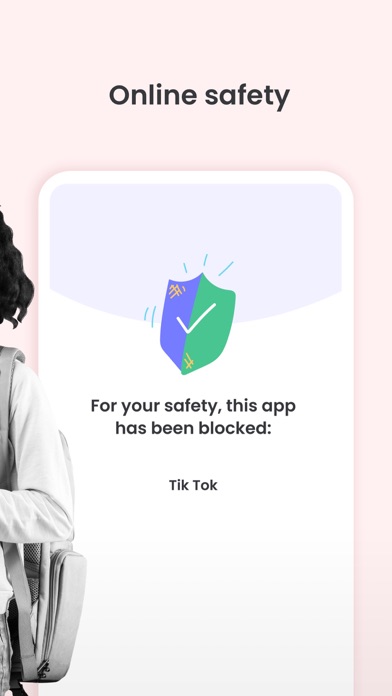
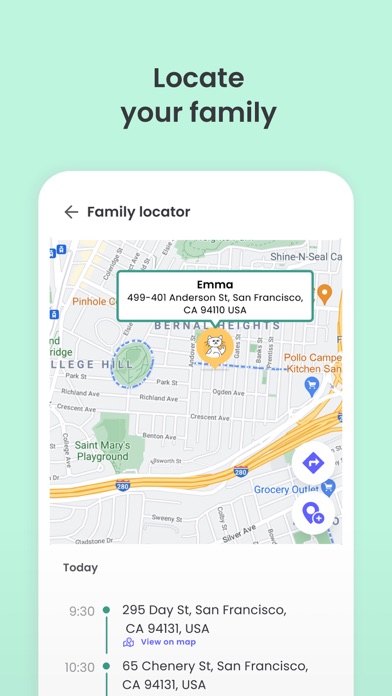
Kids App Qustodio is the companion app to Qustodio Parental Control App. Please only download this app to a device being used by a child or teen. How to get started 1. Download the Qustodio Parental Control App onto your own device (usually your mobile phone or laptop). 2. Then download this Kids App Qustodio onto any of your child’s devices you want to monitor. 3. Together, the two apps allow you to seamlessly manage your child’s daily screen time allowance on linked mobile, tablet, or desktop devices. Features include: • Daily screen time limits set by the Parent App. • Website, search and app usage monitoring on the child’s device. • Website blocking and category blocking (block games and lockout unwanted content) on the child’s device • Location tracking of the child's device • Safe search on the child’s device • Unsupported browser blocking on the child’s device • Advanced reporting provided to parents • Real-time alerts sent to parents Kids App Qustodio for iOS and macOS is password protected and cannot be uninstalled from a child’s device without parental permission. If you have any questions or need help, contact us at info@qustodio.com We take privacy and the protection of your family and children’s data extremely seriously. We do not and will not sell data to third-parties. Your child’s screen time activity is for your eyes only. Our Terms of Use are available here: https://www.qustodio.com/family/terms/ Important notes for users - The Kids App Qustodio for iOS install process will ask you to install a special MDM profile and accept special permissions in order to control the internet traffic on the device. This profile can be removed or disabled by you whenever you want. Instructions for installing, uninstalling, and configuring are on our help page. - When connecting to the internet a VPN symbol will appear on the top of the screen. The VPN connection can be disabled temporarily when needed in the Family Portal or by logging into the Kids App Qustodio on your kids' device. - Continued use of GPS running in the background for the Family Locator feature can dramatically decrease battery life.
What's new · 182.19.0
Hi Parents! We've made more improvements and fixed some minor bugs to make your Qustodio experience even better. As always, we recommend that you enable auto-updating in the App Store so both your and your kids' apps are always up-to-date. The Qustodio Team
Details