

No JavaScript
TCOOL LTD · Utilities
Independent analytics for this App Store listing. AppTracker is not affiliated with TCOOL LTD.
Chart standing · US
What changed · US
Listing changes AppTracker has observed for this app in this storefront — new versions, price moves, rating shifts, and store copy.
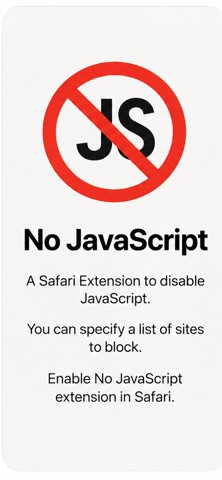
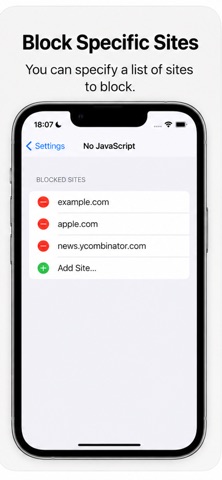
Updated App Store screenshots and product information to make setup, global blocking, and per-site controls easier to understand.
Price & rating history · US
Reconstructed from the listing changes AppTracker has observed in this storefront. A field is charted once it has changed more than once, and each line starts at the value it moved from.
Price · 1.99 USD now · 2 changes on record
In-app purchases · US
No in-app purchases.
Screenshots

Keywords this app targets
Search terms AppTracker associates with this app — estimates, not search volume. ❝ = in the app's title; a highlighted number is its current position for that term.
Similar apps
Competitors and close alternatives, as estimated by AppTracker.
 JavaScript Blocker for Safari
Alfredo Grassau
1 shared topic · 1 shared title word
JavaScript Blocker for Safari
Alfredo Grassau
1 shared topic · 1 shared title word
 No JS
Peter Compernolle
2 shared topics
No JS
Peter Compernolle
2 shared topics
 StopTheScript
Jeff Johnson
1 shared topic
StopTheScript
Jeff Johnson
1 shared topic
 Cookie DNT Privacy for Safari
Sufiyan Yasa
2 shared topics
Cookie DNT Privacy for Safari
Sufiyan Yasa
2 shared topics
 Custom JS & CSS for Safari
Alfredo Grassau
1 shared topic
Custom JS & CSS for Safari
Alfredo Grassau
1 shared topic
 Stop Ads - The Ultimate Ad-Blocker for Safari
Denys Ievenko
3 shared topics
Stop Ads - The Ultimate Ad-Blocker for Safari
Denys Ievenko
3 shared topics
 Still - Block Animations
Chaparral Studios LLC
2 shared topics
Still - Block Animations
Chaparral Studios LLC
2 shared topics
 Imageless - Image Blocker
Jacob D Kamile
1 shared topic
Imageless - Image Blocker
Jacob D Kamile
1 shared topic
About
No JavaScript gives you direct control over JavaScript in Safari. Disable scripts across every website, or keep JavaScript enabled globally and block only the sites you choose. Use it to reduce script-heavy clutter such as autoplay media, animated elements, pop-ups, and some tracking scripts. Pages with less JavaScript may load faster and use fewer device resources. KEY FEATURES • Block JavaScript on all websites with one switch • Create a site list for selective blocking • Block inline and dynamically added scripts • Reveal noscript content when available • Keep your site rules stored locally on your device • No account, analytics, or personal data collection • Light and dark appearance • Designed for iPhone and iPad HOW TO USE 1. Install No JavaScript. 2. Enable the extension in Safari settings. 3. Open the extension from Safari. 4. Choose global blocking or add the current site to your list. Some websites need JavaScript for sign-in, checkout, video, or other interactive features. Turn blocking off whenever a page needs full functionality. Take back control of script-heavy websites with a simple Safari extension.
What's new · 1.0.1
Updated App Store screenshots and product information to make setup, global blocking, and per-site controls easier to understand.
Details