
Chart standing · US
What changed · US
Listing changes AppTracker has observed for this app in this storefront — new versions, price moves, rating shifts, and store copy.
New: set the window size on iPadOS 26 • The app can now be resized freely – from full screen down to a small window alongside your other apps. • The clock and weather adapt to the window size automatically. • This requires "Apps as Windows" under Settings → Multitasking & Gestures on your iPad. • Automatic orientation no longer applies – from iPadOS 26 on, the system controls orientation itself.
Ratings breakdown · US
The star breakdown behind this app's rating in this storefront.
Screenshots



Keywords this app targets
Search terms AppTracker associates with this app — estimates, not search volume. ❝ = in the app's title; a highlighted number is its current position for that term.
Similar apps
Competitors and close alternatives, as estimated by AppTracker.
 Photo Frame Calendar & Clock
Eval'das Sichyunas
1 shared topic · 3 shared title words
Photo Frame Calendar & Clock
Eval'das Sichyunas
1 shared topic · 3 shared title words
 Digital Frame
Pablo Serradilla Garcia
2 shared topics · 1 shared title word
Digital Frame
Pablo Serradilla Garcia
2 shared topics · 1 shared title word
 PixFolio Business Photo Frame
Brian Wood
1 shared topic · 3 shared title words
PixFolio Business Photo Frame
Brian Wood
1 shared topic · 3 shared title words
 Framio - Photo & Video Frame
seiya kawano
1 shared topic · 2 shared title words
Framio - Photo & Video Frame
seiya kawano
1 shared topic · 2 shared title words
 Photo Slideshow Director
Shenzhen Socusoft Co., Ltd
1 shared title word
Photo Slideshow Director
Shenzhen Socusoft Co., Ltd
1 shared title word
 Photo Album Widget
Lukas Gergel
1 shared title word
Photo Album Widget
Lukas Gergel
1 shared title word
 Photo Lab PROHD picture editor
Linerock Investments LTD
1 shared title word
Photo Lab PROHD picture editor
Linerock Investments LTD
1 shared title word
 Photo Organizer: Picnic
MWM
1 shared title word
Photo Organizer: Picnic
MWM
1 shared title word
About
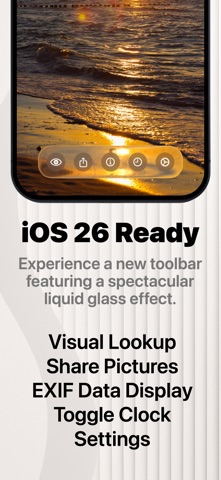
Photo Panel – Your Favorite Memories in a Slideshow **No ads. No in-app purchases. No subscription. Just enjoy your photos.** Turn your iPhone or iPad into a digital photo frame! Select an album from your photos library or a shared album, and the app will display your favorite photos in a beautiful slideshow – fully automatic, with no ads or in-app purchases. Features at a glance: • Automatic album update: New photos in your albums are automatically detected and immediately included in the slideshow • Select one or more albums: Images can be displayed sequentially or in random order • Supports shared albums – perfect for family or vacation photos • Flexible display duration: Choose how long each photo is shown – from 5 seconds to 12 hours • Individual settings for portrait and landscape images • Fullscreen display: Choose between original size or borderless display • Blurred background: Display photos with a softly blurred backdrop • Immersive display: Hide the status bar and home indicator • Various transition effects: Instant switch, smooth fade, or slide animation • Clock display: Add a subtle clock to the slideshow • Screensaver mode: Turns the screen black after a set time • Manual navigation: Swipe left to view the next image • Manual navigation: Swipe right to view the previous image • EXIF data: Shows date, time, and location of the photo • Tap the GPS data to view the location in Apple Maps • Live Photos: Animated display of Live Photos • Visual Lookup: Identify plants, animals, landmarks, and dishes • Weather display • Share Photos: Send via Mail, AirDrop, Messages, and more • Photo sources: Apple Photos (iCloud Photos), WebDAV (e.g. NAS or Nextcloud), Immich (open-source photo library), iOS Files app (locally stored photos, iCloud Drive, SMB server, external devices such as USB drives or SSDs) You can find a comprehensive manual at https://www.applicay.com/photopanel/manual.html Download the app now and turn your device into an elegant digital photo frame!
What's new · 3.3
New: set the window size on iPadOS 26 • The app can now be resized freely – from full screen down to a small window alongside your other apps. • The clock and weather adapt to the window size automatically. • This requires "Apps as Windows" under Settings → Multitasking & Gestures on your iPad. • Automatic orientation no longer applies – from iPadOS 26 on, the system controls orientation itself.
Details