

VectorPaint: Drawing & SVG
Anyi County Bingzhiyi Trading Co., Ltd. · Graphics & Design
Independent analytics for this App Store listing. AppTracker is not affiliated with Anyi County Bingzhiyi Trading Co., Ltd.
Chart standing · US
What changed · US
Listing changes AppTracker has observed for this app in this storefront — new versions, price moves, rating shifts, and store copy.
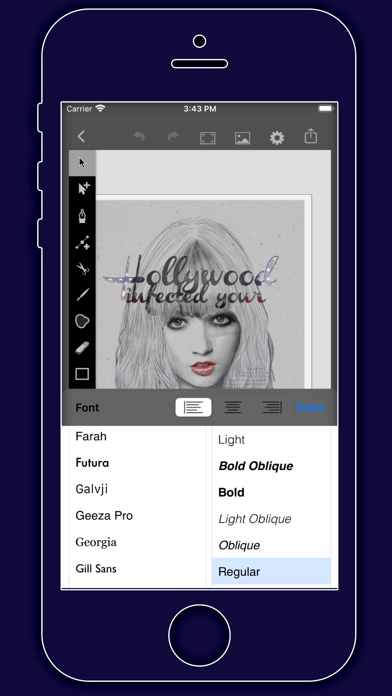
• A redesigned drawing workspace and artwork library, with groups, tags, and favorites. • New image vectorization turns logos, line art, and flat-color images into editable paths. • Enhanced typography and path editing, with letter spacing, line spacing, and more node operations. • New artwork versions, backup and recovery, plus saved export presets for multiple output specifications.
Ratings breakdown · US
The star breakdown behind this app's rating in this storefront.
In-app purchases · US
No in-app purchases.
Screenshots


Keywords this app targets
Search terms AppTracker associates with this app — estimates, not search volume. ❝ = in the app's title; a highlighted number is its current position for that term.
Similar apps
Competitors and close alternatives, as estimated by AppTracker.
 Linearity Curve: Graphic Art
Linearity GmbH
2 shared topics
Linearity Curve: Graphic Art
Linearity GmbH
2 shared topics
 Graphic for iPhone
Picta, Inc
1 shared topic
Graphic for iPhone
Picta, Inc
1 shared topic
 Vectorize 2
Synium Software GmbH
1 shared topic
Vectorize 2
Synium Software GmbH
1 shared topic
 Vektaro
Birkan Aksoy
Vektaro
Birkan Aksoy
 Painto Bitmap Editor
Yuya Suzuki
Painto Bitmap Editor
Yuya Suzuki
 Vectorize!
Synium Software GmbH
1 shared topic
Vectorize!
Synium Software GmbH
1 shared topic
 Bantam Tools Draw
BantamTools
1 shared topic
Bantam Tools Draw
BantamTools
1 shared topic
 SvgTrace Pro
2824908 Ontario Inc
SvgTrace Pro
2824908 Ontario Inc
About
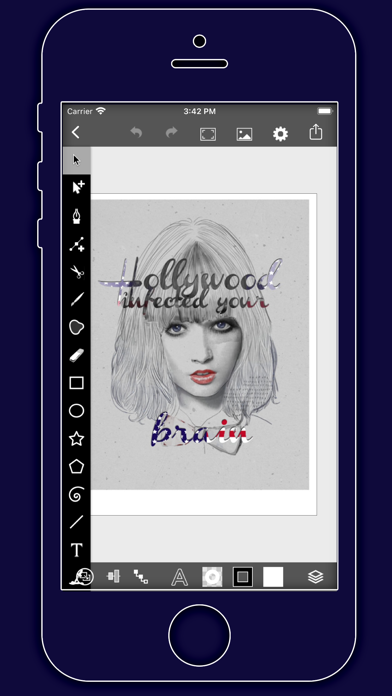
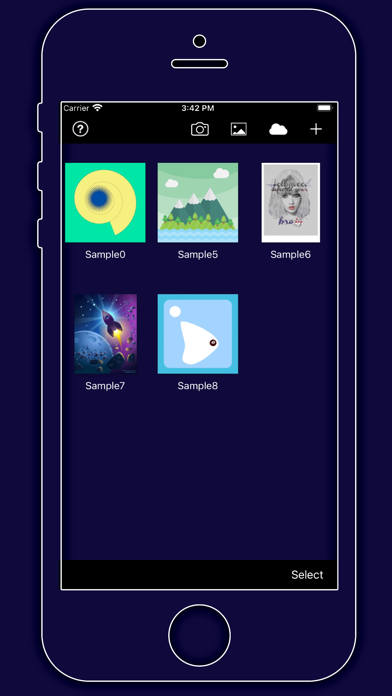
VectorPaint is a vector drawing and SVG editing app for iPhone and iPad. Create illustrations, design logos, draw icons and compose posters with editable paths, shapes and text. Draw freely, refine precisely Use the pen, freehand and shape tools to build your artwork. Edit Bézier nodes, curves and outlines, then arrange objects with alignment, distribution, grids and guides. Zoom into your canvas to refine the details. Bring layers, color and type together Organize artwork with layers and groups. Adjust opacity, fills, strokes and gradients, use masks to control what appears, and place text along a path. Combine lettering and graphics for logos, illustrations and layouts. Trace images into editable paths Import an image as a reference or generate a vector tracing preview before applying it. Tracing works best with logos, line art and flat-color images. Photos are quantized to your chosen number of colors, so results depend on the source image. Export for your next step Import SVG, VectorPaint, Inkpad and common image files. Export SVG, PDF and PNG, or keep an editable VectorPaint document. PNG supports transparent backgrounds. SVG and PDF may include bitmap elements from your artwork; export does not automatically turn every object into vectors. A local workspace for your artwork Drawing and artwork management use local files and work offline. Keep projects organized with groups, tags and favorites. Use undo, redo, versions, recently deleted artwork and backups to manage your creative process. For anyone looking for vector illustration, SVG editing, logo creation and graphic artwork on iPhone or iPad, VectorPaint brings paths, layers, color and typography into one workspace.
What's new · 1.0.6
• A redesigned drawing workspace and artwork library, with groups, tags, and favorites. • New image vectorization turns logos, line art, and flat-color images into editable paths. • Enhanced typography and path editing, with letter spacing, line spacing, and more node operations. • New artwork versions, backup and recovery, plus saved export presets for multiple output specifications.
Details