

Booklover - eBook Reader
Plastic Software, Inc. · Books
Independent analytics for this App Store listing. AppTracker is not affiliated with Plastic Software, Inc.
Chart standing · US
What changed · US
Listing changes AppTracker has observed for this app in this storefront — new versions, price moves, rating shifts, and store copy.
This version improves usability in the Reader View, Library, and image editors, and fixes several issues. Improvements • [Reader View] Improved the quality of background colors when "Background Color" is set to "Dynamic" • [Reader View] In double-page spread mode, the last page is now displayed as a spread even when it is an odd-numbered page • [Reader View] You can now move to the previous book by turning back at the first page, or to the next book by turning forward at the last page • [Library] On an iPhone or a narrow screen, you can now swipe the menu (sidebar) to show the Library • [Library] When the sidebar is shown side by side, tapping the item currently selected in the sidebar now scrolls the Library to the top • [Library/Search] "Search History" items can now be reordered by drag and drop • [Cover Image Editor] The loupe can now be resized • [Cover Image Editor] Sliders can now be moved along their axes while the loupe is shown • [Page Cropping] Added a loupe • Other miscellaneous user experience improvements • Performance and stability improvements Revisions • [Library] Swapped the positions of the "Add Books" and "History" buttons in the toolbar Fixes • [Reader View] Fixed an issue on iOS 27 and later where page turning became slow when "Background Color" was set to "Dynamic" • [Reader View] Temporary workaround for poor title visibility in Dark Mode on iOS 27 and later (until resolved in the OS) • [Reader View] Fixed an issue where tapping the slider's track no longer changed the page • [Reader View] Fixed an issue where touching a PDF link while swiping to turn pages in a PDF would navigate to the link destination • [Reader View] Fixed an issue where showing PDF annotation notes caused the PDF file to be overwritten • [Library] Fixed an issue where the transition for opening a book could be disrupted while the sidebar was shown • [Library] Fixed an issue where the gesture for showing the sidebar was overly sensitive • [Library] Fixed an issue where the screen refreshed for each book when adding books to the app • [Library/Search] Fixed an issue where gestures in the "Search History" area passed through to the view behind it • [Cover Image Editor] Fixed an issue with toolbar responsiveness • Miscellaneous bug fixes
Ratings breakdown · US
The star breakdown behind this app's rating in this storefront.
In-app purchases · US
No in-app purchases.
Screenshots



Keywords this app targets
Search terms AppTracker associates with this app — estimates, not search volume. ❝ = in the app's title; a highlighted number is its current position for that term.
Similar apps
Competitors and close alternatives, as estimated by AppTracker.
 Bookloader
Cameron Howard
3 shared topics
Bookloader
Cameron Howard
3 shared topics
 SideBooks
Tatsumi-System Co., Ltd.
2 shared topics
SideBooks
Tatsumi-System Co., Ltd.
2 shared topics
 Komi Reader - TXT & PDF
kim juyoung
3 shared topics · 1 shared title word
Komi Reader - TXT & PDF
kim juyoung
3 shared topics · 1 shared title word
 EPUB Reader, Ebook - justRead
PETR JAHODA
2 shared topics · 2 shared title words
EPUB Reader, Ebook - justRead
PETR JAHODA
2 shared topics · 2 shared title words
 ComicShare - Streaming Reader
yoshitaka haneda
2 shared topics · 1 shared title word
ComicShare - Streaming Reader
yoshitaka haneda
2 shared topics · 1 shared title word
 TotalReader Pro - ePub, DjVu, MOBI, FB2 Reader
LTD DevelSoftware
2 shared topics · 1 shared title word
TotalReader Pro - ePub, DjVu, MOBI, FB2 Reader
LTD DevelSoftware
2 shared topics · 1 shared title word
 BookFusion
 Inc.
1 shared topic
BookFusion
BookFusion Inc.
1 shared topic
 PocketBook Reader
Pocketbook International SA
1 shared topic · 1 shared title word
PocketBook Reader
Pocketbook International SA
1 shared topic · 1 shared title word
About
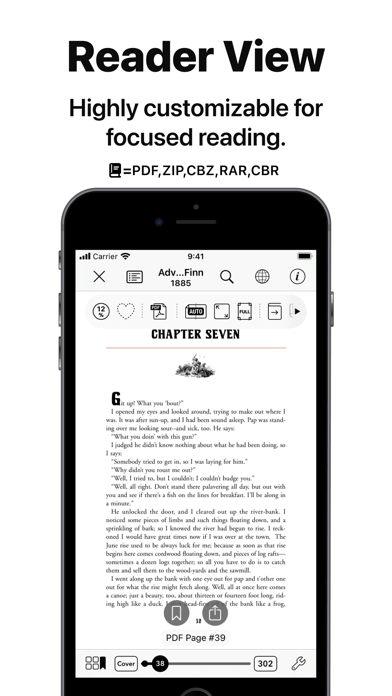
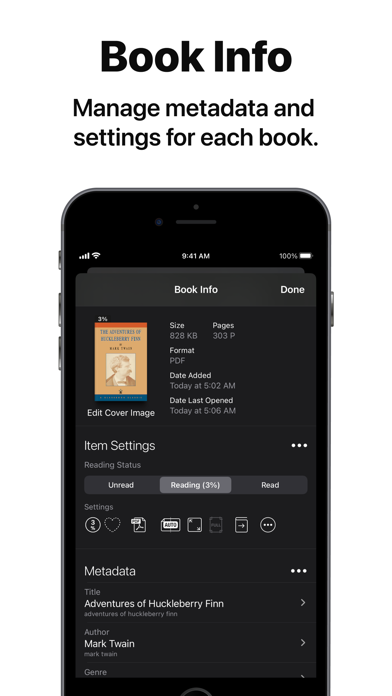
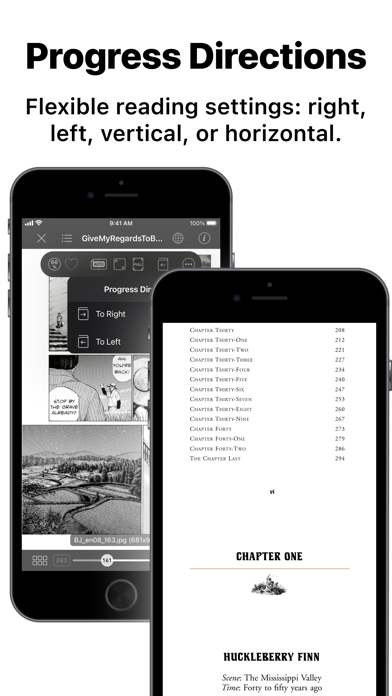
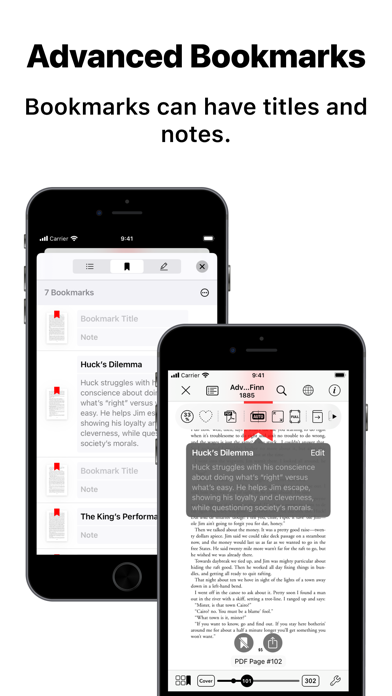
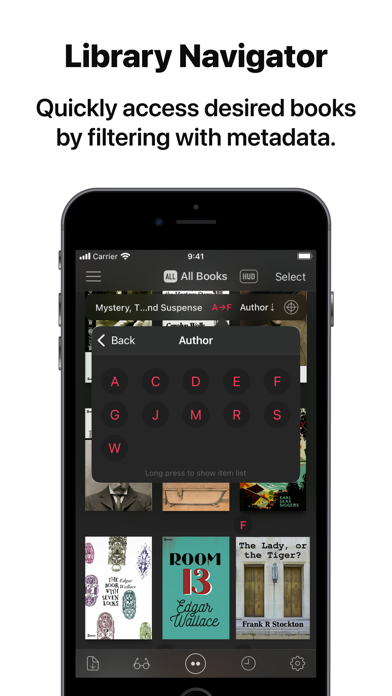
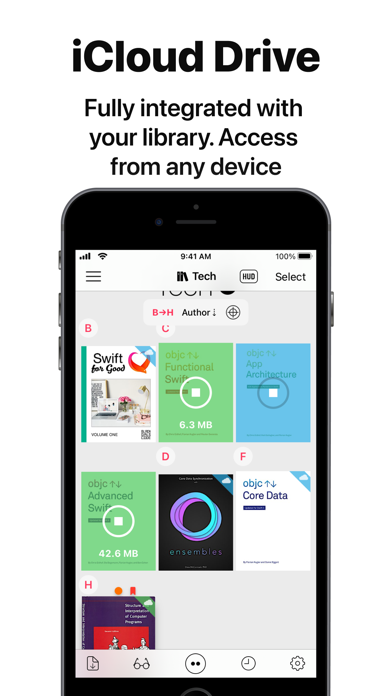
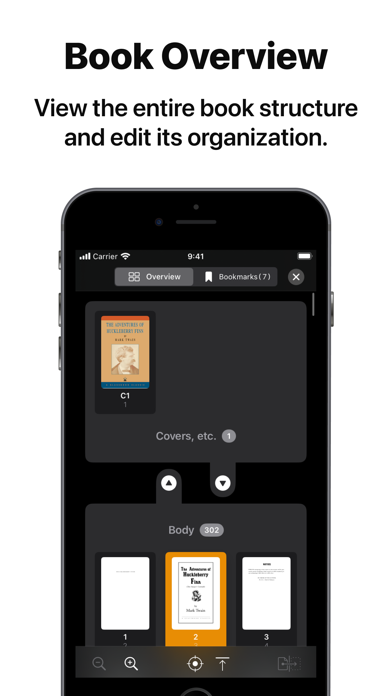
Booklover is a highly responsive and robust eBook reader. It excels at handling PDFs, manga, and scanned books. The metadata-driven library management system makes it easy to organize and enjoy a large collection of books in PDF, ZIP/CBZ, and RAR/CBR formats. Seamlessly integrated with iCloud Drive, books in the iCloud Drive/Booklover folder automatically appear in the app’s library and can be downloaded on demand. In the library, you can organize books by genres and arrange them using various bibliographic details such as title, author, publisher, and more. With the search field and powerful Library Navigator, you can quickly locate a book among thousands in your collection. Customize your reading experience with settings for each book, including page layout, transition axis and style, cropping, filters, progress direction, background, and more. Booklover supports bookmarks with titles and notes, as well as PDF text annotations (highlights), text search, and a table of contents. Main Features: # General • Manage and view eBooks (PDF, ZIP/CBZ, RAR/CBR) • Support for archived image files in JPG, PNG, GIF, HEIF, WEBP, AVIF, and JPEG XL formats • Automatic syncing of book files placed in iCloud Drive/Booklover. On-demand caching (download) of the remote files • Import files via iTunes (Windows), Finder (Mac), AirDrop, Drag & Drop, "Open with..." etc. • Import files via apps from various cloud storage services, such as Dropbox and OneDrive, as well as other services accessible through the iOS Files app. • Slide Over / Split View (iPad) • Hardware keyboard support (mainly in the reader) # Library • Section books by genre (ON/OFF) • The Library Navigator (ON/OFF) • Histories of added and opened books • Context Menu for individual books (long-press a book cover) • Change sort order: By Title, Author, Publisher, Filename, Added Date, etc. • Alphanumeric Index Labels (ON/OFF) • Toggle display of cover accessories • Adjust cover grid size • Responsive Shadow (shows page volume with shadow) • Filter books by Status, Genre, Tags, etc. • Search books by various bibliographic details, file name, and tags # Reader • PDF text annotations (highlights) with notes, text search, and a table of contents • Bookmarks with titles and notes • Lists of bookmarks and PDF annotations • Page transition settings: Axis (Horizontal, Vertical), Style (Scroll, Continuous Scroll, Stack, Crossfade, Zoom fade, Instant) • Progress direction setting: Left to Right, Right to Left (for vertical text, manga, Arabic, etc.) • Page layout setting: Automatic, Single-Page, Two-Pages (spread) • Separate page layout settings for view orientation (Portrait / Landscape) • Page trimming (for images only) • Page sizing: Show All, Width-Fit, Height-Fit • Page thumbnail view (overview, bookmarks) • Image correction filters • Dynamic background (When the "Background Color" option for a book is set to "Dynamic") • Adjust page spread position (Insert adjuster page at the beginning of the book body) • Text recognition within images (with compatible devices only) • Export (share) the currently displayed page # Book Management • Edit metadata: Title, Author, Genre, Publisher, Published Date, ISBN, etc. • Edit Tags (Can be used as filter criteria in the side menu) • Extract metadata (title/author) from PDFs • Extract various metadata from file names with configurable extraction rules • Automatic/Manual cropping of book covers • Batch modification of book settings and metadata • Transfer book files: "Open with...", AirDrop, Drag & Drop, etc. • Can manage the content files and data separately ("Ghost Book") ——————————————— # Acknowledgments [Books used in the screenshots] • "Give My Regards to Black Jack" by SHUHO SATO (Manga on Web: http://mangaonweb.com) • Public domain books from Feedbooks (http://www.feedbooks.com) • Public domain comics from digitalcomicmuseum.com (http://digitalcomicmuseum.com)
What's new · 3.9.1
This version improves usability in the Reader View, Library, and image editors, and fixes several issues. Improvements • [Reader View] Improved the quality of background colors when "Background Color" is set to "Dynamic" • [Reader View] In double-page spread mode, the last page is now displayed as a spread even when it is an odd-numbered page • [Reader View] You can now move to the previous book by turning back at the first page, or to the next book by turning forward at the last page • [Library] On an iPhone or a narrow screen, you can now swipe the menu (sidebar) to show the Library • [Library] When the sidebar is shown side by side, tapping the item currently selected in the sidebar now scrolls the Library to the top • [Library/Search] "Search History" items can now be reordered by drag and drop • [Cover Image Editor] The loupe can now be resized • [Cover Image Editor] Sliders can now be moved along their axes while the loupe is shown • [Page Cropping] Added a loupe • Other miscellaneous user experience improvements • Performance and stability improvements Revisions • [Library] Swapped the positions of the "Add Books" and "History" buttons in the toolbar Fixes • [Reader View] Fixed an issue on iOS 27 and later where page turning became slow when "Background Color" was set to "Dynamic" • [Reader View] Temporary workaround for poor title visibility in Dark Mode on iOS 27 and later (until resolved in the OS) • [Reader View] Fixed an issue where tapping the slider's track no longer changed the page • [Reader View] Fixed an issue where touching a PDF link while swiping to turn pages in a PDF would navigate to the link destination • [Reader View] Fixed an issue where showing PDF annotation notes caused the PDF file to be overwritten • [Library] Fixed an issue where the transition for opening a book could be disrupted while the sidebar was shown • [Library] Fixed an issue where the gesture for showing the sidebar was overly sensitive • [Library] Fixed an issue where the screen refreshed for each book when adding books to the app • [Library/Search] Fixed an issue where gestures in the "Search History" area passed through to the view behind it • [Cover Image Editor] Fixed an issue with toolbar responsiveness • Miscellaneous bug fixes
Details