

PDF Studio Editor: Scan & Sign
MULTI MOBILE Ltd · Business
Independent analytics for this App Store listing. AppTracker is not affiliated with MULTI MOBILE Ltd.
Chart standing · US
What changed · US
Listing changes AppTracker has observed for this app in this storefront — new versions, price moves, rating shifts, and store copy.
Version 2.1.0 brings a rebuilt design, scanning with on-device OCR, improved annotation and signing tools, page organization, flexible export options, autosave and reliability improvements.
Ratings breakdown · US
The star breakdown behind this app's rating in this storefront.
In-app purchases · US
No in-app purchases.
Screenshots



Keywords this app targets
Search terms AppTracker associates with this app — estimates, not search volume. ❝ = in the app's title; a highlighted number is its current position for that term.
Similar apps
Competitors and close alternatives, as estimated by AppTracker.
 PDF Editor ®
SMM service, s.r.o.
2 shared topics · 2 shared title words
PDF Editor ®
SMM service, s.r.o.
2 shared topics · 2 shared title words
 PDF Editor: Read Scan Convert
Rhophi Analytics LLP
2 shared topics · 4 shared title words
PDF Editor: Read Scan Convert
Rhophi Analytics LLP
2 shared topics · 4 shared title words
 ScanFolio - Doc Scan & Editor
Solueman Hussain
2 shared topics · 2 shared title words
ScanFolio - Doc Scan & Editor
Solueman Hussain
2 shared topics · 2 shared title words
 iLovePDF - PDF Editor & Scan
ILOVEPDF S.L.
2 shared topics · 3 shared title words
iLovePDF - PDF Editor & Scan
ILOVEPDF S.L.
2 shared topics · 3 shared title words
 PDF Scan & Edit
Noox Media Ltd
2 shared topics · 2 shared title words
PDF Scan & Edit
Noox Media Ltd
2 shared topics · 2 shared title words
 PDF Export Pro - PDF Editor
LiveBird Technologies Private Limited
2 shared topics · 2 shared title words
PDF Export Pro - PDF Editor
LiveBird Technologies Private Limited
2 shared topics · 2 shared title words
 PDF Expert: Editor & Reader
Readdle Technologies Limited
1 shared topic · 2 shared title words
PDF Expert: Editor & Reader
Readdle Technologies Limited
1 shared topic · 2 shared title words
 Smart Document Scanner: PDF GO
Arima Jain
2 shared topics · 1 shared title word
Smart Document Scanner: PDF GO
Arima Jain
2 shared topics · 1 shared title word
About
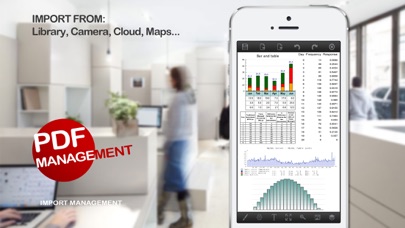
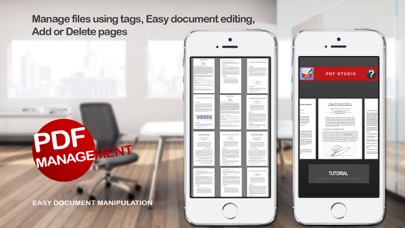
Create, scan and edit PDFs in a modern workspace built for iPhone and iPad. PDF Studio Editor brings documents, scans, photos, templates and markup into one editable project. Imported PDF pages stay intact as backgrounds while your additions remain editable. CREATE AND IMPORT • Start with blank A4, US Letter, Legal or custom pages • Use templates for notes, reports, presentations, checklists and more • Scan multi-page documents with edge detection, crop, rotation and image filters • Use on-device OCR to make supported scans searchable • Turn photos into ordered PDF pages • Import PDFs through Files, iCloud Drive, OneDrive, Google Drive, Dropbox and other installed File Providers EDIT AND ANNOTATE • Draw with pen or Apple Pencil and add highlights, lines, arrows, shapes and whiteout • Add movable text boxes with font, color, alignment and opacity controls • Draw, import, save and place signatures locally • Add photos, stamps, map snapshots, templates and backgrounds • Move, resize, rotate, duplicate, lock, hide and reorder editable layers • Apply secure redactions when exporting sensitive content ORGANIZE PAGES • Reorder, rotate, duplicate, delete and insert pages • Add blank, template, scan, photo or imported PDF pages • Add bookmarks and select multiple pages for batch actions EXPORT AND SHARE • Export a standard PDF with compatible annotations • Create a flattened PDF for consistent viewing • Save an editable PDF Studio project • Export selected or all pages as PNG or JPEG • Share through Files, Mail, AirDrop, printing and other installed apps RELIABLE LOCAL WORK Projects autosave with recovery support. OCR, document processing and stored signatures stay on your device until you choose to export or share them.
What's new · 2.1.0
Version 2.1.0 brings a rebuilt design, scanning with on-device OCR, improved annotation and signing tools, page organization, flexible export options, autosave and reliability improvements.
Details