

Photo Widget
Francis Bonnin · Photo & Video
Independent analytics for this App Store listing. AppTracker is not affiliated with Francis Bonnin.
Chart standing · US
What changed · US
Listing changes AppTracker has observed for this app in this storefront — new versions, price moves, rating shifts, and store copy.
Price & rating history · US
Reconstructed from the listing changes AppTracker has observed in this storefront. A field is charted once it has changed more than once, and each line starts at the value it moved from.
Average rating · ★ 3.91 now · 4 changes on record
Ratings breakdown · US
The star breakdown behind this app's rating in this storefront.
In-app purchases · US
No in-app purchases.
Screenshots


Keywords this app targets
Search terms AppTracker associates with this app — estimates, not search volume. ❝ = in the app's title; a highlighted number is its current position for that term.
Similar apps
Competitors and close alternatives, as estimated by AppTracker.
 Photo Widget — The Best One
Sindre Sorhus
1 shared topic · 3 shared title words
Photo Widget — The Best One
Sindre Sorhus
1 shared topic · 3 shared title words
 Photo Album Widget
Lukas Gergel
2 shared topics · 2 shared title words
Photo Album Widget
Lukas Gergel
2 shared topics · 2 shared title words
 Photo Widget: Theme Wallpapers
Photo Widget Inc.
2 shared topics · 3 shared title words
Photo Widget: Theme Wallpapers
Photo Widget Inc.
2 shared topics · 3 shared title words
 PhotoWidget+
tadashi atoji
1 shared topic
PhotoWidget+
tadashi atoji
1 shared topic
 Photo Albums and Widget
Zhiguang Han
1 shared topic · 2 shared title words
Photo Albums and Widget
Zhiguang Han
1 shared topic · 2 shared title words
 NewThing Widgets Pro
AppsLab Co.
2 shared topics
NewThing Widgets Pro
AppsLab Co.
2 shared topics
 Photo Widget-Live Pic Sharing
银雪 朱
3 shared title words
Photo Widget-Live Pic Sharing
银雪 朱
3 shared title words
 X Widget
雪 赵
X Widget
雪 赵
About
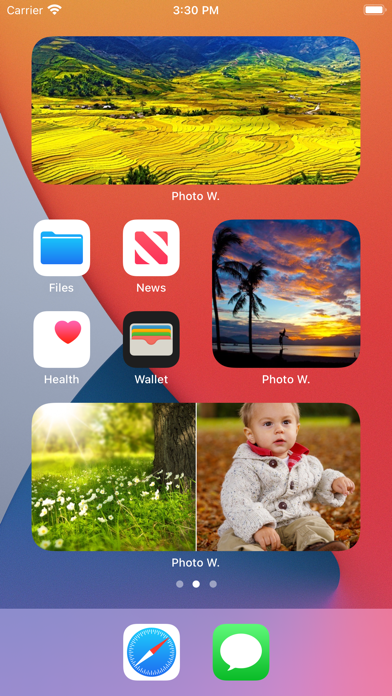
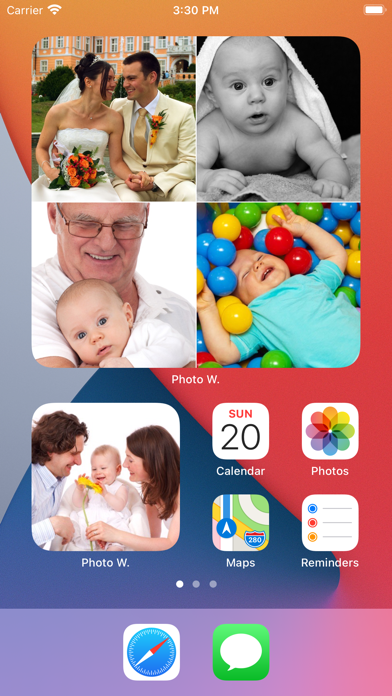
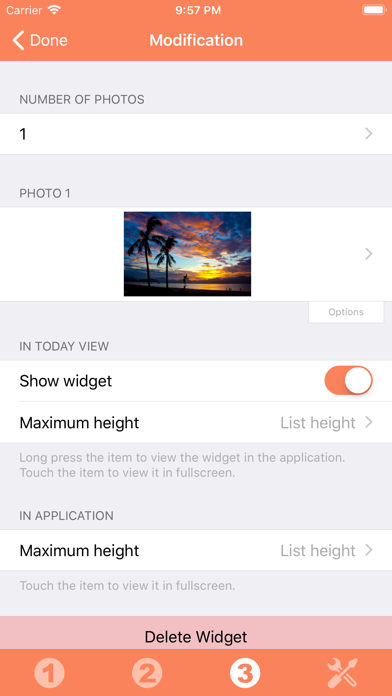
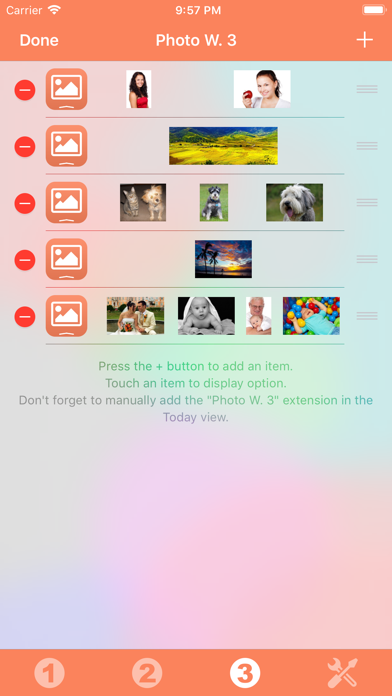
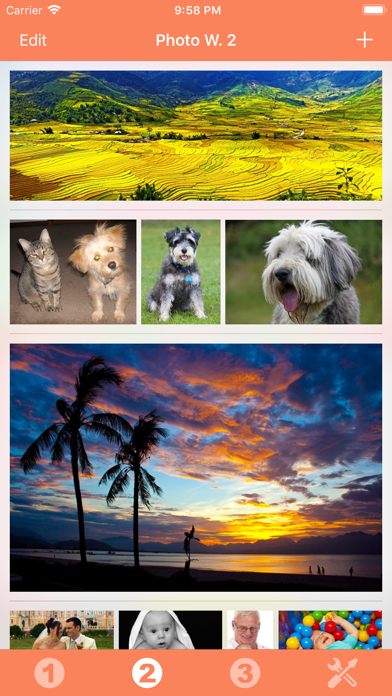
Those Widgets are compatible with the new iOS 14 Home Screen Widgets. Thanks to this application (and the other Widget apps from PacoLabs), you can now customize the Today view of your device, by adding custom widgets for some specific purposes. From anywhere in your device, with a simple top to bottom swipe, you'll have access to your own information and actions. Each Photo widget allows to view one or more photos from the photo library of your device. This is the quickest access to the favorite photos of your beloved family and friends. Add from 1 to 6 photos in each widget, in order to maximize the available space. Those photos can be viewed in fullscreen by touching them. The application is really easy to use and is adapted to the fresh look of your device. Dark mode of iOS13 is supported. You can add as many widgets as you want and they will be displayed in up to 3 different lists. Those same lists will be available in the Today view and in the application (although it is possible, if you want, to hide some widgets in the Today view). To avoid overloading the Today view, when too many widgets are displayed, an intuitive control will allow you to navigate from one widget to another. Even if the main purpose of the app is to view the widgets in the Today view, it can also be very handy to view them directly in the application (a long press on a widget in the Today view will open it directly in the main application).
What's new · 6.2
* Minor fixes and improvements.
Details