

Inkaloo
Zacona L.L.C-FZ · Productivity
Independent analytics for this App Store listing. AppTracker is not affiliated with Zacona L.L.C-FZ.
Chart standing · US
What changed · US
Listing changes AppTracker has observed for this app in this storefront — new versions, price moves, rating shifts, and store copy.
A better way to think, save, and find your ideas. • Jump between your favourite places with landmarks • Turn notes into dated tasks with the calendar • Save things you find from TikTok, Instagram, and anywhere else in one place • Share snapshots of your canvas • Smoother, faster, more polished Inkaloo experience Keep thinking with your finger.
In-app purchases · US
No in-app purchases.
Screenshots






Keywords this app targets
Search terms AppTracker associates with this app — estimates, not search volume. ❝ = in the app's title; a highlighted number is its current position for that term.
Similar apps
Competitors and close alternatives, as estimated by AppTracker.


About
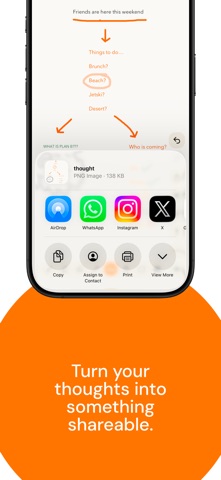
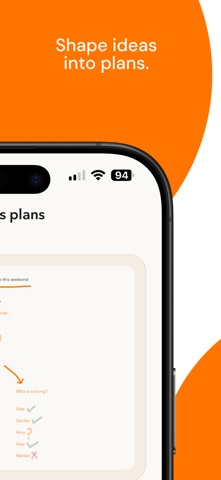
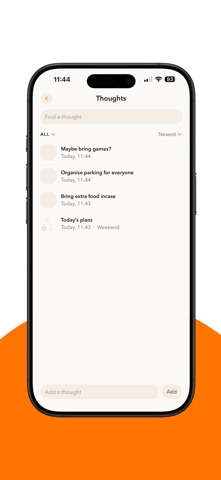
**Inkaloo is a space to think with your finger.** Open Inkaloo and you are already on paper. No tabs. No setup. No account. Just touch the screen and start. Draw ideas, scribble notes, map things out, save links, and turn whatever is in your head into something you can come back to. The canvas is infinite. Move around it with two fingers, zoom in and out, and save **Landmarks** so you can jump straight back to the parts that matter. Save webpages, TikToks, Instagram posts, videos, and other links in one place — right alongside your thinking. When an idea needs action, turn it into a task. Type it or write it by hand, add a date, and see what's coming up in your calendar. Tasks, notes, links, and ideas all stay together inside Inkaloo. Share a snapshot as a PNG whenever you want to send something out. **Made for iPhone. Designed for your finger.** ### WHAT YOU CAN DO • Draw freely on an infinite canvas • Save webpages, TikToks, Instagram posts, videos, and other links • Pan, pinch, zoom, and undo with natural gestures • Save Landmarks and jump back to any part of your canvas • Write or type notes directly on your canvas • Turn handwritten or typed notes into tasks • Add due dates and see dated work on the calendar • Keep typed tasks and handwritten notes together • Share any part of your canvas as a PNG through the iPhone share sheet ### YOUR DATA **No account. No cloud. No server.** Your drawings, notes, tasks, and saved links stay on your iPhone. Nothing is sent anywhere unless you choose to share something yourself. **Let your mind wander. Enter the space to flow.**
What's new · 1.4
A better way to think, save, and find your ideas. • Jump between your favourite places with landmarks • Turn notes into dated tasks with the calendar • Save things you find from TikTok, Instagram, and anywhere else in one place • Share snapshots of your canvas • Smoother, faster, more polished Inkaloo experience Keep thinking with your finger.
Details