

PDF Scanner · Document Scan
Shenzhen Mengmi Technology Co., Ltd. · Business
Independent analytics for this App Store listing. AppTracker is not affiliated with Shenzhen Mengmi Technology Co., Ltd.
Chart standing · US
What changed · US
Listing changes AppTracker has observed for this app in this storefront — new versions, price moves, rating shifts, and store copy.
Version Update: - Improved stability for continuous multi-page scanning and reduced memory usage. - Added save and restore for scan drafts, so you can resume scanning after unexpected interruptions. - Support multi-select, select all and batch sharing of files. - Added ZIP package sharing to send multiple PDFs at once. - Optimized bottom navigation layout and refined multilingual texts.
Price & rating history · US
Reconstructed from the listing changes AppTracker has observed in this storefront. A field is charted once it has changed more than once, and each line starts at the value it moved from.
Average rating · ★ 4.77 now · 19 changes on record
Ratings breakdown · US
The star breakdown behind this app's rating in this storefront.
In-app purchases · US
What this app sells inside itself, grouped by kind and priced for this storefront.
Screenshots



Keywords this app targets
Search terms AppTracker associates with this app — estimates, not search volume. ❝ = in the app's title; a highlighted number is its current position for that term.
Similar apps
Competitors and close alternatives, as estimated by AppTracker.
 Scanner App - Scan Docs & PDF
LAPLACE TECH LIMITED
Scanner App - Scan Docs & PDF
LAPLACE TECH LIMITED
 Scanner - Edit PDF & documents
AppRover
Scanner - Edit PDF & documents
AppRover
 PDF Scanner・Document Scanner
Games Wing
PDF Scanner・Document Scanner
Games Wing
 PDF Scanner-Document Scan App+
Smart Tool Studio
PDF Scanner-Document Scan App+
Smart Tool Studio
 PDF Scanner - File Reader
Fuzhou Xuanlong Technology Co., Ltd.
PDF Scanner - File Reader
Fuzhou Xuanlong Technology Co., Ltd.
 Smart Document Scanner: PDF GO
Arima Jain
Smart Document Scanner: PDF GO
Arima Jain
 PDF Scan & Edit
Noox Media Ltd
PDF Scan & Edit
Noox Media Ltd
 PDF Scanner:Scan for Documents
Quke Technology
PDF Scanner:Scan for Documents
Quke Technology
About
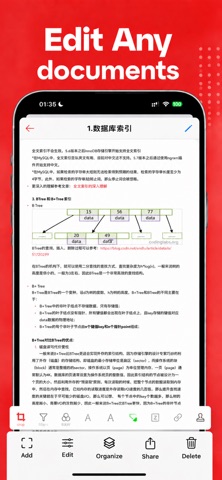
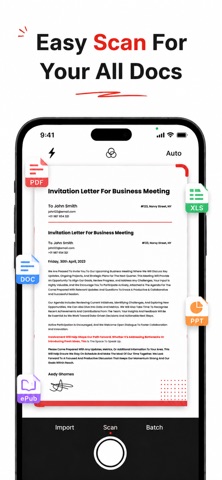
Everything you need for PDF work in one powerful, easy-to-use app. Convert, edit, scan, sign, annotate, and translate documents right from your iPhone or iPad. Whether you're a student, business professional, freelancer, or teacher, this all-in-one PDF toolkit saves you time and keeps your paperwork organized wherever you go. KEY FEATURES PDF Converter - Convert PDF to Word, Excel, PowerPoint, and images - Turn photos, Word, and other files into PDF - Merge, split, compress, and reorder pages PDF Editor - Edit text, images, and links directly in your PDF - Add, delete, rotate, and rearrange pages - Fill out forms quickly and easily Document Scanner - Scan paper documents, receipts, and IDs with your camera - Auto edge detection and crop for clean, sharp scans - Save multi-page scans as a single PDF OCR & Translation - Extract text from scanned pages and images - Recognize text in multiple languages - Translate documents into the language you need Sign & Annotate - Create and add your electronic signature - Handwrite notes and draw directly on pages - Highlight, underline, add comments and sticky notes - Add watermarks, stamps, and dates WHY YOU'LL LOVE IT - Clean, intuitive design that's simple to navigate - Fast performance, even with large files - Keep all your documents neatly organized - Share and export in just a few taps PERFECT FOR - Signing contracts and business agreements - Scanning receipts and expense reports - Marking up study materials and lecture notes - Filling out and returning forms - Converting files for work or school Manage your documents smarter. Download now and take control of every PDF. Privacy Policy: https://scan.aonovel.com/privacy.html Terms of Use: https://scan.aonovel.com/terms.html Support: yomtaaa998@gmail.com
What's new · 2.2.5
Version Update: - Improved stability for continuous multi-page scanning and reduced memory usage. - Added save and restore for scan drafts, so you can resume scanning after unexpected interruptions. - Support multi-select, select all and batch sharing of files. - Added ZIP package sharing to send multiple PDFs at once. - Optimized bottom navigation layout and refined multilingual texts.
Details