

PDF Scanner:Scan for Documents
Quke Technology · Utilities
Independent analytics for this App Store listing. AppTracker is not affiliated with Quke Technology.
Chart standing · US
What changed · US
Listing changes AppTracker has observed for this app in this storefront — new versions, price moves, rating shifts, and store copy.
Update content: Improve user experience and fix known issues
Price & rating history · US
Reconstructed from the listing changes AppTracker has observed in this storefront. A field is charted once it has changed more than once, and each line starts at the value it moved from.
Average rating · ★ 4.65 now · 43 changes on record
Ratings breakdown · US
The star breakdown behind this app's rating in this storefront.
Screenshots




Similar apps
Competitors and close alternatives, as estimated by AppTracker.
 PDF Scanner · Document Scan
Shenzhen Mengmi Technology Co., Ltd.
PDF Scanner · Document Scan
Shenzhen Mengmi Technology Co., Ltd.
 PDF Scanner-Document Scan App+
Smart Tool Studio
PDF Scanner-Document Scan App+
Smart Tool Studio
 Scanner App - Scan Docs & PDF
LAPLACE TECH LIMITED
Scanner App - Scan Docs & PDF
LAPLACE TECH LIMITED
 PDF Scanner・Document Scanner
Games Wing
PDF Scanner・Document Scanner
Games Wing
 PDF Scanner App: Scan Document
Smart Tool Studio
PDF Scanner App: Scan Document
Smart Tool Studio
 Scanner App: Scan Documents
UNITEMAN TECHNOLOGY (HK) LIMITED
Scanner App: Scan Documents
UNITEMAN TECHNOLOGY (HK) LIMITED
 Scanner - Edit PDF & documents
AppRover
Scanner - Edit PDF & documents
AppRover
 Scanner App: Docs Scan & Sign
UNA Consulting GmbH
Scanner App: Docs Scan & Sign
UNA Consulting GmbH
About
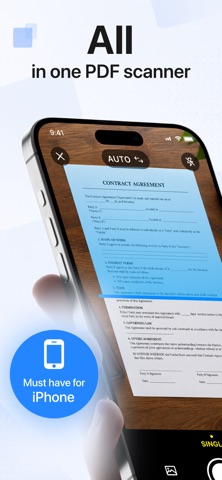
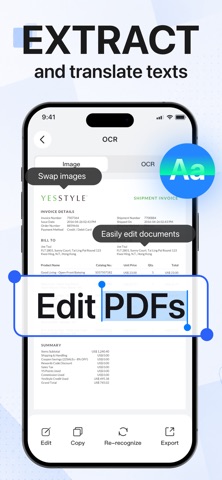
This app is a portable office scanning tool featuring AI scanning, offline OCR, PDF conversion, and e-signature capabilities, effectively turning your smartphone into a professional scanner. It is ad-free, fully optimized for iOS devices, and suitable for office work, government administration, and field archiving. Files are stored locally—never uploaded to the cloud—ensuring the privacy of sensitive documents like ID cards, contracts, and receipts. Key Features • AI HD Scanning: Features automatic edge detection, skew correction, and background removal. Scan receipts, contracts, business cards, and notes while faithfully preserving the original text and layout. • Multi-mode Scanning: Offers modes for general documents, ID cards, and batch continuous shooting; automatically merges multiple pages and quickly generates standard ID scans. • Smart Image Optimization: Enhances brightness, removes shadows, reduces noise, and sharpens details to fix capture imperfections. Scans meet print-quality standards, making them ideal for business archiving. • Versatile PDF Conversion: Instantly convert images to PDF and switch between formats like images, Word, Excel, and PPT; supports splitting, merging, and page reordering. • Offline Multilingual OCR: Locally recognizes handwritten or printed text in Chinese, English, Japanese, and Korean. Extracted text is editable and copyable, eliminating the need for manual data entry. • PDF Signing & Annotation: Add handwritten signatures or import digital seals; annotate with highlights or lines. Sign contracts and documents directly online—no printing required. • Comprehensive PDF Editing: Crop, rotate, add/delete pages, apply watermarks, and insert page numbers—all editing operations are performed locally. • Flexible Export & Sharing: Files are saved locally and can be shared via email, social media, or cloud services; customize export resolution and file size. • Local Offline Storage: All scanned and edited files remain on your device with no background uploads, protecting the privacy of financial records, contracts, and ID documents. Use Cases Ideal for office workers scanning expense reports and archiving meeting documents; HR staff batch-archiving IDs and contracts; field personnel scanning, signing, and sending agreements on-site; students extracting text from exam papers and study materials; government staff generating standardized ID scans; and merchants archiving business receipts. Covers a full range of scenarios including study, office work, business, and government administration. Contact Information and Agreement Links Contact Information For more information or app support, please contact us at: lizhiqiang@dawanli88.com Terms of Use: https://xy.bjqyhd.cc/pdfscan_user.html Privacy Policy: https://xy.bjqyhd.cc/pdfscan_privacy.html
What's new · 1.2.2
Update content: Improve user experience and fix known issues
Details