

MSFS Companion
Marc Embrechts · Utilities
Independent analytics for this App Store listing. AppTracker is not affiliated with Marc Embrechts.
Chart standing · US
In-app purchases · US
No in-app purchases.
Screenshots



Similar apps
Competitors and close alternatives, as estimated by AppTracker.








About
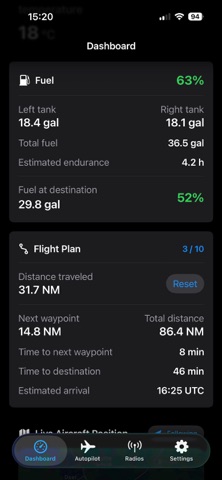
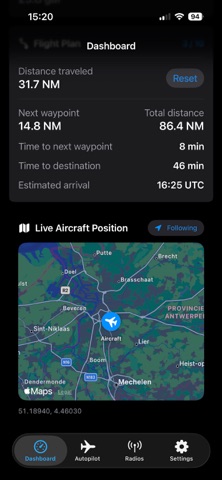
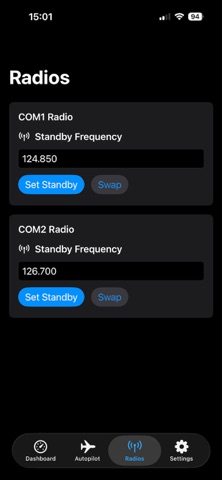
MSFS Companion turns your iPhone or iPad into a companion dashboard for Microsoft Flight Simulator. View live flight information including airspeed, altitude, heading, vertical speed, ground speed, wind, outside temperature, fuel, flight plan progress and aircraft position on a map. Control selected autopilot functions, set headings and altitudes, manage vertical speed and flight level change, and adjust COM1 and COM2 standby frequencies. Features: • Live flight dashboard • Fuel and endurance information • Flight plan distance and timing • Live aircraft position on a map • Autopilot controls • COM1 and COM2 radio controls • iPhone and iPad support • Demo mode for exploring the app without a simulator connection A Windows PC running Microsoft Flight Simulator and MSFS Companion Bridge on the same local network is required for live data and simulator controls. Available functions may depend on the selected aircraft and its avionics.
What's new · 1.0.1
Added Windows Bridge installation instructions inside the app, with a direct link to the download page and an option to share the setup link to your PC. Setup help is available in Settings and on the dashboard when disconnected. Clear guidance explains that the Windows installer must be downloaded and installed on your PC.
Details