

AudioReel
Stelios Platsis · Photo & Video
Independent analytics for this App Store listing. AppTracker is not affiliated with Stelios Platsis.
Chart standing · US
What changed · US
Listing changes AppTracker has observed for this app in this storefront — new versions, price moves, rating shifts, and store copy.
Internal bug fixes and performance improvements to enhance stability and provide an even better user experience. Thank you for using AudioReel! If you really like it, please take a moment to rate it five stars on the App Store — it helps us a lot!
In-app purchases · US
No in-app purchases.
Screenshots



Keywords this app targets
Search terms AppTracker associates with this app — estimates, not search volume. ❝ = in the app's title; a highlighted number is its current position for that term.
Similar apps
Competitors and close alternatives, as estimated by AppTracker.





About
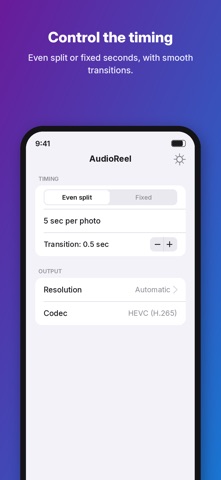
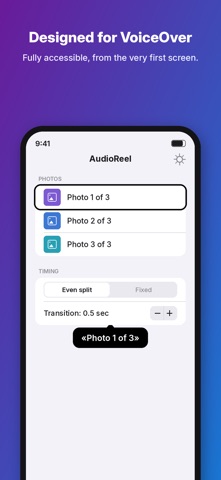
Ever had an audio clip you wanted to post on social media, but couldn't because it's just an audio file? AudioReel solves exactly that: it takes your audio and photos and turns them into a finished video. MULTIPLE AUDIO FILES Add as many audio files as you like and join them into one video. Set their order by dragging, listen to each one before you create the video, and choose whether they play back to back or blend smoothly into one another. PHOTOS IN YOUR ORDER Add photos, reorder them, give each one its own caption. Choose whether they are spread evenly across the audio or each shows for a fixed time, with a smooth cross-fade between them. QUALITY UP TO 4K Landscape, portrait, square or automatic. The resolution rises on its own to match your photos, from 1080p up to 4K, and never enlarges them artificially. The codec is chosen smartly: H.264 for maximum compatibility, HEVC at high resolutions for a smaller file. TEXT ON THE VIDEO Add a message that appears on the video. Short text stays still; longer text scrolls slowly so it can be read in full. YOUR OWN FILE NAME Decide what the exported video will be called. OPEN FROM THE SHARE SHEET Share an audio file from any app and AudioReel opens with the audio already loaded. ACCESSIBLE FROM THE GROUND UP AudioReel is fully compatible with VoiceOver. Everything is spoken, every action is confirmed with an announcement, and reordering works through accessible actions, not just dragging. SIX LANGUAGES Greek, English, German, French, Spanish and Italian, with a built-in manual in every language. NO SUBSCRIPTIONS, NO ADS Everything happens locally on your device. No account needed, no data collected, nothing ever leaves your iPhone.
What's new · 2.3
Internal bug fixes and performance improvements to enhance stability and provide an even better user experience. Thank you for using AudioReel! If you really like it, please take a moment to rate it five stars on the App Store — it helps us a lot!
Details