

Voice Studio Pro
Birkan Aksoy · Utilities
Independent analytics for this App Store listing. AppTracker is not affiliated with Birkan Aksoy.
Chart standing · US
What changed · US
Listing changes AppTracker has observed for this app in this storefront — new versions, price moves, rating shifts, and store copy.
Mac App Store debut — Voice Studio Pro is now a true Mac app, with menu-bar commands, keyboard shortcuts and a resizable window. Welcome tour — a quick 5-point overview on first launch so you can jump straight into recording. Library stats — tap the chart icon to see total recordings, time, storage, longest take, this week, top tags. Smart silence skip on playback — gaps are skipped automatically without changing the file. Clearer microphone and privacy prompts. Bug fixes and performance polish.
In-app purchases · US
No in-app purchases.
Screenshots




Similar apps
Competitors and close alternatives, as estimated by AppTracker.
 Recorder Pro: Voice Recorder
Perception System
Recorder Pro: Voice Recorder
Perception System
 Voice Recorder & Transcribe
Jakub Bartus
Voice Recorder & Transcribe
Jakub Bartus
 Voice Recorder Pro & Editor
LiveBird Tech Inc
Voice Recorder Pro & Editor
LiveBird Tech Inc
 Awesome Voice Recorder - PRO
Newkline Co., Ltd.
Awesome Voice Recorder - PRO
Newkline Co., Ltd.
 Voice Recorder & Audio Editor
TapMedia Ltd
Voice Recorder & Audio Editor
TapMedia Ltd
 Recordus - AI Voice Recorder
Ricardo Dantas Goncalves
Recordus - AI Voice Recorder
Ricardo Dantas Goncalves
 Audio Recorder Pro & Playback
LiveBird Technologies Private Limited
Audio Recorder Pro & Playback
LiveBird Technologies Private Limited
 Voice Recorder - Audio Record
LiveBird Technologies Private Limited
Voice Recorder - Audio Record
LiveBird Technologies Private Limited
About
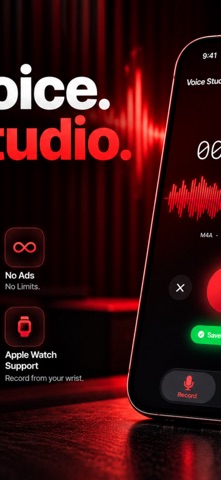
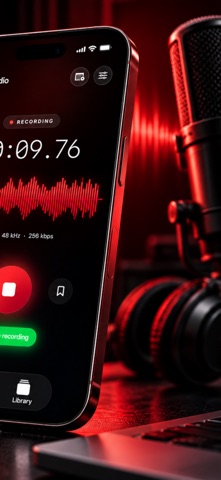
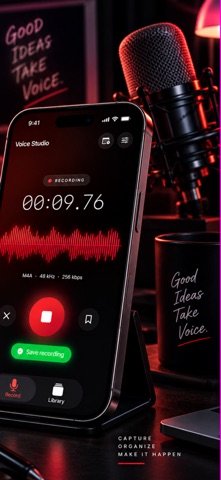
Voice Studio Pro — the studio-quality voice recorder for iPhone, iPad, and Apple Watch. 100% free. No ads. No subscriptions. Ever. Perfect for interviews, podcasts, lectures, meetings, dictation, songwriting, voice notes, and ringtones. STUDIO QUALITY • Lossless WAV up to 48 kHz / 24-bit • M4A up to 320 kbps • Voice Isolation to strip out room noise • Background recording — lock your screen, keep recording • Live waveform with real-time levels • Voice activation — auto-pause silence LIBRARY & LIFE • Folders, tags, bookmarks, and full search • Recently Deleted for 30 days • Files app integration — your recordings live in "On My iPhone" • Import audio from Files, iCloud Drive, WhatsApp, any app • Save to Files, iCloud Drive, or external drives with one tap • Home Screen widget for one-tap recording • Apple Watch app + Complication + Dynamic Island Live Activity • Auto chapters every 10 minutes in long recordings TRANSCRIBE & EDIT • Live transcription while you speak • On-device transcription — nothing leaves your phone • Trim & export any segment as a new recording or ringtone • Overdub — record on top of an existing take • Playback speed remembered, loop mode for practice • Sleep timer for playback (10 / 15 / 30 / 60 min) VOICE STUDIO PRO PLUS (optional) Everything above stays free. Plus unlocks pro extras for power users: • AI Studio — automatic titles, smart-folder categories, topic chapters • Semantic library search — find recordings by meaning, not just words • Real-time transcript translation into 12 languages • Custom vocabulary — teach the recognizer your product names and jargon • Contacts-aware speaker tagging • iCloud sync across all your devices • Mastering presets: voice, podcast, music, interview, lecture • Batch normalize your library • Focus filter — arm Voice Studio when a Focus turns on • Podcast RSS feed export • Priority support and early access to new features PRIVACY FIRST Everything runs on your device. No account required. No analytics. Your recordings never leave your iPhone unless you share them. LANGUAGES Fully localized in English, Turkish, Spanish, French, German, Italian, Portuguese (Brazil), Japanese, Korean, Simplified Chinese, Russian, and Arabic. Voice Studio Pro is made with by an independent developer. Enjoy it — and if you find it useful, please rate it.
What's new · 1.8
Mac App Store debut — Voice Studio Pro is now a true Mac app, with menu-bar commands, keyboard shortcuts and a resizable window. Welcome tour — a quick 5-point overview on first launch so you can jump straight into recording. Library stats — tap the chart icon to see total recordings, time, storage, longest take, this week, top tags. Smart silence skip on playback — gaps are skipped automatically without changing the file. Clearer microphone and privacy prompts. Bug fixes and performance polish.
Details