

CarHA
Veghes Lucian · Utilities
Independent analytics for this App Store listing. AppTracker is not affiliated with Veghes Lucian.
Chart standing · US
What changed · US
Listing changes AppTracker has observed for this app in this storefront — new versions, price moves, rating shifts, and store copy.
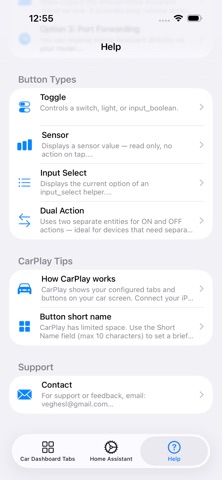
What's New in 2.1 Three new integrations — control devices without Home Assistant: • eWeLink / Sonoff — log in with your account, control multi-channel devices • Tuya / Smart Life — secure QR login, browse and control your devices • Shelly — connect with your cloud key and control your relays CarPlay improvements: • Fixed the tab that kept jumping back to the first one • Geofence notifications now appear on the car screen • Geofence "Assist" mode now always asks before running an action • Fixed sensor units (%, °C, W) and button colors in list view More: • Redesigned Backup screen — cleaner export & restore • Expanded in-app Help for all services • Widget reliability fixes Thanks for your feedback — keep it coming!
In-app purchases · US
No in-app purchases.
Screenshots





Similar apps
Competitors and close alternatives, as estimated by AppTracker.


About
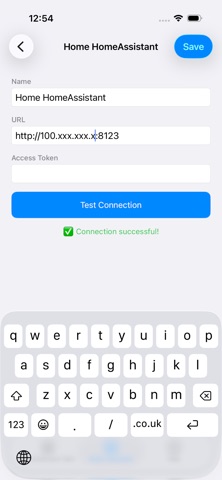
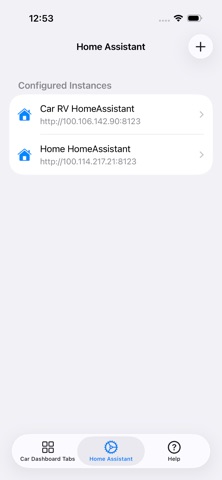
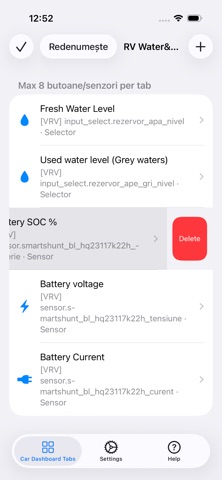
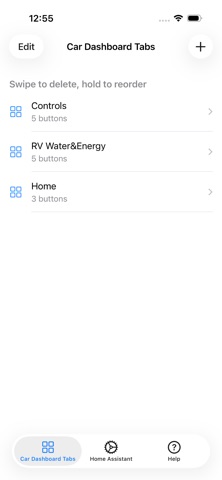
CarHA lets you control your Home Assistant smart home directly from your car's touch screen while driving. Configure buttons for lights, switches, covers, and any Home Assistant entity. Monitor sensors, battery levels, water tanks, and power consumption — all from your car dashboard with large, color-coded buttons designed for driving. FEATURES - Control any Home Assistant switch, light, or automation - Monitor sensors in real time with WebSocket updates - Fully customizable tabs and buttons with colored icons - Supports multiple Home Assistant instances - Geofence zones — get notified or trigger automations automatically when you arrive near home, work, or any location - iOS Widget — check battery and sensor status from your home screen - Backup & Restore — export and import your configuration - Works over local network or remote connection (Tailscale, Nabu Casa) - No cloud, no subscriptions — connects directly to your server MQTT support — connect any MQTT broker directly (ESPHome, Zigbee2MQTT, Mosquitto) eWeLink support — control Sonoff devices directly without Home Assistant Tuya support — control Tuya and Smart Life devices directly REQUIREMENTS - A running Home Assistant instance - Home Assistant URL and Long-Lived Access Token - iPhone with iOS 16+ - A car with a compatible car dashboard system CarHA is not affiliated with Nabu Casa, Inc. or the Home Assistant project.
What's new · 2.2
What's New in 2.1 Three new integrations — control devices without Home Assistant: • eWeLink / Sonoff — log in with your account, control multi-channel devices • Tuya / Smart Life — secure QR login, browse and control your devices • Shelly — connect with your cloud key and control your relays CarPlay improvements: • Fixed the tab that kept jumping back to the first one • Geofence notifications now appear on the car screen • Geofence "Assist" mode now always asks before running an action • Fixed sensor units (%, °C, W) and button colors in list view More: • Redesigned Backup screen — cleaner export & restore • Expanded in-app Help for all services • Widget reliability fixes Thanks for your feedback — keep it coming!
Details