

Workshop Planner: Shop Layout
Level44 · Productivity
Independent analytics for this App Store listing. AppTracker is not affiliated with Level44.
Chart standing · US
In-app purchases · US
No in-app purchases.
Screenshots


Keywords this app targets
Search terms AppTracker associates with this app — estimates, not search volume. ❝ = in the app's title; a highlighted number is its current position for that term.
Similar apps
Competitors and close alternatives, as estimated by AppTracker.
 Roomantic: Furniture Planner
Blank Slate Labs Limited Liability Company
1 shared title word
Roomantic: Furniture Planner
Blank Slate Labs Limited Liability Company
1 shared title word
 Floor Plan Creator - RoomPlot
Stanislav Cekunov
Floor Plan Creator - RoomPlot
Stanislav Cekunov
 RoomSketch3D Floor Planner
ImmEx Technologies, Inc.
1 shared title word
RoomSketch3D Floor Planner
ImmEx Technologies, Inc.
1 shared title word
 AI Room & Home Planner: LiDAR
Rocket Digital Ltd
1 shared title word
AI Room & Home Planner: LiDAR
Rocket Digital Ltd
1 shared title word
 Room Planner : Home 3d Design
Muhammad Nur Hazrul Hisham
1 shared title word
Room Planner : Home 3d Design
Muhammad Nur Hazrul Hisham
1 shared title word
 4Plan Home & Interior Planner
Alatona UAB
1 shared title word
4Plan Home & Interior Planner
Alatona UAB
1 shared title word
 Make Plan 2D/3D LiDAR Scanner
Bimdiag International
Make Plan 2D/3D LiDAR Scanner
Bimdiag International
 FloorStudio
Arthur Hardy Kotsch
FloorStudio
Arthur Hardy Kotsch
About
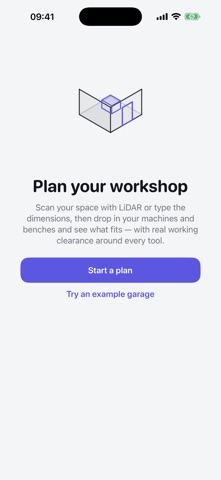
Workshop Planner helps you lay out your workshop, garage or shop to scale — so you know what fits before you move a single machine. Scan your room with LiDAR or enter the dimensions by hand, then drop in tablesaws, benches, storage and more as accurately-sized footprints. Every tool carries a real working-clearance zone, so you can see whether you've left room to actually use it. PLAN IN 2D • Clean, top-down blueprint with grid and snap-to-grid • Drag to move, pinch to zoom, drag corners to resize, two-finger rotate • Working-clearance zones around every machine • Doors, windows and roller doors on any wall • Collision flagging when items or clearances overlap • Live readouts: floor area, total footprint, item count • Metric or imperial, accurate to the millimetre SEE IT IN 3D • Interactive 3D view of your whole plan • On LiDAR devices, your actual scanned room becomes the 3D shell • Wall-mounted items and upper cabinets, using captured wall height BUILT FOR THE JOB • A catalogue of common machines, benches and storage with sensible default sizes and clearances • Add custom items at any size • Note power type (240V/110V/3-phase), dust extraction and mobile bases • Pin reference photos anywhere on the plan • Export your plan to PDF or PNG to print or share • Multiple saved projects PRIVATE BY DESIGN Everything stays on your device. No account, no cloud, no tracking — and no subscriptions. Pay once, plan forever. LiDAR scanning requires a device with a LiDAR scanner (iPhone Pro models and iPad Pro). Any device can plan a room by entering dimensions manually.
Details