

Health Data Widgets
Daniel Buehner · Health & Fitness
Independent analytics for this App Store listing. AppTracker is not affiliated with Daniel Buehner.
Chart standing · US
In-app purchases · US
No in-app purchases.
Screenshots


Keywords this app targets
Search terms AppTracker associates with this app — estimates, not search volume. ❝ = in the app's title; a highlighted number is its current position for that term.
Similar apps
Competitors and close alternatives, as estimated by AppTracker.
 Health Metrics Widgets
Jaroslav Safar
1 shared topic · 2 shared title words
Health Metrics Widgets
Jaroslav Safar
1 shared topic · 2 shared title words
 My Health Widget
Hor-Lin Khai
1 shared topic · 1 shared title word
My Health Widget
Hor-Lin Khai
1 shared topic · 1 shared title word
 Healthy Widgets
HealthyApps LLC
1 shared title word
Healthy Widgets
HealthyApps LLC
1 shared title word
 Valens - Widgets for Health
磊 汪
1 shared topic · 2 shared title words
Valens - Widgets for Health
磊 汪
1 shared topic · 2 shared title words
 HealthFace
Crunchy Bagel
HealthFace
Crunchy Bagel
 Distancive - Walk & Run Stats
Tomasz Korolko
Distancive - Walk & Run Stats
Tomasz Korolko
 GAIT | Minimal Step Widgets
Vennory LLC
1 shared title word
GAIT | Minimal Step Widgets
Vennory LLC
1 shared title word
 wHealth Dashboard
Jean-Philippe Reynaud
wHealth Dashboard
Jean-Philippe Reynaud
About
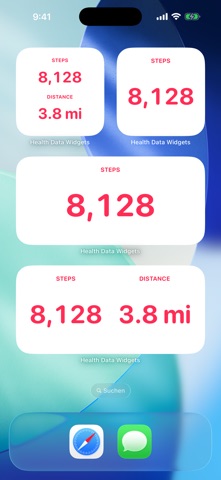
Bring your most-watched Apple Health data out of the Health app and onto your Home Screen and Lock Screen. Health Data Widgets shows your step count and your walking + running distance on the Home Screen in three sizes, in a stacked two-metric layout, and on the Lock Screen as circular, rectangular, or inline complications. Each widget you add can be configured independently, long-press to pick what it displays. What you can do: • Add Steps or Distance widgets to your Home Screen (Small, Medium, Large) • Add a Multi widget to show two metrics side-by-side or stacked • Add complications to your Lock Screen (circular, rectangular, and inline) • Configure each widget instance independently • Choose how the value aligns inside the widget (top/middle/bottom, left/center/right) • Pick a text color for Home Screen widgets from seven curated presets • Hide the widget heading if you just want the number • Browse a live in-app gallery to see every size before adding it • Read the per-surface Help guides to learn how to add and configure each widget Built to feel like an extension of Apple Health: bold pink numbers on a clean adaptive background. No clutter. Everything is local: • Read-only access to Apple Health • No network requests, ever • No analytics, no tracking • Nothing leaves your device Light + dark mode. Locale-aware units (km / mi). English + German. iPhone + iPad.
What's new · 1.1
Lock Screen support and more customization. • Lock Screen complications: add Health Data Widgets in circular, rectangular, and inline styles. Both Steps and Distance work in every slot. • Multi-metric widget: a new Home Screen widget (Small and Medium) that shows two metrics at once. • In-app gallery: live previews of every widget size, plus a mock Lock Screen card showing how complications look in context. • Appearance settings: position the value at the top, middle, or bottom; align it left, centered, or right. Pick a text color from seven presets for Home Screen widgets. • Help section: per-surface guides for adding and configuring Home Screen and Lock Screen widgets. • A confirmation step before "Reset to defaults" so an accidental tap doesn't cost you your HealthKit permission. • Fix: Lock Screen circular complication now shows "5.2 km" / "3.2 mi" with a proper space. • Fix: the widget heading follows your horizontal alignment along with the value.
Details