

AI Text Expander - SmartType
Oleksandr Momotiuk · Productivity
Independent analytics for this App Store listing. AppTracker is not affiliated with Oleksandr Momotiuk.
Chart standing · US
What changed · US
Listing changes AppTracker has observed for this app in this storefront — new versions, price moves, rating shifts, and store copy.
A smoother, smarter SmartType experience: - redesigned UI for easier, more comfortable use. - clipboard support for quick access to copied text. - improved AI Commands with better results and workflow. - added German, French, Spanish, and Ukrainian localisation. - refined keyboard interactions, animations, and overall polish. Type faster. Work smarter.
In-app purchases · US
What this app sells inside itself, grouped by kind and priced for this storefront.
Screenshots


Keywords this app targets
Search terms AppTracker associates with this app — estimates, not search volume. ❝ = in the app's title; a highlighted number is its current position for that term.
Similar apps
Competitors and close alternatives, as estimated by AppTracker.
 PhraseRack - Text Templates
SEIRAN SOFT, LIMITED LIABILITY COMPANY
PhraseRack - Text Templates
SEIRAN SOFT, LIMITED LIABILITY COMPANY
 Quillbot-AI Writing & Keyboard
QuillBot, a Learneo Inc. business
Quillbot-AI Writing & Keyboard
QuillBot, a Learneo Inc. business
 捷句 - 快捷短语快速输入与动态变量输入
德旭 孟
捷句 - 快捷短语快速输入与动态变量输入
德旭 孟
 Snippad
Mehmet Emin Bozkurt
Snippad
Mehmet Emin Bozkurt
 AI ToneFix
Zossoz inc
AI ToneFix
Zossoz inc
 Finale Keyboard
Grant Oganyan
Finale Keyboard
Grant Oganyan
 Ditto Keyboard
Alex Kern
Ditto Keyboard
Alex Kern
 G Keyboard : Ai Writer
Viionr Infotech Private Limited
G Keyboard : Ai Writer
Viionr Infotech Private Limited
About
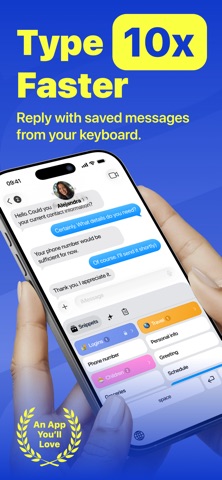
Type a few letters. Insert the full message. SmartType is an intelligent iOS keyboard built around powerful text expansion. Turn short abbreviations into complete messages, email replies, links, addresses, contact details, and any other text you type often. Save your text once, then reuse it wherever you type. SmartType shows relevant inline suggestions as you enter an abbreviation, so the text you need is always ready without switching apps or searching through notes. TEXT EXPANSION Create reusable text templates for everyday conversations and workflows. Add short abbreviations, organize your templates into folders, and find any saved item with instant search. Use SmartType to: • Reply to common questions • Write emails faster • Share links and contact details • Enter addresses and other repeated information • Reuse complete messages with only a few taps Your saved text stays available directly from the keyboard in any app that supports third-party iOS keyboards. CLIPBOARD HISTORY Keep useful copied text close at hand. SmartType helps you find and reuse recent clipboard items without repeatedly switching between apps or copying the same content again. AI COMMANDS Use AI commands when you need more than a saved reply. Rewrite, improve, summarize, translate, or generate text directly from the keyboard. AI features run only when you explicitly select a command. Your ordinary typing and messages are not sent to external AI providers. BUILT FOR EVERYDAY TYPING Whether you are messaging friends, answering customers, working, or studying, SmartType helps you spend less time typing the same text again. Create your shortcuts once. Use them wherever you type. Type less. Say more. The app offers a SmartType Pro auto-renewable subscription that unlocks: • Unlimited AI Writing • Rewrite & Translate with AI • Unlimited Collections & Folders • Unlimited Snippets Privacy Policy: https://luckybeans.app/smarttype/privacy-policy Terms of Use: https://luckybeans.app/smarttype/terms-of-use
What's new · 1.2.1
A smoother, smarter SmartType experience: - redesigned UI for easier, more comfortable use. - clipboard support for quick access to copied text. - improved AI Commands with better results and workflow. - added German, French, Spanish, and Ukrainian localisation. - refined keyboard interactions, animations, and overall polish. Type faster. Work smarter.
Details