

Access Database Viewer: MDB AI
伟 王 · Business
Independent analytics for this App Store listing. AppTracker is not affiliated with 伟 王.
Chart standing · US
What changed · US
Listing changes AppTracker has observed for this app in this storefront — new versions, price moves, rating shifts, and store copy.
- Out of storage now shows a clear message with the space needed, instead of a misleading "file cannot be read" error. - More on-screen status messages (open, health check, SQL results) are now shown in your language. - Stability improvements.
Price & rating history · US
Reconstructed from the listing changes AppTracker has observed in this storefront. A field is charted once it has changed more than once, and each line starts at the value it moved from.
Average rating · ★ 4.00 now · 2 changes on record
Ratings breakdown · US
The star breakdown behind this app's rating in this storefront.
In-app purchases · US
No in-app purchases.
Screenshots



Keywords this app targets
Search terms AppTracker associates with this app — estimates, not search volume. ❝ = in the app's title; a highlighted number is its current position for that term.
Similar apps
Competitors and close alternatives, as estimated by AppTracker.
 MDB-Viewer
久燕 王
2 shared topics · 2 shared title words
MDB-Viewer
久燕 王
2 shared topics · 2 shared title words
 Access DB
Elie Matta
Access DB
Elie Matta
 Database Manager for MS Access
强 李
2 shared title words
Database Manager for MS Access
强 李
2 shared title words
 MDB Decode
Pulsely Consulting Limited
MDB Decode
Pulsely Consulting Limited
 Database Pro.
强 李
1 shared title word
Database Pro.
强 李
1 shared title word
 SQLite Editor & DB Viewer
Sahana A S
SQLite Editor & DB Viewer
Sahana A S
 SQLite Mobile Client
Filippo Maguolo
SQLite Mobile Client
Filippo Maguolo
 Tablewright: SQLite Editor
Pennyworth Labs LLC
2 shared topics
Tablewright: SQLite Editor
Pennyworth Labs LLC
2 shared topics
About
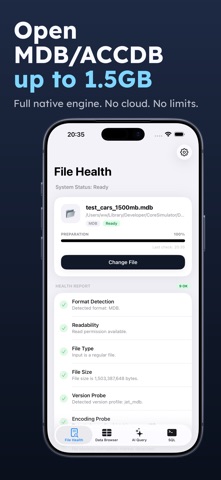
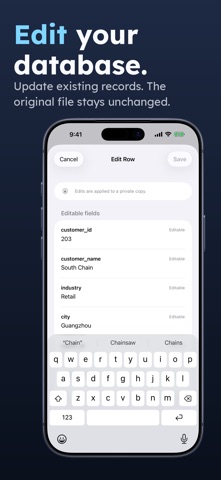
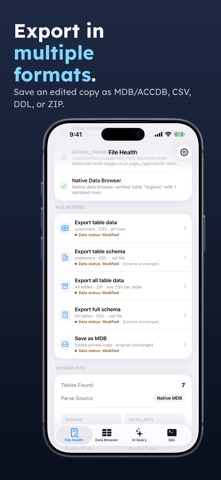
Open and inspect MDB/ACCDB databases directly on your iPhone. Access Database Viewer is built for fast local browsing, large files, searchable tables, SQL queries, and clear diagnostics when a file cannot be opened. Just tap "Select File -> Health Check -> Open" to start. • Browse large MDB/ACCDB files - Native browsing keeps tables responsive, even with 1.5GB+ databases and millions of rows. • Search, filter and sort records - Quickly inspect business data without exporting everything first. • Run SQL queries - Execute SELECT queries locally with clear error explanations and fix suggestions. • Ask with AI when needed - Natural language questions can generate SQL, then run locally against your database. • Diagnose file problems - Check format, readability, encoding, damaged files, and unsupported ACCDB features before you work. • Keep data local - Database files are processed on your device by default and are not uploaded to cloud servers. Designed for professionals who need to open legacy Access databases, review records, and troubleshoot files while away from a desktop.
What's new · 2.1
- Out of storage now shows a clear message with the space needed, instead of a misleading "file cannot be read" error. - More on-screen status messages (open, health check, SQL results) are now shown in your language. - Stability improvements.
Details