

Next Deck
Holger Heidkamp · Productivity
Independent analytics for this App Store listing. AppTracker is not affiliated with Holger Heidkamp.
Chart standing · US
What changed · US
Listing changes AppTracker has observed for this app in this storefront — new versions, price moves, rating shifts, and store copy.
- Fixed: on certain servers, loading archived cards failed silently. If the "archived cards" view was also active, boards appeared permanently empty — surviving updates and resets. - The archive view is now clearly visible: an orange banner above the board indicates it — tap once to switch back to active cards. "Clear local data" now resets the view as well. - Empty boards automatically reload once when viewed — the Refresh button remains as a fallback. - Credential storage hardened: all fields are verified after saving — a rare iOS issue could otherwise cause unexplained sign-in errors after switching accounts and restarting. - Various smaller improvements to sync and throttle protection.
Ratings breakdown · US
The star breakdown behind this app's rating in this storefront.
In-app purchases · US
No in-app purchases.
Screenshots




Keywords this app targets
Search terms AppTracker associates with this app — estimates, not search volume. ❝ = in the app's title; a highlighted number is its current position for that term.
Similar apps
Competitors and close alternatives, as estimated by AppTracker.
 CloudDeck
Peter Hedlund
CloudDeck
Peter Hedlund
 My Task Board - To Do Tracker
PaulJAdam.com
2 shared topics
My Task Board - To Do Tracker
PaulJAdam.com
2 shared topics
 Lucidium – Kanban Boards
Crafted Syntax Limited
2 shared topics
Lucidium – Kanban Boards
Crafted Syntax Limited
2 shared topics
 NowThis: Tasks for Nextcloud
A Secret Company, LLC
1 shared topic
NowThis: Tasks for Nextcloud
A Secret Company, LLC
1 shared topic
 Kan Do: Project Management
Stephen Robles
1 shared topic
Kan Do: Project Management
Stephen Robles
1 shared topic
 Boardly - Project & Task Board
Jakub Kalamarz
2 shared topics
Boardly - Project & Task Board
Jakub Kalamarz
2 shared topics
 JoyDeck
志勇 孙
JoyDeck
志勇 孙
 Macro Deck Client
Manuel Mayer
1 shared title word
Macro Deck Client
Manuel Mayer
1 shared title word
About
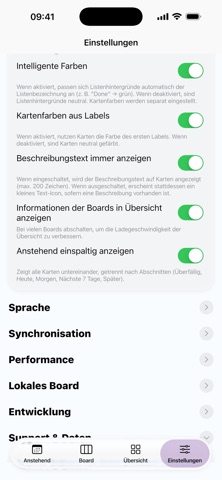
Nextdeck is the modern, lightning‑fast client for Nextcloud Deck — perfect for Kanban, tasks, and projects. Keep boards, columns, and cards under control at all times: move cards via drag and drop, edit details, and keep your overview — on iPhone and iPad, in light and dark mode. Highlights - Drag & drop: move cards within a column or across columns — precise and intuitive. - Reorder & positions: insert cards exactly before another card or move up/down. - Labels & colors: instant orientation with color coding. - Due dates: clear urgency colors for upcoming deadlines. - Assignees: assign teammates and make responsibility visible. - Markdown description: jot down details, neatly previewed on the card tile. - Comments & attachments: compact counters right on the card. - Search: find cards quickly without endless scrolling. - Optimized for iPhone & iPad: compact lists on iPhone, wide columns on iPad. - Dark mode & smart colors: pleasant contrast and great readability. - Privacy‑friendly: your data stays on your own Nextcloud server. Why Nextdeck? - Speed focus: smooth scrolling, snappy interactions, minimal waiting. - Clean, native UI: feels right from the first tap. - Reliable sync: changes persist cleanly with Nextcloud Deck. Requirement: a running Nextcloud instance with the Deck app enabled. Sign in with server URL, username, and app password — done.
What's new · 2.5
- Fixed: on certain servers, loading archived cards failed silently. If the "archived cards" view was also active, boards appeared permanently empty — surviving updates and resets. - The archive view is now clearly visible: an orange banner above the board indicates it — tap once to switch back to active cards. "Clear local data" now resets the view as well. - Empty boards automatically reload once when viewed — the Refresh button remains as a fallback. - Credential storage hardened: all fields are verified after saving — a rare iOS issue could otherwise cause unexplained sign-in errors after switching accounts and restarting. - Various smaller improvements to sync and throttle protection.
Details