

StarDesk - Remote Desktop
GEARUP PORTAL PTE. LTD. · Entertainment
Independent analytics for this App Store listing. AppTracker is not affiliated with GEARUP PORTAL PTE. LTD.
Chart standing · US
What changed · US
Listing changes AppTracker has observed for this app in this storefront — new versions, price moves, rating shifts, and store copy.
Fixed known issues and improved stability.
Price & rating history · US
Reconstructed from the listing changes AppTracker has observed in this storefront. A field is charted once it has changed more than once, and each line starts at the value it moved from.
Average rating · ★ 4.85 now · 4 changes on record
Screenshots



Keywords this app targets
Search terms AppTracker associates with this app — estimates, not search volume. ❝ = in the app's title; a highlighted number is its current position for that term.
Similar apps
Competitors and close alternatives, as estimated by AppTracker.
 Remoter VNC - Remote Desktop
Remoter Labs LLC
Remoter VNC - Remote Desktop
Remoter Labs LLC
 Remoter Pro (VNC, SSH & RDP)
Remoter Labs LLC
Remoter Pro (VNC, SSH & RDP)
Remoter Labs LLC
 Brynhildr - Remote Desktop
LAUNCELOT, K.K.
Brynhildr - Remote Desktop
LAUNCELOT, K.K.
 aRDP Pro - RDP Remote Desktop
iordan iordanov
aRDP Pro - RDP Remote Desktop
iordan iordanov
 UU远程-远程办公/游戏串流
Guangzhou NetEase Computer System Co.Ltd
UU远程-远程办公/游戏串流
Guangzhou NetEase Computer System Co.Ltd
 Scrcpy Remote
森 王
Scrcpy Remote
森 王
 Mocha VNC
MochaSoft
Mocha VNC
MochaSoft
 Splashtop Personal for iPhone
Splashtop Inc.
Splashtop Personal for iPhone
Splashtop Inc.
About
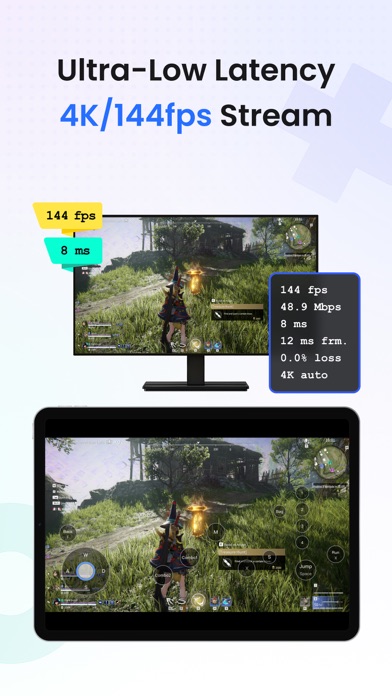
StarDesk – Powerful Multi-Platform Remote Desktop Control your PC or Mac remotely from iOS, Mac, Android, or Windows devices. Perfect for remote work, gaming, and technical support. Enjoy ultra-low latency with high-speed direct connections for a smooth, local-like experience. Stream up to 4K at 144 FPS, with full support for mouse & keyboard, game controllers, and multi-touch gestures—ideal for gaming and productivity. Key Features - Remote Gaming: Play PC games on your mobile device in stunning 4K 144 FPS with minimal lag. Hundreds of customizable keyboard mappings and plug-and-play gamepad support. - Remote Work: Wake your PC remotely, control multiple screens, transfer files without limits (any size or format), and work in true-color HDR/4:4:4 mode—perfect for design, CAD, Photoshop, Microsoft Office, WPS, and more. - PC & Mac Host Support: Use your PC or Mac as a host machine—access and control your computer remotely from any device, anytime, anywhere. - Seamless cross-platform access anytime, anywhere. Why StarDesk Stands Out - Millisecond-level responsiveness for fluid control - Multi-screen management with quick switching - Unlimited high-speed file transfers - HDR and true-color support for precise visuals - Full PC and Mac host support for remote access About Accessibility Service Usage To ensure smooth external keyboard operation (e.g., Bluetooth keyboards), this app uses Android's AccessibilityService API. It captures input events to prevent system interference and accurately transmit keystrokes to your remote PC. We only collect temporary input data during active remote sessions—no storage or sharing of personal information. You can disable this feature anytime in system settings. For details, see our Privacy Policy. We Value Your Privacy All data transmission is encrypted end-to-end. Learn more at www.stardesk.net/license/privacy-policy.
What's new · 1.5.6
Fixed known issues and improved stability.
Details