

Remoter Pro (VNC, SSH & RDP)
Remoter Labs LLC · Productivity
Independent analytics for this App Store listing. AppTracker is not affiliated with Remoter Labs LLC.
Chart standing · US
What changed · US
Listing changes AppTracker has observed for this app in this storefront — new versions, price moves, rating shifts, and store copy.
Improvements: - Sessions: Make saved-session changes more reliable and show clear feedback if a session cannot be duplicated Bug Fixes: - Sessions: Keep the session grid stable and correctly sized when rotating the device - Sessions: Give duplicated sessions the first available numbered name
Ratings breakdown · US
The star breakdown behind this app's rating in this storefront.
In-app purchases · US
No in-app purchases.
Screenshots
Keywords this app targets
Search terms AppTracker associates with this app — estimates, not search volume. ❝ = in the app's title; a highlighted number is its current position for that term.
Similar apps
Competitors and close alternatives, as estimated by AppTracker.
 aRDP Pro - RDP Remote Desktop
iordan iordanov
3 shared topics · 2 shared title words
aRDP Pro - RDP Remote Desktop
iordan iordanov
3 shared topics · 2 shared title words
 Remotix VNC, RDP & NEAR
Acronis, Inc.
2 shared topics · 2 shared title words
Remotix VNC, RDP & NEAR
Acronis, Inc.
2 shared topics · 2 shared title words
 SSHive: SSH, SFTP & Terminal
NetMeSafe
3 shared topics · 1 shared title word
SSHive: SSH, SFTP & Terminal
NetMeSafe
3 shared topics · 1 shared title word
 bVNC Pro - VNC Screen Sharing
iordan iordanov
1 shared topic · 2 shared title words
bVNC Pro - VNC Screen Sharing
iordan iordanov
1 shared topic · 2 shared title words
 iTerminal Pro – SSH Telnet
ComcSoft Corporation
2 shared topics · 2 shared title words
iTerminal Pro – SSH Telnet
ComcSoft Corporation
2 shared topics · 2 shared title words
 Remote Desktop - RDP
MochaSoft
2 shared topics · 1 shared title word
Remote Desktop - RDP
MochaSoft
2 shared topics · 1 shared title word
 Remote, Mouse & Keyboard Pro
Remote Sunrise LTD
1 shared title word
Remote, Mouse & Keyboard Pro
Remote Sunrise LTD
1 shared title word
 Remote Mouse Pro
耀 阮
1 shared title word
Remote Mouse Pro
耀 阮
1 shared title word
About
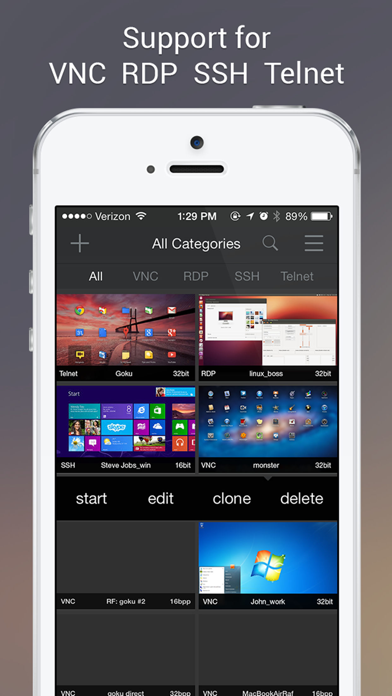
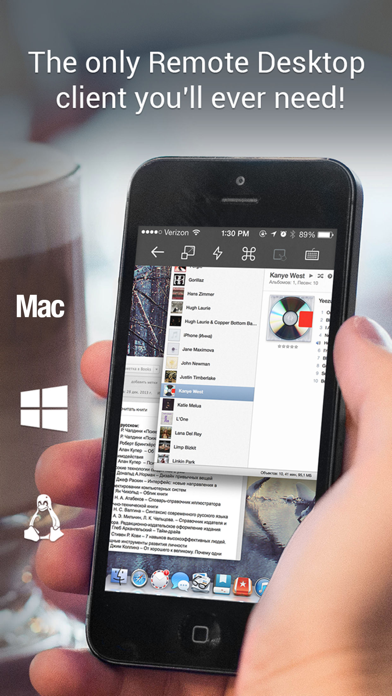
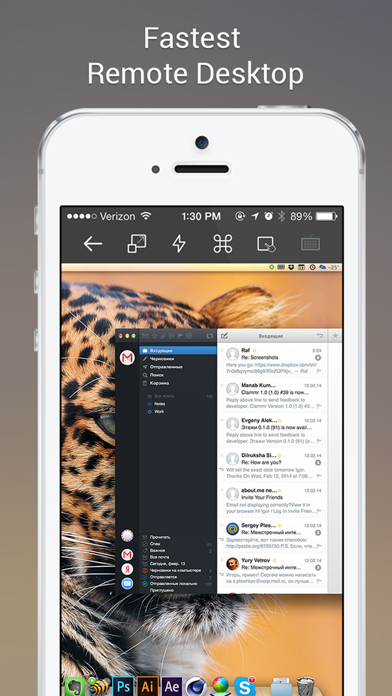
Remoter Pro is the complete Remoter remote access toolkit for iPhone and iPad, with VNC, RDP, SSH, Telnet, RemoterFusion, tunneling, audio streaming, and password management included. Connect to Mac, Windows, Linux, and terminal servers from one app. Use your local network, VPN, SSH tunnels, RD Gateway, or RemoterFusion depending on how your computers are set up. Remoter Pro is built for people who manage multiple machines and want every major Remoter connection option in a single purchase. Complete Pro Edition • VNC, RDP, SSH, Telnet, and RemoterFusion included • Password Manager for reusable server credentials • Multiple simultaneous connections • Advanced URL invocation support • Network computer discovery with Bonjour and NetBIOS • Wake-on-LAN support • Saved server cards with custom ordering • Fullscreen mode, portrait and landscape orientations, fit width, fit height, and 1:1 zoom • 8bpp, 16bpp, and 32bpp color depth support VNC and Screen Sharing • VNC protocol 3.8 support • Compatible with macOS Screen Sharing, UltraVNC for Windows, and common Linux VNC servers • RemoterFusion support for easier Mac setup, sound/music redirection, and connections without port forwarding or dynamic DNS • UltraVNC MS Login authentication • Server-side scaling and multiple monitor support • Send Clipboard: copy text from your device to the remote computer, then paste it there RDP and Windows Remote Desktop • Windows Remote Desktop connections • Remote Desktop Gateway support • Network Level Authentication (NLA) support • RDP over SSH • Clipboard paste, plus remote copy when supported by the server or RemoterFusion • Font smoothing SSH and Telnet • SSH and Telnet terminal sessions • VNC over SSH and RDP over SSH • Custom SSH port tunnels • Public-key authentication • SSH key management for generating, importing, copying, and using keys • Record and run macros Input and Control • Precise virtual trackpad with right-click, dragging, and scrolling • Hardware mouse, trackpad, and external keyboard support • Apple Pencil-aware pointer input • Pinch to zoom and drag to scroll • Special keys including Esc, Tab, Alt, arrow keys, Page Up, Page Down, F1-F12, Control-Alt-Delete, Command, and Windows key • International keyboard mappings for German, Swiss-German, Russian, French, Danish, and Spanish Remoter Pro is localized in English, German, Spanish, Italian, Norwegian, Czech, and Slovak. Support: support@remoterlabs.com
What's new · 6.3.2
Improvements: - Sessions: Make saved-session changes more reliable and show clear feedback if a session cannot be duplicated Bug Fixes: - Sessions: Keep the session grid stable and correctly sized when rotating the device - Sessions: Give duplicated sessions the first available numbered name
Details