

Zentime: Screen Time Control
Ryunosuke Nagase · Productivity
Independent analytics for this App Store listing. AppTracker is not affiliated with Ryunosuke Nagase.
Chart standing · US
What changed · US
Listing changes AppTracker has observed for this app in this storefront — new versions, price moves, rating shifts, and store copy.
Start Focus Lock from your Home Screen, without opening the app. • Focus Lock widget: Tap ▶ on your Home Screen to start Focus Lock right away. Switch presets with ⇄, and see the time remaining while it's on. The medium size also shows today's focus time in an hourly chart. You can find how to add it in Settings. • Focus Lock can now be set for up to 24 hours. The end time shows "today" or "tomorrow". • Minor bug fixes and stability improvements.
In-app purchases · US
What this app sells inside itself, grouped by kind and priced for this storefront.
Screenshots



Keywords this app targets
Search terms AppTracker associates with this app — estimates, not search volume. ❝ = in the app's title; a highlighted number is its current position for that term.
Similar apps
Competitors and close alternatives, as estimated by AppTracker.
 Brainrot: Screen Time Control
Smolworks Inc
3 shared topics · 6 shared title words
Brainrot: Screen Time Control
Smolworks Inc
3 shared topics · 6 shared title words
 ScreenZen- Screen Time Control
ScreenZen LLC
1 shared topic · 6 shared title words
ScreenZen- Screen Time Control
ScreenZen LLC
1 shared topic · 6 shared title words
 HabitBlocker: Earn Screen Time
JOSH EDMUND MONTGOMERY
2 shared topics · 3 shared title words
HabitBlocker: Earn Screen Time
JOSH EDMUND MONTGOMERY
2 shared topics · 3 shared title words
 Screen Time - AppStops
Yoshiharu Yamada
2 shared topics · 3 shared title words
Screen Time - AppStops
Yoshiharu Yamada
2 shared topics · 3 shared title words
 Math Attack: Kill Screen Time
Travis Andrew Weninger
2 shared topics · 3 shared title words
Math Attack: Kill Screen Time
Travis Andrew Weninger
2 shared topics · 3 shared title words
 Blockin -Screen Time for Focus
Noova Inc.
2 shared topics · 3 shared title words
Blockin -Screen Time for Focus
Noova Inc.
2 shared topics · 3 shared title words
 BePresent: Screen Time Control
Screen Detox Inc
1 shared topic · 6 shared title words
BePresent: Screen Time Control
Screen Detox Inc
1 shared topic · 6 shared title words
 Opal: Screen Time Control
Opal OS
6 shared title words
Opal: Screen Time Control
Opal OS
6 shared title words
About
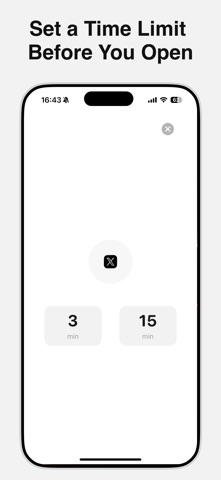
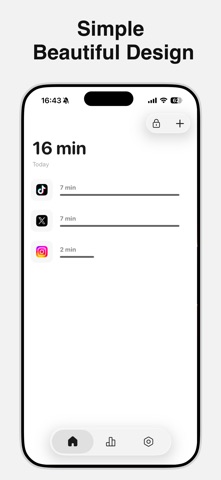
Zentime is a simple app blocker for calmer, more focused time on your phone. Choose how long you want to use an app before you open it—when the timer ends, Zentime locks the app automatically. Because the block is enforced—not just a reminder—Zentime helps you avoid mindless scrolling and stop wasting time. We hope Zentime makes your day a little better. Privacy Policy: https://tinylab-apps.web.app/zentime/privacy Terms of Use: https://www.apple.com/legal/internet-services/itunes/dev/stdeula
What's new · 4.4.0
Start Focus Lock from your Home Screen, without opening the app. • Focus Lock widget: Tap ▶ on your Home Screen to start Focus Lock right away. Switch presets with ⇄, and see the time remaining while it's on. The medium size also shows today's focus time in an hourly chart. You can find how to add it in Settings. • Focus Lock can now be set for up to 24 hours. The end time shows "today" or "tomorrow". • Minor bug fixes and stability improvements.
Details