

Screen Shot App: ScreenCraft
Szymon Tadrzak · Developer Tools
Independent analytics for this App Store listing. AppTracker is not affiliated with Szymon Tadrzak.
Chart standing · US
Ratings breakdown · US
The star breakdown behind this app's rating in this storefront.
In-app purchases · US
What this app sells inside itself, grouped by kind and priced for this storefront.
Screenshots




Similar apps
Competitors and close alternatives, as estimated by AppTracker.
 Screenshot Bro: Mockup Maker
Taras Leskiv
Screenshot Bro: Mockup Maker
Taras Leskiv
 App Screenshots: Store Maker
PROGRESSIO STUDIO COMPANY LTD
App Screenshots: Store Maker
PROGRESSIO STUDIO COMPANY LTD
 Frame Mockup Screen
Dywtal Digital
Frame Mockup Screen
Dywtal Digital
 Screenshot Studio - App Mockup
Sarun Wongpatcharapakorn
Screenshot Studio - App Mockup
Sarun Wongpatcharapakorn
 Mockup & Demo Maker: Screeny
Lazare Kolebka
Mockup & Demo Maker: Screeny
Lazare Kolebka
 Store Screenshot Maker
袁杰 张
Store Screenshot Maker
袁杰 张
 Screenfully: App Demo Creator
Amir Fahd Hadji Usop
Screenfully: App Demo Creator
Amir Fahd Hadji Usop
 App Screenshots Maker
Hanva,LLC
App Screenshots Maker
Hanva,LLC
About
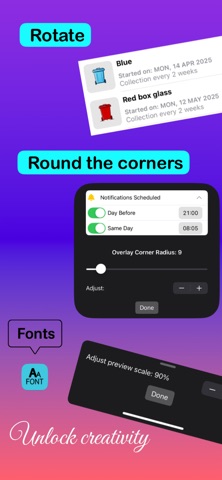
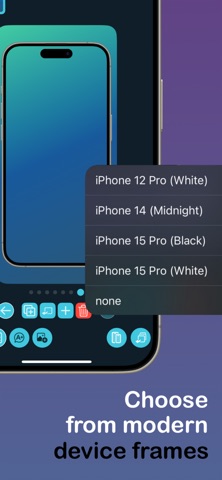
ScreenCraft is a powerful visual editor for creating polished screenshots, social posts, launch graphics, promos and app visuals directly on your iPhone. Start with the right canvas for your project, then customize it with device frames, text, overlays, backgrounds and precise export sizes. Whether you are preparing App Store screenshots, designing a social media post, building a launch graphic, or creating a clean visual for a deck or website, ScreenCraft gives you a focused editor without the complexity of a full design suite. What you can create: • App Store screenshots for iPhone • Social media posts, stories, reels and launch updates • Product mockups and promotional graphics • Website, portfolio and presentation visuals • High-resolution square and portrait exports Key features: • App Store screenshot templates Choose a ready-made-screen layout, replace the placeholders, edit the titles and customize each preview. • Flexible canvas sizes Pick from App Store, social media and general high-resolution canvas presets. You can also adjust the canvas size later in the editor. • Device frames and image editing Add iPhone bezels, position screenshots, adjust scale and rotation, or create clean visuals without a frame. • Text, overlays and backgrounds Add bold titles, extra images, overlays, gradients and custom colors. Arrange layers, duplicate elements and fine-tune the layout. • Multi-preview projects Create sets of visuals in one project, duplicate previews, move between them quickly and export one image or the full set. • High-resolution export Export polished PNG or JPEG images ready for App Store Connect, social platforms, websites, decks and launch materials. • AI image overlays on supported devices Create AI-generated images with Apple Image Playground on compatible devices, then add them to your screenshots, posts and promo graphics. ScreenCraft is built for indie developers, founders, creators, marketers and anyone who needs clean visuals without opening a complicated design tool. Terms of Use: https://www.apple.com/legal/internet-services/itunes/dev/stdeula/
What's new · 3.0.1
- New ScreenCraft app icon - Improved image quality for newly imported screenshots and overlays - Small editor polish and reliability improvements
Details