

Memory Clock: Day & Night
PER PONTUS SJOBERG · Medical
Independent analytics for this App Store listing. AppTracker is not affiliated with PER PONTUS SJOBERG.
Chart standing · US
What changed · US
Listing changes AppTracker has observed for this app in this storefront — new versions, price moves, rating shifts, and store copy.
Ratings breakdown · US
The star breakdown behind this app's rating in this storefront.
In-app purchases · US
No in-app purchases.
Screenshots
Similar apps
Competitors and close alternatives, as estimated by AppTracker.
 Clockology Watch Faces
Clockology, LLC
Clockology Watch Faces
Clockology, LLC
 Clock24h
NNV.ehf
Clock24h
NNV.ehf
 Sloww: Sun & Moon Phase Clock
SOREN MIKKEL LAULAINEN
Sloww: Sun & Moon Phase Clock
SOREN MIKKEL LAULAINEN
 Binary Watch | Clock & Widget
DejaWorks LTD
Binary Watch | Clock & Widget
DejaWorks LTD
 World Clock Time Zone Widgets
Overdesigned, LLC
World Clock Time Zone Widgets
Overdesigned, LLC
 Word Clock Pro: Widget
Vasic Stefan
Word Clock Pro: Widget
Vasic Stefan
 Clock Widget
Francis Bonnin
Clock Widget
Francis Bonnin
 WordClock Widget - Text Clock
Tobias Weissert
WordClock Widget - Text Clock
Tobias Weissert
About
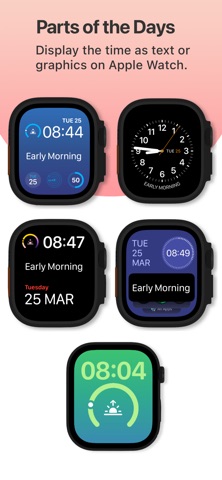
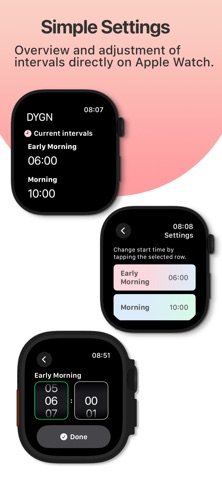
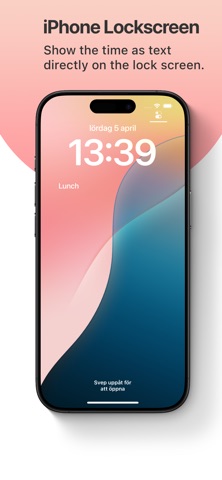
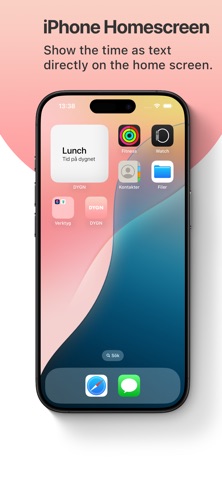
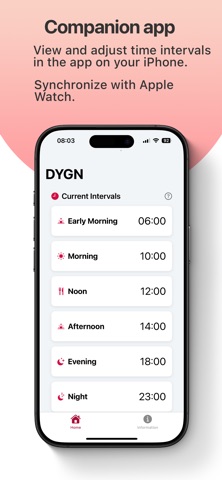
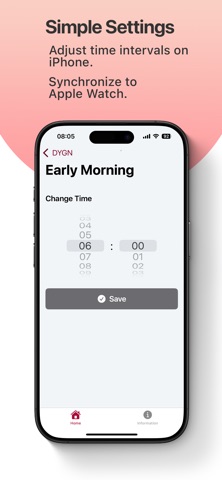
With DYGN – The Text Clock, instantly know which part of your day you’re in. The app tells time in plain language, so you can easily see if it’s morning, mid-morning, noon, afternoon, evening, or night. Customize each segment to match your personal routine. Key Features: • Text-Based Time: Quickly find out whether it’s morning, noon, or night on Apple Watch and iPhone. • Easy Overview: Adjust your schedule directly from your iPhone or Apple Watch. • Simple & Clear: Perfect for anyone who prefers a straightforward, word-based display of time. Your day is divided into six customizable parts, each with its own start time: - Early Morning - Morning - Lunch - Afternoon - Evening - Night Installation In most cases, the Apple Watch app installs automatically when you download the app on your iPhone. If this doesn't happen automatically, you can easily install it manually by following these steps: 1. Open the Watch app on your iPhone. 2. Under the My Watch tab, scroll down to the Available Apps section. 3. Locate the DYGN app and tap Install. Adding a Widget and Complication on Apple Watch 1. Press and hold your current watch face until you can tap Edit. 2. Swipe left or right to edit the complications. 3. Tap a complication slot, scroll, and select DYGN.
What's new · 1.2.1
This app has been updated by Apple to prepare for watchOS 27 compatibility. No new features are included. - Improvements
Details