

Console Remote
莼乾 沈 · Entertainment
Independent analytics for this App Store listing. AppTracker is not affiliated with 莼乾 沈.
Chart standing · US
What changed · US
Listing changes AppTracker has observed for this app in this storefront — new versions, price moves, rating shifts, and store copy.
Improved remote PSN connection stability and performance, increasing connection speed by 100% Improved H.264/H.265 packet decryption and unpacking performance, increasing speed by 100% Improved H.264/H.265 protocol parsing performance, increasing speed by 1,000% Further improved streaming stability and performance, reducing latency by 16 ms
Price & rating history · US
Reconstructed from the listing changes AppTracker has observed in this storefront. A field is charted once it has changed more than once, and each line starts at the value it moved from.
Average rating · ★ 4.33 now · 2 changes on record
Ratings breakdown · US
The star breakdown behind this app's rating in this storefront.
In-app purchases · US
No in-app purchases.
Screenshots
Keywords this app targets
Search terms AppTracker associates with this app — estimates, not search volume. ❝ = in the app's title; a highlighted number is its current position for that term.
Similar apps
Competitors and close alternatives, as estimated by AppTracker.
 RemoteLight - PS5 Streaming
健 耿
2 shared topics
RemoteLight - PS5 Streaming
健 耿
2 shared topics
 PS Remote Play
PlayStation Mobile Inc.
1 shared topic · 1 shared title word
PS Remote Play
PlayStation Mobile Inc.
1 shared topic · 1 shared title word
 TVScreen - Cast & Remote
健 耿
1 shared title word
TVScreen - Cast & Remote
健 耿
1 shared title word
 StarLight - PC Streaming
健 耿
StarLight - PC Streaming
健 耿
 Remote, Mouse & Keyboard Pro
Remote Sunrise LTD
1 shared title word
Remote, Mouse & Keyboard Pro
Remote Sunrise LTD
1 shared title word
 Remote Video Controller
kobunachou ozawa
1 shared title word
Remote Video Controller
kobunachou ozawa
1 shared title word
 Presentation Remote Controller
kobunachou ozawa
1 shared title word
Presentation Remote Controller
kobunachou ozawa
1 shared title word
 Remoter VNC - Remote Desktop
Remoter Labs LLC
1 shared title word
Remoter VNC - Remote Desktop
Remoter Labs LLC
1 shared title word
About
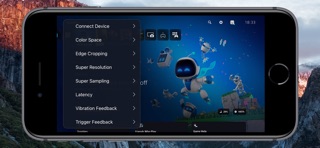
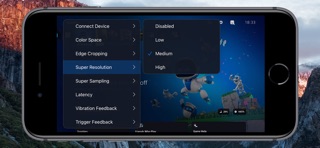
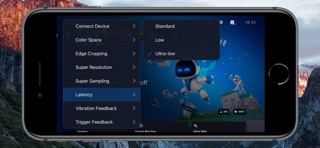
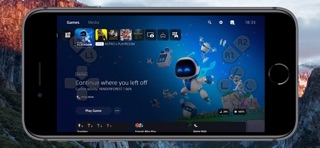
Turn Your iPad and iPhone into the Ultimate PS5 Streaming Companion! Console Remote is a powerful remote play tool built specifically for iPad and iPhone, designed to deliver a premium PlayStation 5 streaming experience. With ultra-low latency, 3K resolution, and full DualSense controller support, it transforms your iPad and iPhone into a true PS5 companion-anytime, anywhere. Whether you are on the couch, in bed, or on the go, enjoy console-quality gameplay directly on your iPad and iPhone. Key Features Ultra-low Latency Mode New synchronization engine, experience near-zero delay. Perfect sync with iPad and iPhone refresh rate for smooth, responsive gameplay. 3K HDR Video Streaming Enjoy enhanced visuals with up to 3K resolution HDR, powered by advanced super-resolution and image upsampling technologies. Frame Generation Technology Supports interpolation from 30 FPS to 60 FPS and from 60 FPS to 120 FPS. With intelligent motion frame interpolation and frame timing optimization, it delivers smoother gameplay while maintaining stable and natural visual quality. Full DualSense Controller Support Connect via native Bluetooth with full support for adaptive triggers, haptic feedback, touchpad, and gyroscope. Optimized Rendering Engine Built on Apple Metal and Audio Unit for high-performance video and audio rendering with reduced power consumption. Advanced Upscaling & Sampling Choose from low, medium, or high sampling modes to boost image clarity without sacrificing performance. Professional Color Space Support Switch between sRGB, Display P3, and Adobe RGB for accurate color tuning based on your screen. AirPods Optimized Audio Enjoy stable, low-latency wireless audio with seamless AirPods integration. MetalHUD Performance Monitor Full implementation of Apple MetalHUD, providing real-time monitoring of FPS, GPU, and memory usage. Requirements Virtual Touchpad and Virtual Controller Supports either a standalone virtual touchpad or a full virtual controller. Open [Virtual Control] > Check [Virtual Touchpad] or [Virtual Controller]. Remote Streaming Configure port forwarding on your router for ports 9295, 9296, 9297 and 9302 (UDP/TCP), or directly enable DMZ. Enable UPnP on your router. Open [Connect Device] > [PS5-Local] > [Edit] > [Connect Channel] > Select [Remote Connect]. Network Environment To avoid lag or pixelation, please follow the recommendations below Connect using a Wi-Fi 6 5GHz network Set your router channel to 149 (or 44 for EU/JP users) For improved stability, disable Location Services in your iPad and iPhone system settings Devices PlayStation 5 console DualSense wireless controller (third-party controllers are not officially supported) Systems iPad and iPhone running iOS 17.0 or higher, can work perfectly. Terms of Service https://www.apple.com/legal/internet-services/itunes/dev/stdeula/ Disclaimer PS5, PS4, PlayStation 5, PlayStation 4, DualShock, DualSense and PSN are trademarks of Sony Computer Entertainment Inc. Console Remote is in no way endorsed by or affiliated with Sony Computer Entertainment lnc, or any associated subsidiaries, logos or trademarks.
What's new · 27.0.23
Improved remote PSN connection stability and performance, increasing connection speed by 100% Improved H.264/H.265 packet decryption and unpacking performance, increasing speed by 100% Improved H.264/H.265 protocol parsing performance, increasing speed by 1,000% Further improved streaming stability and performance, reducing latency by 16 ms
Details