

PS Remote Play
PlayStation Mobile Inc. · Entertainment
Independent analytics for this App Store listing. AppTracker is not affiliated with PlayStation Mobile Inc.
Chart standing · US
What changed · US
Listing changes AppTracker has observed for this app in this storefront — new versions, price moves, rating shifts, and store copy.
• We've made some performance improvements. • This app no longer supports iOS 15 and iPad OS 15.
Price & rating history · US
Reconstructed from the listing changes AppTracker has observed in this storefront. A field is charted once it has changed more than once, and each line starts at the value it moved from.
Average rating · ★ 3.37 now · 2 changes on record
Ratings breakdown · US
The star breakdown behind this app's rating in this storefront.
In-app purchases · US
No in-app purchases.
Screenshots
Keywords this app targets
Search terms AppTracker associates with this app — estimates, not search volume. ❝ = in the app's title; a highlighted number is its current position for that term.
Similar apps
Competitors and close alternatives, as estimated by AppTracker.
 RemoteLight - PS5 Streaming
健 耿
1 shared topic
RemoteLight - PS5 Streaming
健 耿
1 shared topic
 Console Remote
莼乾 沈
1 shared topic · 1 shared title word
Console Remote
莼乾 沈
1 shared topic · 1 shared title word
 Backbone — Next-Level Play
Backbone Labs, Inc. (US)
1 shared topic · 1 shared title word
Backbone — Next-Level Play
Backbone Labs, Inc. (US)
1 shared topic · 1 shared title word
 Remote Mouse Pro
耀 阮
1 shared title word
Remote Mouse Pro
耀 阮
1 shared title word
 Remote Video Controller
kobunachou ozawa
1 shared title word
Remote Video Controller
kobunachou ozawa
1 shared title word
 Presentation Remote Controller
kobunachou ozawa
1 shared title word
Presentation Remote Controller
kobunachou ozawa
1 shared title word
 TVScreen - Cast & Remote
健 耿
1 shared title word
TVScreen - Cast & Remote
健 耿
1 shared title word
 StarLight - PC Streaming
健 耿
StarLight - PC Streaming
健 耿
About
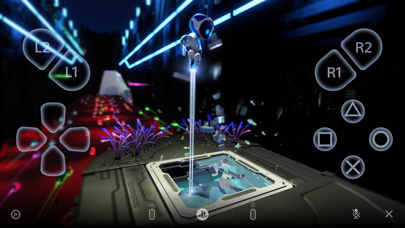
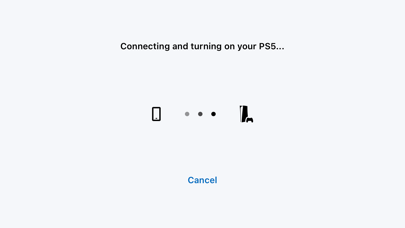
Use PS Remote Play to access your PS5™ or PS4™ wherever you go. With PS Remote Play, you can: • Display the PlayStation®5 or PlayStation®4 screen on your mobile device. • Use the on-screen controller on your mobile device to control your PS5 or PS4. • Connect your DUALSHOCK®4 wireless controller. • Connect your DualSense™ wireless controller. • Connect your DualSense Edge™ wireless controller to mobile devices with iOS 16.4/iPadOS 16.4 or later installed. • Connect your Backbone One PlayStation® Edition to your iPhone. • Join voice chats using the mic on your mobile device. • Enter text on your PS5 or PS4 using the keyboard on your mobile device. To use this app, you need the following: • A mobile device with iOS 16/iPadOS 16 or later installed • A PS5 or PS4 console with the latest system software version • An account for PlayStation • A fast and stable internet connection When using mobile data: • Depending on your carrier and network conditions, you may not be able to use Remote Play. • Remote Play uses a lot more data than most video streaming services. Data charges may apply. Note: • This app may not be compatible with some games. • You need to grant this app access to connect to devices on your local network. If you haven't already, you can do this from the Settings menu on your iOS or iPadOS device. • Your controller may vibrate differently than when playing on your PS5 or PS4 console.
What's new · 9.5.0
• We've made some performance improvements. • This app no longer supports iOS 15 and iPad OS 15.
Details