

Numpad 2
ALPA AB · Utilities
Independent analytics for this App Store listing. AppTracker is not affiliated with ALPA AB.
Chart standing · US
What changed · US
Listing changes AppTracker has observed for this app in this storefront — new versions, price moves, rating shifts, and store copy.
In-app purchases · US
No in-app purchases.
Screenshots


Keywords this app targets
Search terms AppTracker associates with this app — estimates, not search volume. ❝ = in the app's title; a highlighted number is its current position for that term.
Similar apps
Competitors and close alternatives, as estimated by AppTracker.
 NumPad: Your Number Keyboard
More Voltage
1 shared topic · 1 shared title word
NumPad: Your Number Keyboard
More Voltage
1 shared topic · 1 shared title word
 Number Pad - Smart Keyboard
Jan-Niklas FREUNDT
2 shared topics
Number Pad - Smart Keyboard
Jan-Niklas FREUNDT
2 shared topics
 Numberie Keyboard
Ratha Sou
2 shared topics
Numberie Keyboard
Ratha Sou
2 shared topics
 Calculator Keyboard - Faster
万庄 黄
2 shared topics
Calculator Keyboard - Faster
万庄 黄
2 shared topics
 NumPad+ Keyboard Extension
Teruaki Onoda
1 shared title word
NumPad+ Keyboard Extension
Teruaki Onoda
1 shared title word
 Number Row Keyboard
MO NOUR
Number Row Keyboard
MO NOUR
 The Math Keyboard
Daniel Soffer
2 shared topics
The Math Keyboard
Daniel Soffer
2 shared topics
 Remote KeyPad and NumPad Pro
Remote Sunrise LTD
1 shared title word
Remote KeyPad and NumPad Pro
Remote Sunrise LTD
1 shared title word
About
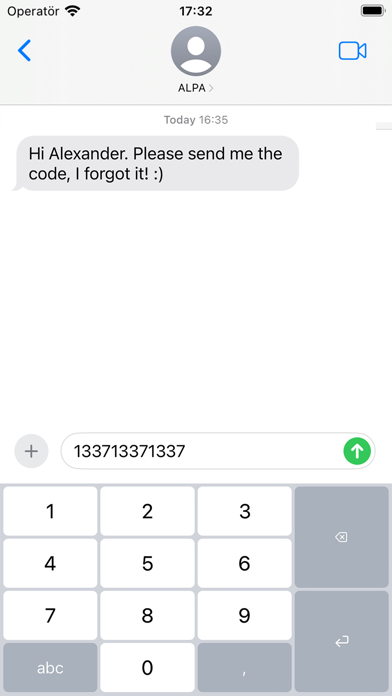
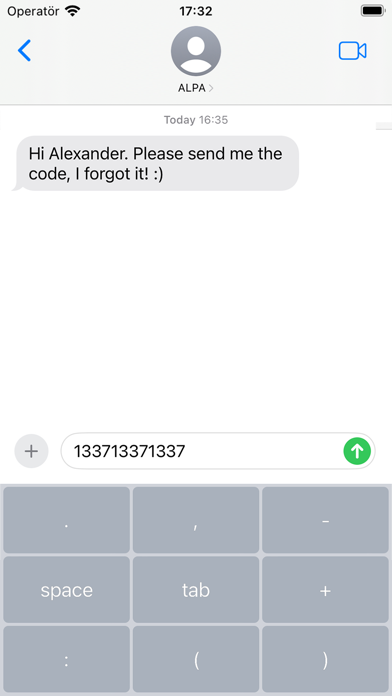
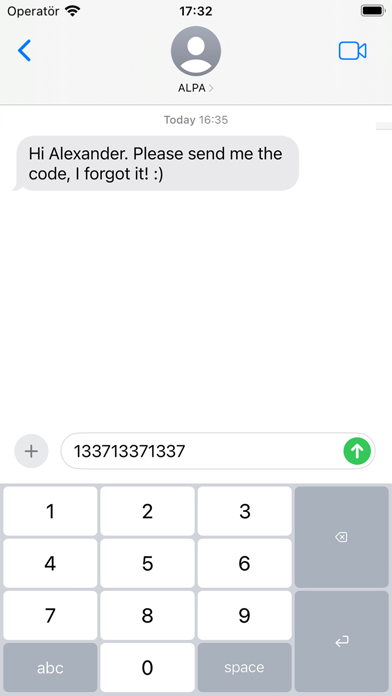
Numpad – A Better Way to Enter Numbers When all you need is numbers, the default keyboard just gets in the way. Numpad gives you a clean, focused, and efficient typing experience—designed for speed and precision. Whether you’re entering prices, codes, or data, Numpad keeps things simple and fast. — Designed for how you work: • Adaptive action key Quickly switch between decimal, space, tab, and more – just press and hold. • Two intuitive layouts Choose between classic 1–9 or calculator-style 7–8–9. Switch instantly by holding the “5” key. • Flexible height Adjust the keyboard to match your preference – compact or spacious – with a simple hold on “0”. • Minimal by design No distractions. No unnecessary keys. Just a better way to enter numbers. — Have an idea or feature request? I’d love to hear from you – your feedback helps shape future updates.
What's new · 26.0.4
• Fixed: decimal key no longer resets to comma (settings now persist without Full Access) • All keyboard settings can now be changed in the app • Key click sound now follows the system keyboard sound setting • Redesigned How to page with Full Access info
Details