

Talking Bible for The Blind
Simmons Software Consulting · Reference
Independent analytics for this App Store listing. AppTracker is not affiliated with Simmons Software Consulting.
Chart standing · US
What changed · US
Listing changes AppTracker has observed for this app in this storefront — new versions, price moves, rating shifts, and store copy.
What's New Version 4.16 New in this version: 1. 'You control your privacy ...' Open the Privacy Policy page to turn off usage data collection. Turning it off deletes your search history and the usage data we hold, and your commands are no longer saved or sent. 2. 'Bug Fixes and Performance Improvements ...' And Finally, The Command 'What's New' will replay this message.
Ratings breakdown · US
The star breakdown behind this app's rating in this storefront.
Screenshots


Keywords this app targets
Search terms AppTracker associates with this app — estimates, not search volume. ❝ = in the app's title; a highlighted number is its current position for that term.
Similar apps
Competitors and close alternatives, as estimated by AppTracker.
 BibleSpeak
Alvanet
1 shared topic
BibleSpeak
Alvanet
1 shared topic
 Touch Bible Loaded: Level Up!
Patrick Franklin
1 shared topic · 1 shared title word
Touch Bible Loaded: Level Up!
Patrick Franklin
1 shared topic · 1 shared title word
 Holy Bible - Read & Listen
Cloven & Works Private Limited
1 shared topic · 1 shared title word
Holy Bible - Read & Listen
Cloven & Works Private Limited
1 shared topic · 1 shared title word
 Touch Bible: KJV+ Concordance
Patrick Franklin
1 shared title word
Touch Bible: KJV+ Concordance
Patrick Franklin
1 shared title word
 audibible: audio bible app
Stephane Montlouis-Calixte
1 shared topic · 1 shared title word
audibible: audio bible app
Stephane Montlouis-Calixte
1 shared topic · 1 shared title word
 Holy Bible King James + Audio
Bible App Labs LLC
1 shared title word
Holy Bible King James + Audio
Bible App Labs LLC
1 shared title word
 BrailleTalk
New Braille System K.K.
1 shared topic
BrailleTalk
New Braille System K.K.
1 shared topic
 KJV Only Bible App
Randall Chastain
1 shared title word
KJV Only Bible App
Randall Chastain
1 shared title word
About
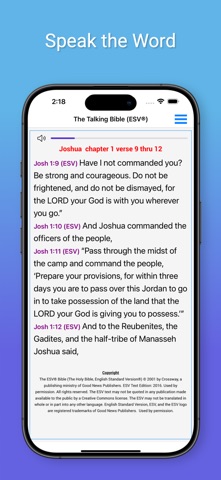
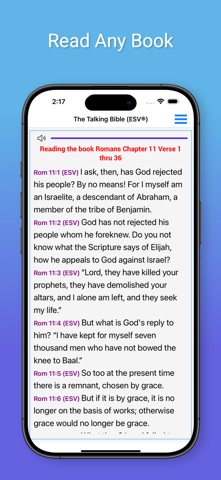
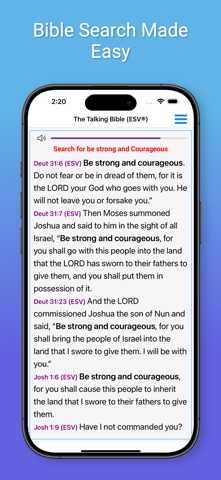
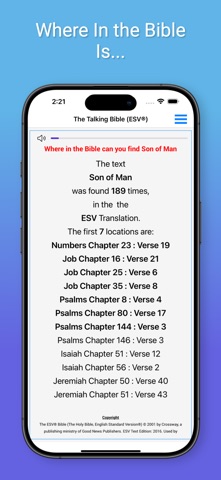
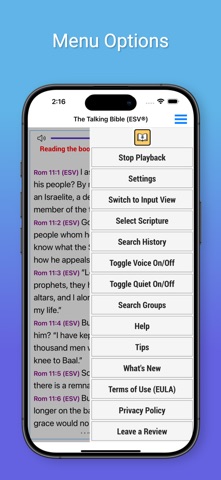
Finally an Interactive Bible App that uses Speech Recognization to allow the visually impaired to ask the app to read Bible Passages and to search the Bible for topics of interest. Welcome to The Interactive Talking Bible "The Talking Bible" is specifically designed for the visually impaired. You speak the desired scripture and "The Talking Bible" reads them back to the you!. Usage: Just Tap on the screen and The Talking Bible will listen for your command. The commands will allow you to: 1. Read any scripture 2. Search the Bible 3. Repeat your last command: 4. Change the Bible Translation 5. Stop Continuous listening 6. Stop Voice Playback 7. Read the help file 8. Pause or Stop Reading To Read any Scriptures: Just Tap on the screen and say 'John Chapter 3 verse 16' and it will be read to you. To Search the Bible: Just Tap on the screen and say 'Search for Love' and all of the scriptures in the Bible containing the word 'Love' will be read to you. To Search just in a book of the Bible: Just Tap on the screen and say: 'Search for Love in the book of John' and all of the scriptures in the book of John containing the word 'Love' will be read to you. You can also search: The New Testament The Old Testament The Gospels The Torah To Repeat your last command: Just Tap on the screen and say 'Repeat' And your last command will be repeated! Bible Translations: The English Standard Version (ESV®) and the King James Version (KJV) are available. To switch translations: Just Tap on the screen say: 'Use ESV' for the English Standard Version® or 'Use KJV' for the King James Version Stop Voice Playback You can turn off the Voice playback that reads the scriptures and responds by just Tap on the screen and sayingVoice Off. When operating with 'Voice Off' The Talking Bible will operate the same as when Voice is On. To turn the Voice playback on, just Tap on the screen and say 'Voice On'. Read the help file: To have the detailed operating instruction read to you, just Tap on the screen and say ‘Help’ and the detailed instructions for using this app will be read to you. Pause or Stop Reading: To Pause a scripture that is being read to you, Press on the screen to pause the scripture reading. To Continue, Press on the screen again. Lastly, To Stop the reading, 'Swipe your finger to the right' to Stop the scripture reading.
What's new · 4.16
What's New Version 4.16 New in this version: 1. 'You control your privacy ...' Open the Privacy Policy page to turn off usage data collection. Turning it off deletes your search history and the usage data we hold, and your commands are no longer saved or sent. 2. 'Bug Fixes and Performance Improvements ...' And Finally, The Command 'What's New' will replay this message.
Details