

Spendy - Expense Tracker Diary
dasol kim · Finance
Independent analytics for this App Store listing. AppTracker is not affiliated with dasol kim.
Chart standing · US
What changed · US
Listing changes AppTracker has observed for this app in this storefront — new versions, price moves, rating shifts, and store copy.
Bug fixes and improvements
Ratings breakdown · US
The star breakdown behind this app's rating in this storefront.
In-app purchases · US
What this app sells inside itself, grouped by kind and priced for this storefront.
Screenshots


Keywords this app targets
Search terms AppTracker associates with this app — estimates, not search volume. ❝ = in the app's title; a highlighted number is its current position for that term.
Similar apps
Competitors and close alternatives, as estimated by AppTracker.
 Expense Tracker - Money Note
Komorebi Inc.
2 shared topics · 3 shared title words
Expense Tracker - Money Note
Komorebi Inc.
2 shared topics · 3 shared title words
 MySpend: Shared Budget Tracker
Vadim Holub
2 shared topics · 1 shared title word
MySpend: Shared Budget Tracker
Vadim Holub
2 shared topics · 1 shared title word
 SmileBudget - Expense Tracker
Koniio Co., Ltd.
2 shared topics · 3 shared title words
SmileBudget - Expense Tracker
Koniio Co., Ltd.
2 shared topics · 3 shared title words
 Smart Budget – Money Manager
Carlo Di Giuseppe
3 shared topics
Smart Budget – Money Manager
Carlo Di Giuseppe
3 shared topics
 Minimal - Spent
Mina Philemon
3 shared topics
Minimal - Spent
Mina Philemon
3 shared topics
 Expenses: Spending Tracker
BLUE COMET LABS LLC
2 shared topics · 1 shared title word
Expenses: Spending Tracker
BLUE COMET LABS LLC
2 shared topics · 1 shared title word
 Spending Tracker
MH Riley Ltd
2 shared topics · 1 shared title word
Spending Tracker
MH Riley Ltd
2 shared topics · 1 shared title word
 Money Tracker: Budget Manager
Pham Thi Hong Nhung
2 shared topics · 1 shared title word
Money Tracker: Budget Manager
Pham Thi Hong Nhung
2 shared topics · 1 shared title word
About
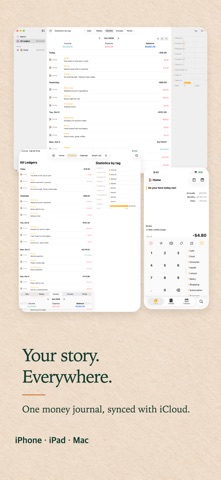
The fastest way to log — and share — your spending. Spendy, the minimal budget app. Open the app and you are already on the entry screen. Even without an amount, a tag and a one-line note become your diary for the day. If complex budget apps wore you out, Spendy makes recording a habit. Recommended For - Those who quit budget apps because they felt too complicated - Couples, families, and friends who want to track expenses together - People who want to record both their spending and their feelings Key Features Recording - Quick entry first: start typing the moment you open the app. - Budget as a diary: capture moments with just tags and notes — no amount needed. - Tag management: understand your spending patterns at a glance. - Attach photos and scan documents to keep receipts together. Sharing & Sync - iCloud shared budget: record and manage expenses in real time with your partner, family, or friends. - Automatic sync across all your Apple devices — iPhone, iPad, and Mac. Views & Insights - Timeline and calendar views: browse your history the way you like. - Smart lists: automatically group expenses by the conditions you set. - Calendar & Reminders integration: see your schedule and spending in one timeline. Automation - Automatically register Apple Pay and SMS transactions. - Build your own entry flows with Shortcuts support. Widgets - Home Screen and Lock Screen widgets show today's spending at a glance. - Widget quick actions: memo, search, take a photo, scan a document. Privacy - Your ledger is stored in your own iCloud, not on our servers. Some features are part of Spendy Premium, a one-time purchase you keep forever. Start your habit of recording both money and moments with Spendy today. Terms of Use: https://onessa.app/spendy/terms/ Privacy Policy: https://onessa.app/spendy/privacy/
What's new · 3.11.2
Bug fixes and improvements
Details