

Stitch It · Long Screenshots
Thirty Seven Inc. · Utilities
Independent analytics for this App Store listing. AppTracker is not affiliated with Thirty Seven Inc.
Chart standing · US
What changed · US
Listing changes AppTracker has observed for this app in this storefront — new versions, price moves, rating shifts, and store copy.
Bug fixes and improvements.
Ratings breakdown · US
The star breakdown behind this app's rating in this storefront.
In-app purchases · US
What this app sells inside itself, grouped by kind and priced for this storefront.
Screenshots


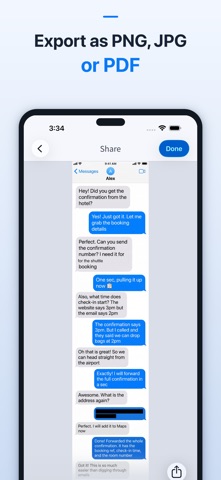
Keywords this app targets
Search terms AppTracker associates with this app — estimates, not search volume. ❝ = in the app's title; a highlighted number is its current position for that term.
Similar apps
Competitors and close alternatives, as estimated by AppTracker.






About
Combine multiple screenshots into one long image—or join them side by side. With Stitch It, you can align overlaps, crop each screenshot precisely, and hide private details before sharing. Bring together screenshots of conversations, receipts, instructions, social posts, and web pages. Save the parts you need as one clear image or PDF. Trusted since 2012 with 6,700+ ratings worldwide. MAKE THE RESULT YOURS - Vertical and horizontal stitching: combine a chat thread or build a side-by-side comparison. - Precise cropping: align overlapping content and choose where each screenshot begins and ends. - Built-in redaction: hide names, addresses, and other private details with blur, pixelation, or solid color. - Flexible export: save as PNG, JPG, or PDF and share through compatible apps. - On-device editing: your screenshots are processed on your device. HOW IT WORKS 1. Import existing screenshots from your Photo Library. 2. Arrange them in the order you want. 3. Align the overlaps and crop each screenshot. 4. Hide any private details before sharing. 5. Save or export the finished result. Take screenshots in apps such as Messages, WhatsApp, Safari, and Reddit, then import and combine them in Stitch It. Siri Shortcuts and the share extension offer additional ways to start your workflow. FREE AND PRO Stitch It is free to use with a small watermark. Upgrade to Pro for: - Unlimited images per stitch - No watermark on final images - An ad-free experience - Support for continued indie development Privacy Policy: https://37.technology/legal/privacy Terms of Service: https://37.technology/legal/terms Support: stitchit@37.technology
What's new · 3.4.0
Bug fixes and improvements.
Details