

Very Long Screenshot Maker
Xiamen Dehui Chengzhen Network Technology Co., Ltd. · Utilities
Independent analytics for this App Store listing. AppTracker is not affiliated with Xiamen Dehui Chengzhen Network Technology Co., Ltd.
Chart standing · US
What changed · US
Listing changes AppTracker has observed for this app in this storefront — new versions, price moves, rating shifts, and store copy.
Faster long screenshot generation: images are stitched while recording, so your long screenshot is ready to preview as soon as you switch to the app, without waiting. Improved the stitching algorithm for more accurate results.
Ratings breakdown · US
The star breakdown behind this app's rating in this storefront.
Screenshots


Keywords this app targets
Search terms AppTracker associates with this app — estimates, not search volume. ❝ = in the app's title; a highlighted number is its current position for that term.
Similar apps
Competitors and close alternatives, as estimated by AppTracker.
 SmartScrollCapture
晋江 黄
1 shared topic
SmartScrollCapture
晋江 黄
1 shared topic
 Screenshot | Web
Paran
1 shared topic · 1 shared title word
Screenshot | Web
Paran
1 shared topic · 1 shared title word
 Mocol - Long Screenshot
晓航 郑
3 shared title words
Mocol - Long Screenshot
晓航 郑
3 shared title words
 FullPage Screenshot for Safari
Alfredo Grassau
1 shared topic · 1 shared title word
FullPage Screenshot for Safari
Alfredo Grassau
1 shared topic · 1 shared title word
 Scroll Capture for Safari
seiya kawano
Scroll Capture for Safari
seiya kawano
 iCanvas - Annotate&ScreenShot
耀 陈
1 shared topic · 1 shared title word
iCanvas - Annotate&ScreenShot
耀 陈
1 shared topic · 1 shared title word
 AnyREC: Screen Recorder, Share
GENERATIONZTECH LIMITED
1 shared topic
AnyREC: Screen Recorder, Share
GENERATIONZTECH LIMITED
1 shared topic
 Status Bar: Screenshot Maker
Phuc Pham
2 shared title words
Status Bar: Screenshot Maker
Phuc Pham
2 shared title words
About
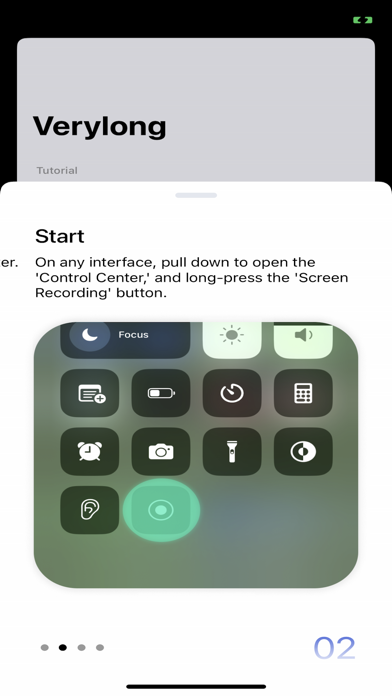
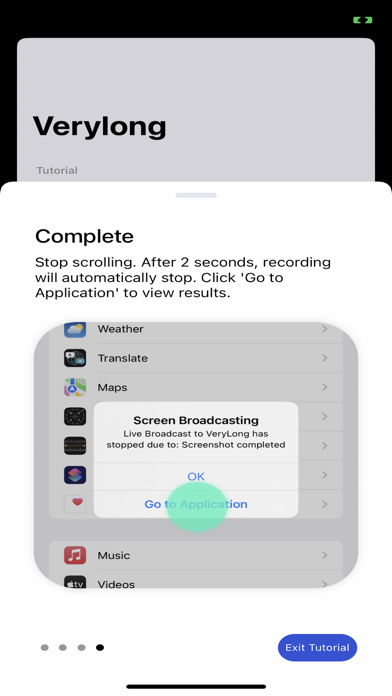
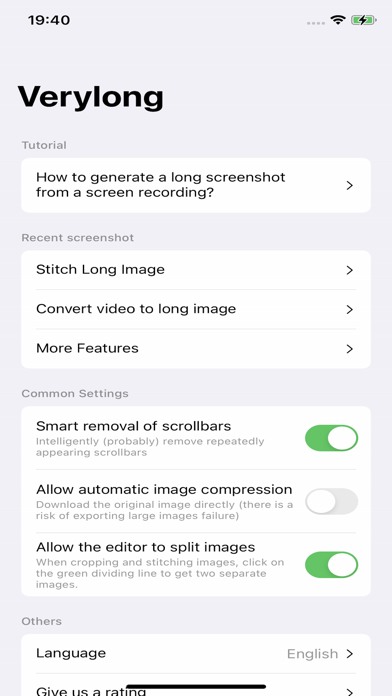
With this software, you can easily capture content that extends beyond a single screen. Here are the simple steps: **Preparation:** OPEN Settings; select Control Center; ensure the Screen Recording option has been added: **Steps:** 1. Prepare the content you want to capture, ensuring that dynamically loaded content is fully loaded. 2. Pull down the control center, long-press the screen recording button. 3. Choose the "Verylong" option, then click on start recording. 4. Return to the content page you want to capture before the countdown ends. 5. When the recording button is illuminated, start scrolling through the page. 6. Lift your finger from the screen at the desired endpoint for recording and wait for 3 seconds. 7. After 3 seconds, a pop-up window will appear, click on "Go to the app." Congratulations, you have completed the screenshot operation! User Agreement:https://metal-basin-5f3.notion.site/Pro-Verylong-Terms-of-Use-7adc43bede7846f9996541e8def24566?pvs=4 Privacy Policy: https://metal-basin-5f3.notion.site/Pro-Very-long-Privacy-Policy-c43443aaa77049f5a33bf97a985f0bdf?pvs=4
What's new · 2.4.0
Faster long screenshot generation: images are stitched while recording, so your long screenshot is ready to preview as soon as you switch to the app, without waiting. Improved the stitching algorithm for more accurate results.
Details