

Remote to Netflix
Paul Zabelin · Utilities
Independent analytics for this App Store listing. AppTracker is not affiliated with Paul Zabelin.
Chart standing · US
Ratings breakdown · US
The star breakdown behind this app's rating in this storefront.
In-app purchases · US
No in-app purchases.
Screenshots
Similar apps
Competitors and close alternatives, as estimated by AppTracker.
 Remote for Mac
Aexol sp. z o.o.
Remote for Mac
Aexol sp. z o.o.
 Remote, Mouse & Keyboard Pro
Remote Sunrise LTD
Remote, Mouse & Keyboard Pro
Remote Sunrise LTD
 Remoto – Universal TV Remote
lighten apps ltd
Remoto – Universal TV Remote
lighten apps ltd
 Rowmote
Evan Schoenberg, M.D.
Rowmote
Evan Schoenberg, M.D.
 Smart Mouse and Keyboard
SENSONET BILISIM TEKNOLOJILERI ELEKTRONIK YAZILIM SANAYI VE TICARET LTD STI
Smart Mouse and Keyboard
SENSONET BILISIM TEKNOLOJILERI ELEKTRONIK YAZILIM SANAYI VE TICARET LTD STI
 Mobile Mouse
R.P.A. Tech
Mobile Mouse
R.P.A. Tech
 Rowmote Pro for Mac
Evan Schoenberg, M.D.
Rowmote Pro for Mac
Evan Schoenberg, M.D.
 Remote Mouse Pro
耀 阮
Remote Mouse Pro
耀 阮
About
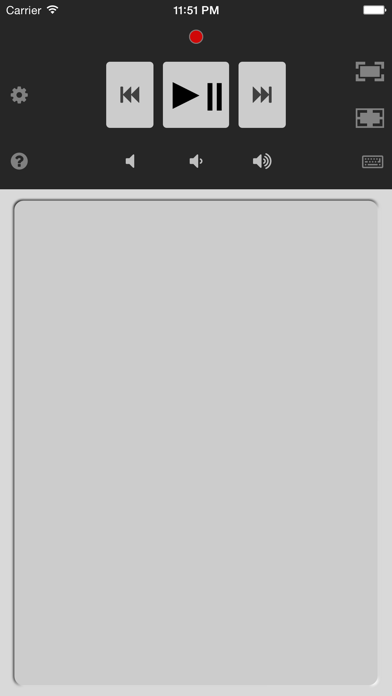
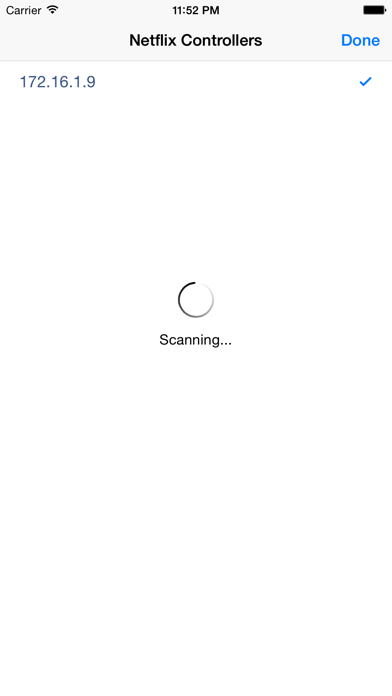
Remote controls Mac or Windows PC over WiFi. Watch movies like a pro on Netflix, Youtube, Hulu, Vimeo or iTunes on your computer. Turn your iPhone, iPad or iPod Touch into a remote control. No need to point remote at the screen, it works at any distance. To use this Netflix Remote you will need: 1. Mac or PC computer connected to WiFi 2. Netflix playing in a browser on the computer Installation instructions: 1. Download FREE Netflix Controller from our support page 2. Install the Netflix Controller on your Mac OS X or Windows PC 3. Connect your iPhone to the same WiFi as the computer 4. Open Netflix in a web browser on your computer Features: • Apple Watch remote • iPhone trackpad to control computer mouse cursor • iPhone keyboard to enter text on the computer • controls any application on computer with trackpad and keyboard • controls multiple computers with one iPhone • fullscreen on and off buttons • volume up, down and mute • tap and hold forward or rewind to make fast skip • enables Apple IR remote to control Netflix on supported iMac or Macbook • international keyboard support including emoji (JAPANESE language only, due to the bug on iOS9) • natural trackpad gestures: ・ double tap on trackpad to make a double click ・ long tap trackpad to make right mouse click ・ move two fingers on trackpad to drag mouse cursor • Netflix, YouTube, Vimeo video playback • supports most browsers like Safari, Firefox and Chrome. ATTENTION: Remote won't work with smart TV, Xbox, Wii or Android. Please visit our support page for detailed instructions and tips. QUICK TIPS: - Tap on trackpad to select active window on the computer - Tap gear button to reconnect when WiFi changes
What's new · 3.1
iOS 9 and watchOS 2 update Fix keyboard Japanese characters
Details