

PDF Pro - Reader Editor Forms
Dominic Rodemer · Productivity
Independent analytics for this App Store listing. AppTracker is not affiliated with Dominic Rodemer.
Chart standing · US
What changed · US
Listing changes AppTracker has observed for this app in this storefront — new versions, price moves, rating shifts, and store copy.
6.2: IMPROVED: - Faster display of complex pages - More accurate colors in CMYK documents with blend modes - Lower memory usage after closing documents - Better VoiceOver support throughout the app - Updated password field with a message for wrong passwords - Template info now opens as a sheet FIXED: - Crash when closing the share sheet - Crash when using the eraser while drawing - Crash when exporting large documents with forms - Annotation changes sometimes lost when leaving the app - Document content hidden behind the sidebar on iPad - Text annotations closing while the keyboard appears - Pages shifting when the keyboard appears - Search navigator hard to read in dark mode - Search navigator covering pages in the thumbnail grid and Document Editor - Wrong title shown after switching tabs on iPad - Missing close button for document info on iPhone - Device staying awake after leaving Wi-Fi transfer - Edit button disappearing in the annotation list - Text clipping when editing rotated text annotations - Sharing documents with very long names not working - Asian text in annotations disappearing in other PDF viewers - Some symbols being removed from annotations and form fields - Form field text showing unrelated symbols when a font is missing - Text fields rejecting input in some forms - Copied form fields not being fillable in some documents - Several issues with interactive forms using scripts - Shaded boxes appearing over artwork in CMYK documents - Annotations being lost when flattening fails - Text annotations causing font errors in Adobe Acrobat - Cloud borders being cut off in other PDF viewers - Translation errors in several languages --- PDF Pro is also available for Windows and macOS! For more information visit: https://www.pdf-pro.net Do you like PDF Pro? If you have a moment to leave a review on the App Store we would really appreciate it!
Ratings breakdown · US
The star breakdown behind this app's rating in this storefront.
In-app purchases · US
What this app sells inside itself, grouped by kind and priced for this storefront.
Screenshots



Keywords this app targets
Search terms AppTracker associates with this app — estimates, not search volume. ❝ = in the app's title; a highlighted number is its current position for that term.
Similar apps
Competitors and close alternatives, as estimated by AppTracker.
 .PDFi
Colton Stagg
.PDFi
Colton Stagg
 PDF Expert: Editor & Reader
Readdle Technologies Limited
PDF Expert: Editor & Reader
Readdle Technologies Limited
 PDF Editor ®
SMM service, s.r.o.
PDF Editor ®
SMM service, s.r.o.
 PDF Hero - PDF Editor & Reader
Mosaic S.r.l.
PDF Hero - PDF Editor & Reader
Mosaic S.r.l.
 pdfFiller: edit PDF documents
airSlate, Inc.
pdfFiller: edit PDF documents
airSlate, Inc.
 PDF Reader Pro - Sign,Edit PDF
PDF Technologies, Inc.
PDF Reader Pro - Sign,Edit PDF
PDF Technologies, Inc.
 PDF Gear - PDF Editor & Reader
PDF GEAR TECH PTE. LTD.
PDF Gear - PDF Editor & Reader
PDF GEAR TECH PTE. LTD.
 PDF Reader Pro Edition®
iTECH DEVELOPMENT SYSTEMS INC.
PDF Reader Pro Edition®
iTECH DEVELOPMENT SYSTEMS INC.
About
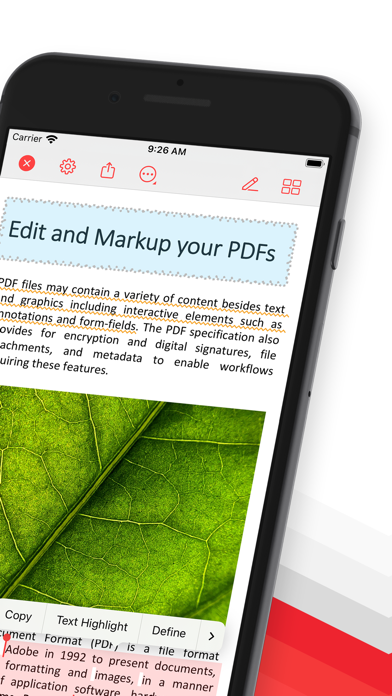
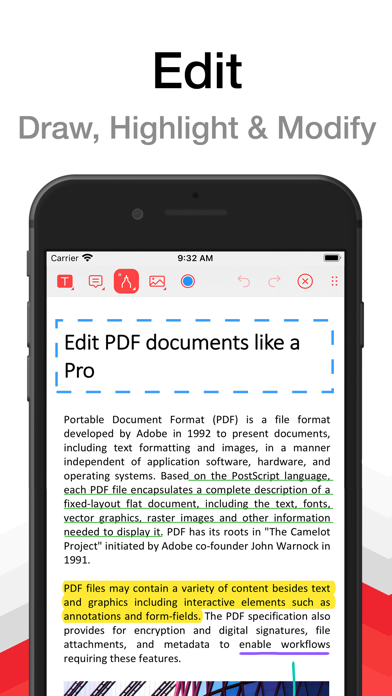
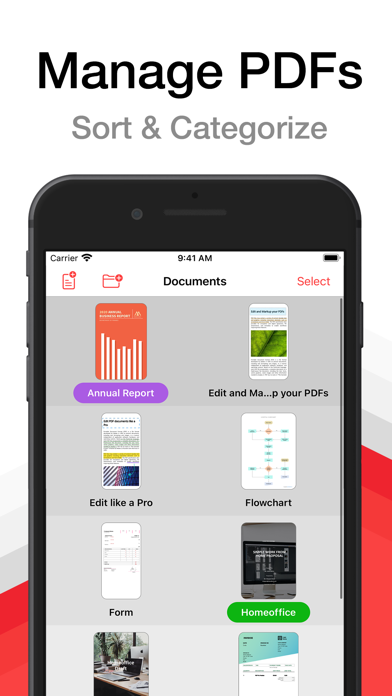
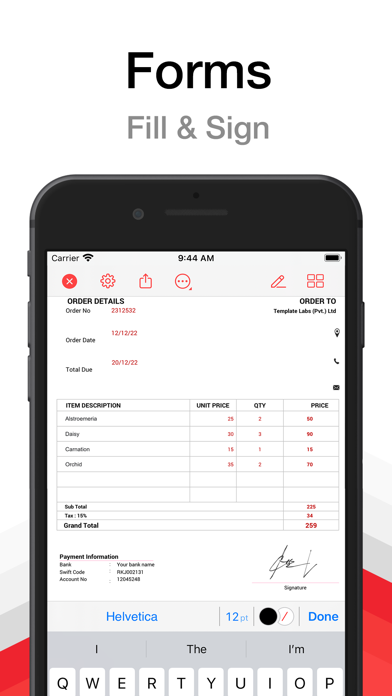
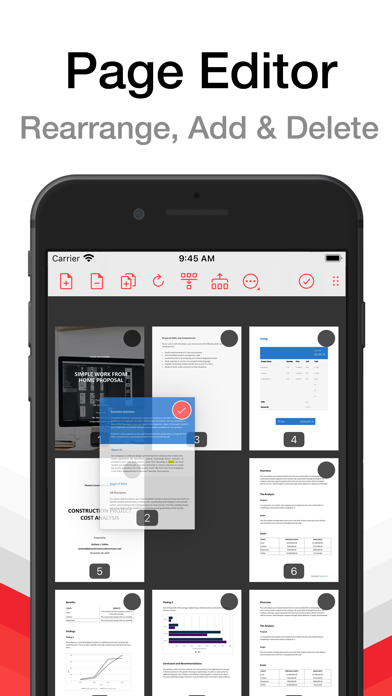
PDF Pro lets you read, edit and annotate your PDF documents directly on your iPhone and iPad. Highlight text, take notes, embed shapes or draw with your finger. You can even embed voice recordings or photo annotations. Full-text-search your entire PDF library with just a single tap. Above all PDF Pro comes with full-featured PDF form and signature support. Key-Features At A Glance: • POWERFUL SEARCH: ∙ Full-text-search your entire PDF library. ∙ Search inside specific documents with easy navigation through the search results. ∙ Look-up selected text directly on Wikipedia or in the included dictionaries. • FILE-MANAGEMENT: ∙ Group your PDFs in folders and tag them with colorful labels. ∙ Import PDFs from your Dropbox®, Microsoft OneDrive® or Google Drive®. ∙ Add PDFs via USB or WiFi. ∙ Open E-Mail attachments. • CLEAR VIEW: ∙ Easily browse through all your annotations. ∙ Full PDF outline support. You can even search the outline. ∙ Get an overview of all your bookmarked or annotated pages just with a single tap. • SHARE and PRINT: ∙ Easily share your annotated documents with your friends or co-workers. ∙ Print your annotated and edited PDFs. ∙ You can even share or print single pages of a document. • HIGH SPEED and STABILITY: ∙ Rapid viewing of PDF documents. ∙ Smooth display of very large PDF files. • NIGHT MODE: ∙ Makes reading in the dark much easier on the eyes. • SECURITY: ∙ Support for password-protected PDFs • AND MUCH MORE... Premium Features and Premium Offer include: • ANNOTATIONS and NOTES: ∙ Highlight text, take notes or draw with your finger. ∙ Powerful shape editor for arrows, rectangles, circles, lines and much more. ∙ Embed audio and photo annotations into your PDFs. ∙ Use predefined stamps or create your own. • DOCUMENT EDITOR: ∙ Create new pages. ∙ Export pages or merge them into existing documents. ∙ Reorder, rotate and delete pages. • CONTENT EDITOR: • Modify the existing content of PDF documents. • MULTITASKING: ∙ Work with multiple PDFs at a time. ∙ Copy and paste annotations, shapes, images or text from one PDF document into another. • FORM SUPPORT: ∙ Just fill out your PDF form, sign it with your handwritten signature and you are ready to send it via E-Mail or print it via AirPrint®. A monthly or annual subscription is required to get access to all premium features and premium offer. --- Subscriptions automatically renew monthly or yearly depending on your plan unless auto-renew is turned off at least 24-hours before the end of the current period. Plans are priced at $3.99USD monthly and $24.99USD yearly (pricing may vary in countries other than the U.S.). Payment will be charged to your App Store Account at confirmation of purchase. To avoid automatic renewal, you must turn off auto-renew at least 24 hours before your subscription ends. You can turn off auto-renew at any time from your App Store Account Settings. Terms of Use: https://pdf-pro.net/terms-of-service/ Privacy Policy: https://pdf-pro.net/privacy-policy/
What's new · 6.2.0
6.2: IMPROVED: - Faster display of complex pages - More accurate colors in CMYK documents with blend modes - Lower memory usage after closing documents - Better VoiceOver support throughout the app - Updated password field with a message for wrong passwords - Template info now opens as a sheet FIXED: - Crash when closing the share sheet - Crash when using the eraser while drawing - Crash when exporting large documents with forms - Annotation changes sometimes lost when leaving the app - Document content hidden behind the sidebar on iPad - Text annotations closing while the keyboard appears - Pages shifting when the keyboard appears - Search navigator hard to read in dark mode - Search navigator covering pages in the thumbnail grid and Document Editor - Wrong title shown after switching tabs on iPad - Missing close button for document info on iPhone - Device staying awake after leaving Wi-Fi transfer - Edit button disappearing in the annotation list - Text clipping when editing rotated text annotations - Sharing documents with very long names not working - Asian text in annotations disappearing in other PDF viewers - Some symbols being removed from annotations and form fields - Form field text showing unrelated symbols when a font is missing - Text fields rejecting input in some forms - Copied form fields not being fillable in some documents - Several issues with interactive forms using scripts - Shaded boxes appearing over artwork in CMYK documents - Annotations being lost when flattening fails - Text annotations causing font errors in Adobe Acrobat - Cloud borders being cut off in other PDF viewers - Translation errors in several languages --- PDF Pro is also available for Windows and macOS! For more information visit: https://www.pdf-pro.net Do you like PDF Pro? If you have a moment to leave a review on the App Store we would really appreciate it!
Details