

PhotoSync – transfer photos
touchbyte GmbH · Photo & Video
Independent analytics for this App Store listing. AppTracker is not affiliated with touchbyte GmbH.
Chart standing · US
What changed · US
Listing changes AppTracker has observed for this app in this storefront — new versions, price moves, rating shifts, and store copy.
- New: Design Adjustments Full support for the new Liquid Glass design introduced in iOS 26. The PhotoSync app icon is now fully adaptive. - New: Support for an Upcoming iOS Version - New: Background Transfers Background transfers are now more reliable and can be displayed in the Dynamic Island (iOS 26+). - Multi Select Multi-select now supports Drag & Swipe. This option can be enabled in Settings → Display Options. Double-tap to multi-select remains the default option. - Resizable Thumbnails Resize thumbnails to your preferred size using the pinch gesture. The thumbnail aspect ratio can also be adjusted. - Fixed: Improved handling of MDM configurations - Fixed: Improved support for S3 storage classes - Fixed: Various small bug fixes
Ratings breakdown · US
The star breakdown behind this app's rating in this storefront.
In-app purchases · US
What this app sells inside itself, grouped by kind and priced for this storefront.
Screenshots



Keywords this app targets
Search terms AppTracker associates with this app — estimates, not search volume. ❝ = in the app's title; a highlighted number is its current position for that term.
Similar apps
Competitors and close alternatives, as estimated by AppTracker.
 Simple Transfer Pro - Photos
Rambax, LLC
2 shared title words
Simple Transfer Pro - Photos
Rambax, LLC
2 shared title words
 Smart Photo Sync
笑明 贾
1 shared topic
Smart Photo Sync
笑明 贾
1 shared topic
 Photo Manager Pro
Skyjos Co., Ltd.
Photo Manager Pro
Skyjos Co., Ltd.
 SpaceClean Pro-Storage Cleaner
Guangzhou Zhuoniu Information Technology Co.,ltd.
1 shared topic
SpaceClean Pro-Storage Cleaner
Guangzhou Zhuoniu Information Technology Co.,ltd.
1 shared topic
 PhotoSync-Backup your photos
Beijing Ruifeng Information Technology Co., Ltd.
1 shared title word
PhotoSync-Backup your photos
Beijing Ruifeng Information Technology Co., Ltd.
1 shared title word
 Fotoarchiv – Photo Vault
Frank Deubert
Fotoarchiv – Photo Vault
Frank Deubert
 AirDisk Pro: Photo Transfer
Felix Yew
1 shared title word
AirDisk Pro: Photo Transfer
Felix Yew
1 shared title word
 Phone Drive Pro: File Sync
Yew Chen Chung
1 shared topic
Phone Drive Pro: File Sync
Yew Chen Chung
1 shared topic
About
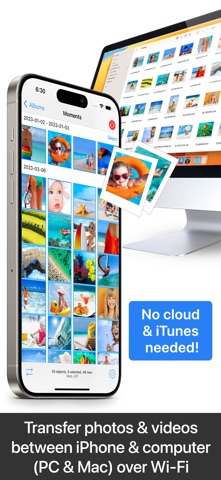
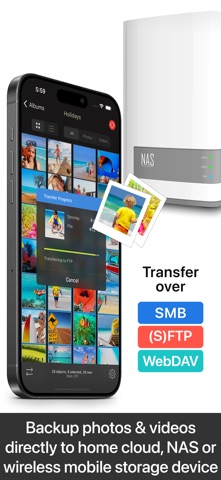
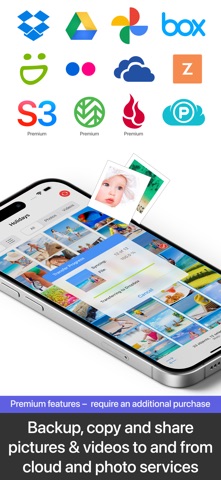
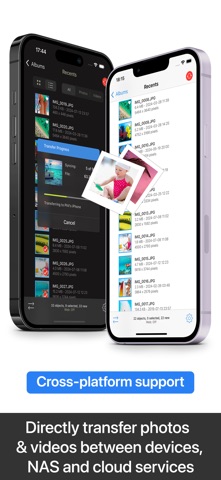
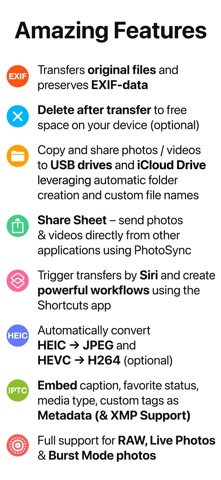
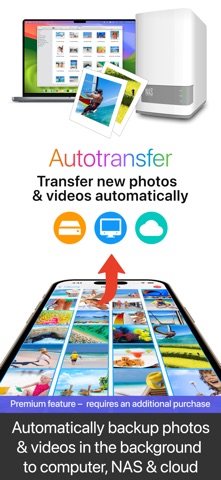
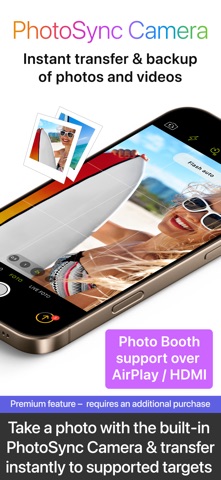
** Cross-platform solution with native apps for mobile devices, Windows & Mac. Also works on Linux ** Reliable and secure software – operating 14 years in the market and continuously updated ** No limitations – transfer and backup an unlimited number of photos & videos. Full-resolution transfer with HEIC and RAW support; all metadata (EXIF, GPS) is preserved ** Flexible: Automatically organise files into folders by recording date, media type, album name and metadata on target device. Customisable file names ** Be totally independent of the cloud and iTunes ** Managed App Configuration over MDM or using a settings file (config.photosync-app.com) —— MAIN FEATURES —— Transfer to / from computer • Directly transfer / backup photos & videos from iPhone / iPad to Windows PC or Mac. Photos & videos are transferred directly over the local Wi-Fi network. No Internet or cloud are required. • Send photos & videos from Windows PC or Mac over Wi-Fi to iPhone / iPad. Received photos & videos are imported directly into the Camera Roll or an album you defined. Transfer between phones and tablets • Directly transfer photos & videos between devices over Wi-Fi, Bluetooth or Personal Hotspot. No computer, Internet or cloud are required. Transfer to / from NAS, cloud and photo services • Backup photos & videos to NAS devices, home cloud and wireless portable hard drives over FTP, SMB, WebDAV and SFTP. PhotoSync works flawlessly with: Synology, QNAP, Buffalo NAS, ownCloud, NextCloud, WD MyCloud, TrueNAS, OpenMediaVault… • Backup photos & videos to / from USB drives, iCloud Drive and local storage via the Files app (iOS13). • Upload photos & videos to popular cloud and photo services like Dropbox, Google Drive, Google Photos, Flickr, OneDrive, PhotoPrism, SmugMug, Box, pCloud, Zenfolio… • Transfer photos & videos directly between devices, services and NAS (e.g. OneDrive to SMB). Visit photosync-app.com for a complete feature list. LIMITATIONS The free version of PhotoSync lets you fully test its transfer functionality. Photos & videos are, however, transferred in low quality. RAW and HEIC photos are converted to JPEG. You can remove these limitations by upgrading to PhotoSync Pro, a one-time purchase, inside the app. —— PREMIUM FEATURES —— Exclusive features for Premium users: Autotransfer Automatically transfer new photos & videos in the background to computer, NAS or supported cloud services, whenever you arrive at pre-selected locations or charge your device. PhotoSync Camera Take a photo with the built-in PhotoSync Camera and instantly transfer it to supported targets. Supports Photo Booth over AirPlay & HDMI. Advanced Siri Support & Workflows Build powerful workflows using the Siri Actions “Transfer from Clipboard” & “Transfer new photos/videos” – possibilities are endless! Client-Side Encryption – Protect Your Photos & Videos Encrypt photos & videos before transfer to ensure safe storage on NAS and file-based cloud services. Camera Support (Wi-Fi & USB) Download from Canon, Nikon, Sony, Fujifilm, Olympus & Lumix cameras and cameras connected over WiFi or USB. (Wireless) tethering & photo booth support over Airplay & HDMI. Additional Premium Services & Features Support for Amazon S3, Backblaze & Wasabi cloud services, SanDisk iXpand Loop, and Toshiba FlashAir Wi-Fi SD cards. Visit premium.photosync-app.com for a complete feature list. Premium features require an additional purchase (one-time purchase or subscription with free trial). LEGAL Duration and price of each subscription is displayed in the PhotoSync app at time of purchase. Payment is charged to the iTunes account at confirmation of purchase. Subscription automatically renews unless automatic renewal is turned off at least 24-hours before the end of the current period. Subscription and auto-renewal can be managed or turned off in the iTunes account settings. Terms & Conditions: https://bit.ly/33KFb1G Privacy Policy: https://bit.ly/30gkaKd
What's new · 4.10
- New: Design Adjustments Full support for the new Liquid Glass design introduced in iOS 26. The PhotoSync app icon is now fully adaptive. - New: Support for an Upcoming iOS Version - New: Background Transfers Background transfers are now more reliable and can be displayed in the Dynamic Island (iOS 26+). - Multi Select Multi-select now supports Drag & Swipe. This option can be enabled in Settings → Display Options. Double-tap to multi-select remains the default option. - Resizable Thumbnails Resize thumbnails to your preferred size using the pinch gesture. The thumbnail aspect ratio can also be adjusted. - Fixed: Improved handling of MDM configurations - Fixed: Improved support for S3 storage classes - Fixed: Various small bug fixes
Details