

OneTap Stream - PC Game Stream
Collabrains Technologies LTD · Entertainment
Independent analytics for this App Store listing. AppTracker is not affiliated with Collabrains Technologies LTD.
Chart standing · US
In-app purchases · US
No in-app purchases.
Screenshots
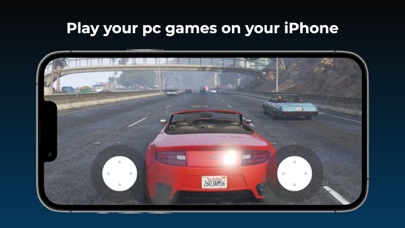
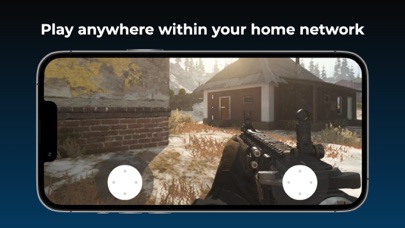
Keywords this app targets
Search terms AppTracker associates with this app — estimates, not search volume. ❝ = in the app's title; a highlighted number is its current position for that term.
Similar apps
Competitors and close alternatives, as estimated by AppTracker.
 StarLight - PC Streaming
健 耿
StarLight - PC Streaming
健 耿
 Console Remote
莼乾 沈
1 shared topic
Console Remote
莼乾 沈
1 shared topic
 VLC Streamer Pro
Hobbyist Software Limited
VLC Streamer Pro
Hobbyist Software Limited
 PC Speaker
Purple Night Inc
1 shared title word
PC Speaker
Purple Night Inc
1 shared title word
 PC Monitor & Control
Adriano Melnic
1 shared title word
PC Monitor & Control
Adriano Melnic
1 shared title word
 Stream Player for iPhone
Istvan Hoffmann
Stream Player for iPhone
Istvan Hoffmann
 RTMP Server Pro
KUO HAI CHEN
RTMP Server Pro
KUO HAI CHEN
 Screen Mirroring · Smart TV
AQUIN VENTURES LTD
Screen Mirroring · Smart TV
AQUIN VENTURES LTD
About
Stream games and applications from your Personal Computer to your iPhone or iPad on your local network and play anywhere with access to your home network. Some features: • Supports 4K video gameplay • Various control methods including any MFi game controller and the built in virtual on-screen controller • Highly tuned performance with extremely low lag (with recommended gear) • Quick and easy one-time setup, start playing within seconds • In case of poor internet connection you can adjust your device's bitrate, resolution and frame rate to have a better gaming experience. • Stream purchased games from your PC to your iPhone or iPad How to use? Activate Gamestream option in GeForce Experience's SHIELD settings page. Thats it now you can stream games to your iPhone. To have a good experience, you need a mid to high-end wireless router with a good wireless connection to your IOS device (5 GHz highly recommended) and a good connection from your PC to your router. Host Gaming PC Requirements • Windows 7 or higher • NVIDIA GeForce GTX/RTX 600+ series GPU (GT-series and AMD GPUs aren't supported by NVIDIA GameStream) • NVIDIA GeForce Experience (GFE) 2.1.1 or higher • 5 Mbps or higher upload speed • Host PC and iPhone or iPad should be connected to the same local network Please note that you can only stream games you've already own on your PC within the local network.
Details