

Lodgety - Stylish Lock Screen
Yournet,Inc. · Graphics & Design
Independent analytics for this App Store listing. AppTracker is not affiliated with Yournet,Inc.
Chart standing · US
Ratings breakdown · US
The star breakdown behind this app's rating in this storefront.
In-app purchases · US
What this app sells inside itself, grouped by kind and priced for this storefront.
Screenshots



Similar apps
Competitors and close alternatives, as estimated by AppTracker.
 LockWidget - LockScreen Themes
SoCloud Technology Co., Limited
LockWidget - LockScreen Themes
SoCloud Technology Co., Limited
 LockLauncher Lockscreen Widget
INNOVATIVE DIGITAL TECHNOLOGIES LIMITED
LockLauncher Lockscreen Widget
INNOVATIVE DIGITAL TECHNOLOGIES LIMITED
 Locket Widget
Locket Labs, Inc.
Locket Widget
Locket Labs, Inc.
 iScreen - Widgets & Wallpaper
Xiamen ShenZhuo Information Technology Co., Ltd.
iScreen - Widgets & Wallpaper
Xiamen ShenZhuo Information Technology Co., Ltd.
 MoYo - Widgets & Icon Themes
MoYo Technology Co., Ltd.
MoYo - Widgets & Icon Themes
MoYo Technology Co., Ltd.
 Lock Screen 26: Widgets & Icon
PROTOOLS LLP
Lock Screen 26: Widgets & Icon
PROTOOLS LLP
 Widget Master: Photo Widgets
Sangwoo Byeon
Widget Master: Photo Widgets
Sangwoo Byeon
 Colorful Widget- Widget&Themes
Guangzhou ZHIFENG Information Technology Co.,Ltd.
Colorful Widget- Widget&Themes
Guangzhou ZHIFENG Information Technology Co.,Ltd.
About
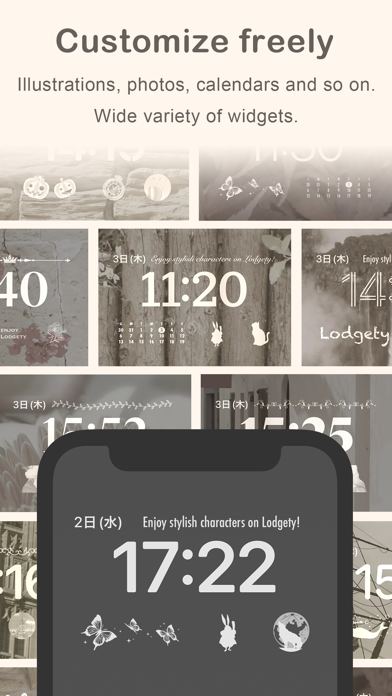
Lodgety(ロジェッティ) is an application that allows you to customize the widget on your lock screen. Using Lodgety, you can design your lock screen in style! Lodgety allows you to decorate your lock screen with your favorite photos or cute illustrations, or set up an image which is switched by time and enjoy changing the lock screen. ◆With a Lodgety widget you can: - Display photos in the device on the lock screen. - Make a slideshow switching your photos automatically. - Display sweet illustrations on the lock screen. - Display Time animation which is switched by time automatically. - Create widgets by size. ◆Widget size Lodgety is compatible with those sizes of devices as below. ・2x1:The size of two app icons ・1x1:The size of one app icon ・HEAD:The size of the horizontal layout on the top of a clock on a lock screen. 【How to create】 1. Select a widget size from the bottom button. 2. Select the type of widgets you want to create. 3. Choose your favorite design like a photo or an illustration. 4. The widget is created in the app. 【How to set up】 1.Open Setting app and tap “Wallpaper” -> ”Add New Wallpaper". 2.Choose a wallpaper you want to add and tap it. 3. Tap the box above or below the time, then “ADD WIDGETS” or “Choose Widget” will be shown. 4. Tap “Lodgety” and a size only shown for the box below the time. 5. An empty widget will be created. 6. Tap the empty widget and select the one you want to set. 7. The settings have been completed. 8. Tap Done. If there’s not enough room for a new widget, you can tap the Remove button to remove a widget and make room for the one you want to add. For more details, please see the “How to use” page in the app. Terms of Service https://media-teams.com/lodgety/terms.html
What's new · 8.9.0
bug fix
Details