

Haushaltsbuch MyMicroBalance
Michael Meike · Finance
Independent analytics for this App Store listing. AppTracker is not affiliated with Michael Meike.
Chart standing · US
In-app purchases · US
What this app sells inside itself, grouped by kind and priced for this storefront.
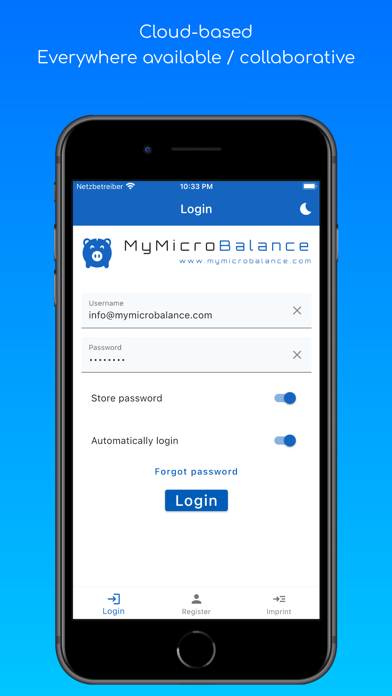
Screenshots


Keywords this app targets
Search terms AppTracker associates with this app — estimates, not search volume. ❝ = in the app's title; a highlighted number is its current position for that term.
Similar apps
Competitors and close alternatives, as estimated by AppTracker.
 My Budget Book
Christian Drapatz
2 shared topics
My Budget Book
Christian Drapatz
2 shared topics
 Smart Budget – Money Manager
Carlo Di Giuseppe
2 shared topics
Smart Budget – Money Manager
Carlo Di Giuseppe
2 shared topics
 MoneyChat daily budget tracker
SYNTHO TRADE SOLUTIONS SP Z O O
2 shared topics
MoneyChat daily budget tracker
SYNTHO TRADE SOLUTIONS SP Z O O
2 shared topics
 Money Manager Expense & Budget
Realbyte Inc.
2 shared topics
Money Manager Expense & Budget
Realbyte Inc.
2 shared topics
 Best Budget Planner-Money Book
永文 胡
2 shared topics
Best Budget Planner-Money Book
永文 胡
2 shared topics
 Expense Tracker - Money Note
Komorebi Inc.
2 shared topics
Expense Tracker - Money Note
Komorebi Inc.
2 shared topics
 SmileBudget - Expense Tracker
Koniio Co., Ltd.
2 shared topics
SmileBudget - Expense Tracker
Koniio Co., Ltd.
2 shared topics
 Money manager, expense tracker
Orange dog d.o.o.
1 shared topic
Money manager, expense tracker
Orange dog d.o.o.
1 shared topic
About
MyMicroBalance – Budget & Expense Tracker Stay on top of your money in seconds. Capture income and expenses exactly when they happen—by tapping, using voice input, or adding multiple entries in a row. Powerful lists, swipeable summaries, and smart filters help you understand where your money goes—on your own or together with others. HIGHLIGHTS • Voice Quick Entry: one tap on the action button → speak → done (optional AI assistance; monthly quota applies) • Faster calendar navigation: monthly summary in the list header + calendar access directly in the top bar • Drag & drop: move entries to another day (optional date picker) and change categories via drag & drop • Search & filters: income/expense toggle, custom date ranges, multi‑category filters, and fast search for entries/categories • Categories & colors: modern category picker with search, custom category colors, and category insights in the header • Stats: swipe through pie, bar and line charts; optional map view for geo‑tagged entries • Share & collaborate: manage shared accounts with family, a club, or a project partner • Offline‑first: create entries without internet—sync later automatically FREE • Limited monthly quota for Voice Quick Entry (optional AI assistance) • Unlimited accounts, categories and entries over multiple years • Interactive entry list with balance/monthly summary • Quick add (multiple entries in a row) • Percentage breakdowns (balance / income / expenses) • Show/hide monthly carry‑over • Dark Mode, portrait & landscape • Keyboard accessory bar in forms (previous/next field, hide keyboard, save) PREMIUM (Subscription) • Higher monthly quota for voice/AI features • Shared accounts for collaborative budgeting • Advanced swipeable headers + daily overview with quick filters and additional category‑level insights • Drag & drop to any date (date picker) + quick category changes via drag & drop • Optional account list grouped by categories • Advanced search & filters incl. multi‑category filters and custom date ranges • Recurring transactions, entry copies and counter‑entries; transfer options incl. “delete linked entries” • Geo locations, map view and advanced charts • Offline entry creation + offline analytics Subscription note: Premium is an auto‑renewing subscription. Prices and durations are shown in the app. You can manage or cancel in iOS Settings. EULA: https://www.mymicrobalance.com/en/gtc/enduser-licenseagreement
What's new · 1.0.27
- Improved: Modal-supported, improved user guidance in key flows (e.g. registration and account deletion). - New: Keyboard accessory bar in forms (switch fields, hide keyboard, save directly) is now available to all users. - New: Welcome screen with 3-page app information.
Details