

CAPTOR for Intune
Inkscreen LLC · Business
Independent analytics for this App Store listing. AppTracker is not affiliated with Inkscreen LLC.
Chart standing · US
What changed · US
Listing changes AppTracker has observed for this app in this storefront — new versions, price moves, rating shifts, and store copy.
Bug fixes and enhancements Intune MAM SDK v21.9.0
Screenshots



Keywords this app targets
Search terms AppTracker associates with this app — estimates, not search volume. ❝ = in the app's title; a highlighted number is its current position for that term.
Similar apps
Competitors and close alternatives, as estimated by AppTracker.
 PDF Scanner App: Scanner+ Docs
Codeway Dijital Hizmetler Anonim Sirketi
PDF Scanner App: Scanner+ Docs
Codeway Dijital Hizmetler Anonim Sirketi
 FineReader Pro: PDF Scanner
ABBYY USA Software House Inc
FineReader Pro: PDF Scanner
ABBYY USA Software House Inc
 ScanGuru: PDF Scanner App
GM UniverseApps Limited
ScanGuru: PDF Scanner App
GM UniverseApps Limited
 PDFelement: PDF Editor, Viewer
Wondershare Technology Group Co.,LTD
PDFelement: PDF Editor, Viewer
Wondershare Technology Group Co.,LTD
 JotNot Scanner App Pro
MobiTech 3000 LLC
JotNot Scanner App Pro
MobiTech 3000 LLC
 Scanner App: Genius Scan
The Grizzly Labs
Scanner App: Genius Scan
The Grizzly Labs
 Genius Scan Enterprise - PDF
The Grizzly Labs
Genius Scan Enterprise - PDF
The Grizzly Labs
 Photo to PDF Convert Scanner +
JatApp LLC
Photo to PDF Convert Scanner +
JatApp LLC
About
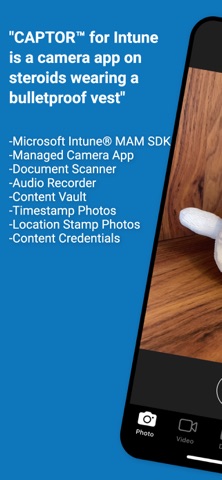
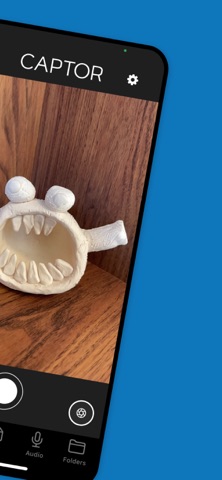
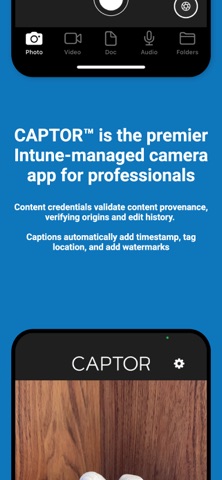
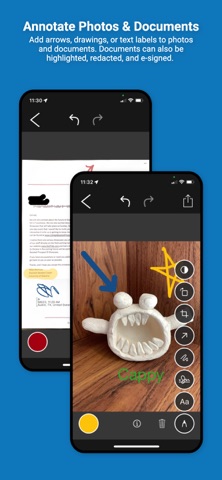
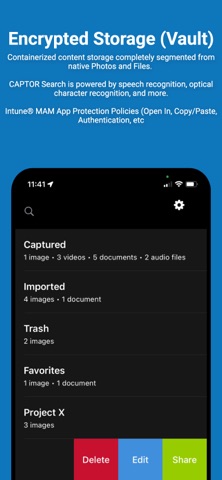
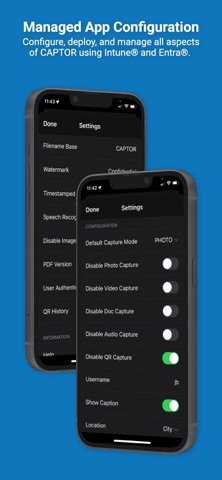
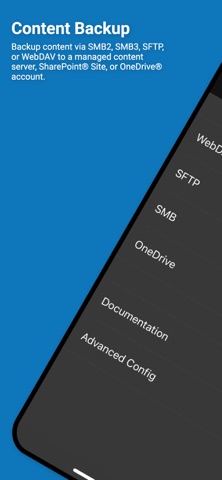
IMPORTANT: CAPTOR™ for Intune is a Microsoft Intune SDK app designed to be deployed and managed by enterprise and government customers using Microsoft Intune. Please contact Inkscreen directly to obtain the necessary licenses to manage the application within Microsoft Intune Endpoint Manager. CAPTOR™ is the leading enterprise-grade managed camera and document scanning app available today. CAPTOR combines the functionality of a camera app, audio and video recorder, document scanner, and QR code reader - all in one secure managed app. Employees who capture photos, record audio/video, and scan documents on the job can remain productive while satisfying even the most stringent IT data protection policies. Captured content remains in an encrypted container on the device or can optionally be backed-up to a managed network drive, cloud storage, or content server. Key Features: -Capture high resolution photos and videos. -Scan multi-page documents with smart edge detection; edit, annotate, and save as PDF (supports PDF 1.3, 1.4, 1.5, 1.6, 1.7, and all PDF/A subtypes). -e-Signature annotation for signing PDF documents. -Combine/merge PDF files and rearrange or delete pages -Record ambient audio. -Read QR codes and launch secure browser. -Annotate photos and documents with arrows, drawings, highlighters, and text labels. -Add watermarks and captions with timestamps, location tags, authenticated user, and notes -Enhanced Search using OCR and Speech Recognition to find any content. -Custom app configs to support special requirements and use cases. -Encrypted data container protects content and enables IT admin to wipe data if device is lost or stolen. -Separate work from personal content to support BYOD/COPE and enable personal privacy (GDPR compliance). -Automatically copy CAPTOR content to a network or cloud drive using WebDAV, SFTP, Microsoft OneDrive®, SharePoint®, SMB, Nextcloud, PowerFolder, or Google Drive. -Add CAPTOR Compliance service to be alerted of any attempts at data leakage (screenshots, sharing to unauthorized cloud accounts, etc). CAPTOR is used to solve complex use cases in industries such as healthcare, legal, government, law enforcement, insurance, construction, and financial services. CAPTOR is a critical component of any work-from-home (WFH) or remote work enterprise mobility solution.
What's new · 5.7.0
Bug fixes and enhancements Intune MAM SDK v21.9.0
Details