

JPG Optimizer PRO
Mikhail Kuznetsov · Photo & Video
Independent analytics for this App Store listing. AppTracker is not affiliated with Mikhail Kuznetsov.
Chart standing · US
What changed · US
Listing changes AppTracker has observed for this app in this storefront — new versions, price moves, rating shifts, and store copy.
• A redesign that’s faster to live in • Fit or Crop — margins, color, orientation, and custom size • Files and Document Camera, on top of Library and Camera
Price & rating history · US
Reconstructed from the listing changes AppTracker has observed in this storefront. A field is charted once it has changed more than once, and each line starts at the value it moved from.
Price · 3.99 USD now · 2 changes on record
Ratings breakdown · US
The star breakdown behind this app's rating in this storefront.
In-app purchases · US
No in-app purchases.
Screenshots

Keywords this app targets
Search terms AppTracker associates with this app — estimates, not search volume. ❝ = in the app's title; a highlighted number is its current position for that term.
Similar apps
Competitors and close alternatives, as estimated by AppTracker.
 Easy Photo Compressor: Resize
Osawa Shunsuke
Easy Photo Compressor: Resize
Osawa Shunsuke
 JPG Converter.
Viet Ho Duc
1 shared topic · 1 shared title word
JPG Converter.
Viet Ho Duc
1 shared topic · 1 shared title word
 Photo Compress Resize Crop
宝锋 吴
1 shared topic
Photo Compress Resize Crop
宝锋 吴
1 shared topic
 Photo Compressor: Resize KB
Aiden Williams
Photo Compressor: Resize KB
Aiden Williams
 Photo Compress - Resize Image
婧 李
1 shared topic
Photo Compress - Resize Image
婧 李
1 shared topic
 Real Image Compressor
Michael Welzel
Real Image Compressor
Michael Welzel
 Kompressor - Compress images
Maysoft Inc.
1 shared topic
Kompressor - Compress images
Maysoft Inc.
1 shared topic
 SubmitPic
Ryo Sato
SubmitPic
Ryo Sato
About
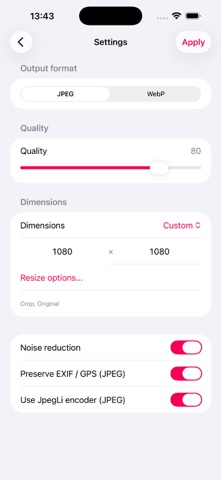
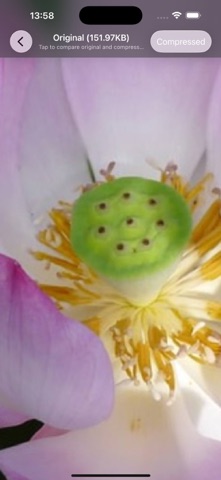
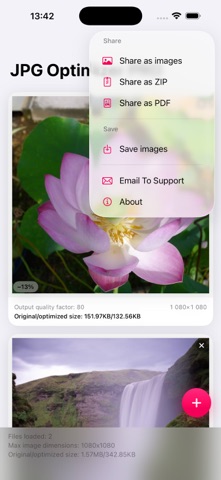
Tired of emails bouncing back because your photos are too big? Want to reclaim gigabytes of storage without deleting a single memory? JPG Optimizer makes your images as small as possible — while keeping every bit of quality you see. Completely private. Completely on your device. Tiny files. Same stunning photos. You'll love it because: • Email attachments finally go through — no more rejections • Free up massive space without losing a single shot • Optimize entire batches with one set of settings • Tap to compare, pinch to inspect, then share with confidence Next-level compression: • Jpegli: up to 35% smaller at high quality — still a normal JPEG • ISO noise reduction for cleaner, lighter files • Full quality control in your hands • Keep or remove EXIF / GPS data (JPEG) • Save as JPEG or WebP Smart resizing: • Ready-to-use presets or custom width × height • Fit with optional colored margins, or Crop precisely • Choose Original, Portrait, or Landscape orientation Import from anywhere: • Library, Files, Camera — even Document Camera for scanning photos and documents Compare with ease: • Tap to switch between original and compressed versions • Pinch-to-zoom stays perfectly aligned Share your way: • Single images, ZIP archive, or PDF • Save directly to a Photos album Zero uploads. Zero accounts. Zero compromises. Your photos stay yours and only yours. Try it now — and be amazed at what you've been missing!
What's new · 2.0.1
• A redesign that’s faster to live in • Fit or Crop — margins, color, orientation, and custom size • Files and Document Camera, on top of Library and Camera
Details