

SmoothTrack: Head Tracker
John Goering · Games
Independent analytics for this App Store listing. AppTracker is not affiliated with John Goering.
Chart standing · US
What changed · US
Listing changes AppTracker has observed for this app in this storefront — new versions, price moves, rating shifts, and store copy.
What’s New in 2.02 - Smoother tracking: Motion is smoother between camera frames, and the view no longer drifts when your face is briefly lost. - More reliable connection: Changing the IP address or port reconnects right away, and the app recovers on its own after a dropped connection instead of needing a restart. - Quick views: The app always starts on the Default view, and saving changes while on Default creates a new quick view instead of changing the Default. - Your settings are now remembered: The port, eye tracking on/off, and eye tracking strength, speed and deadzone all persist between launches. - Recalibration fix: Recalibrating several times in a row no longer ends a calibration early. - Yaw and pitch sliders fixed: Sensitivity sliders were swapped - Plus stability fixes and cleanup, now targeting iOS 26
Ratings breakdown · US
The star breakdown behind this app's rating in this storefront.
In-app purchases · US
No in-app purchases.
Screenshots


Similar apps
Competitors and close alternatives, as estimated by AppTracker.







About
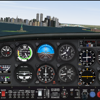
SmoothTrack 2.0 uses the head and eye tracking AR capabilities of your phone to provide the simplest and best head tracker for 6 degrees-of-freedom head movements in your sim games. ----- "The best new controller on the market." - Charlie Hall, Polygon Customer reviews: "SmoothTrack just works. Less than 5 minutes to install, setup and fly. Love not being tethered to my desk! 5 stars!!" "This worked perfectly and way better than expected! Totally enhanced my experience with MFS 2020!" --- It's a near magical experience to seamlessly slightly move your head and have your game perspective immediately play along (the movements in the game are exaggerated so that you only have to make slight movements of your head to control the camera). Additionally, since version 2, your eyes are also optionally tracked and will nudge the camera based on where you're glancing on screen! - Simply lean forward to get a closer look at your Flight Simulator cockpit! - Look a bit up to see the overhead panel of your A320! - Simply shift your head a bit to the right to see the direction of the space station you're approaching in Elite: Dangerous! - Look a bit left before a hard left turn in Euro Truck Simulator 2! No headset or extra equipment of any kind is required! Simply set up your device so that it can see your face. Using simple camera gestures, you can shift your perspective in-game. Also, if you want, you can store views (say, a copilot angle, or a cockpit closeup) as Quick Views for easy access later. Your head movements are slightly exaggerated which enables you to look out of a cockpit side window with just a slight movement of your head to the left. Any game that supports the FreeTrack or TrackIR protocol will work with this, including: - Microsoft Flight Simulator - Microsoft FSX - DCS World - Elite: Dangerous - IL2: Sturmovik - Euro Truck Simulator 2 - Kerbal Space Program - ...and many, many others! Email and Discord support is provided if there are any issues (or if you have any ideas for new features!).
What's new · 2.02
What’s New in 2.02 - Smoother tracking: Motion is smoother between camera frames, and the view no longer drifts when your face is briefly lost. - More reliable connection: Changing the IP address or port reconnects right away, and the app recovers on its own after a dropped connection instead of needing a restart. - Quick views: The app always starts on the Default view, and saving changes while on Default creates a new quick view instead of changing the Default. - Your settings are now remembered: The port, eye tracking on/off, and eye tracking strength, speed and deadzone all persist between launches. - Recalibration fix: Recalibrating several times in a row no longer ends a calibration early. - Yaw and pitch sliders fixed: Sensitivity sliders were swapped - Plus stability fixes and cleanup, now targeting iOS 26
Details