

Basketball Stats Assistant
Artalejo Solutions SL · Sports
Independent analytics for this App Store listing. AppTracker is not affiliated with Artalejo Solutions SL.
Chart standing · US
What changed · US
Listing changes AppTracker has observed for this app in this storefront — new versions, price moves, rating shifts, and store copy.
TAP TO TRACK No more dragging. Tap the action, then the player. Built for anyone tracking with an Apple Pencil or one-handed. Substitutions work the same way: tap the bench player, then the one coming off. Dragging still works exactly as before. LIVE MINUTES Under a player's total minutes you now see whether they are on court or on the bench, and how long they have been there. SEARCHABLE TABS New search in Games, Teams and Stats: tap the magnifier at the top to find by team, opponent, date or season. RESTORE PURCHASES Already premium and setting up a new iPad or iPhone? The subscription screen now has a link to restore your purchase, and it tells you what happened instead of leaving you waiting. Signing in also recognises your premium straight away, with no need to close and reopen the app. ALSO IN THIS RELEASE • Fixed minutes when overtime is not 5 minutes long. • Tapping empty court now cancels the selected action.
Price & rating history · US
Reconstructed from the listing changes AppTracker has observed in this storefront. A field is charted once it has changed more than once, and each line starts at the value it moved from.
Average rating · ★ 4.66 now · 2 changes on record
Ratings breakdown · US
The star breakdown behind this app's rating in this storefront.
In-app purchases · US
What this app sells inside itself, grouped by kind and priced for this storefront.
Screenshots
Keywords this app targets
Search terms AppTracker associates with this app — estimates, not search volume. ❝ = in the app's title; a highlighted number is its current position for that term.
Similar apps
Competitors and close alternatives, as estimated by AppTracker.
 Basketball Stat Tracker
Hachisoft Corporation
1 shared title word
Basketball Stat Tracker
Hachisoft Corporation
1 shared title word
 Easy Basket Stats:BB Analytics
BASKE STATS, K.K.
2 shared topics · 1 shared title word
Easy Basket Stats:BB Analytics
BASKE STATS, K.K.
2 shared topics · 1 shared title word
 Breakthrough Stats
Breakthrough Basketball, LLC
Breakthrough Stats
Breakthrough Basketball, LLC
 Basketball Stat Tracker Live
Hachisoft Corporation
Basketball Stat Tracker Live
Hachisoft Corporation
 HoopCharts
Melissa Binde
2 shared topics
HoopCharts
Melissa Binde
2 shared topics
 iScout Basketball
Blackbelt Apps LLC
2 shared topics · 1 shared title word
iScout Basketball
Blackbelt Apps LLC
2 shared topics · 1 shared title word
 InfiniteHoops Stats
Broadside LLC
1 shared topic · 1 shared title word
InfiniteHoops Stats
Broadside LLC
1 shared topic · 1 shared title word
 BoardStrategist for Basketball
Yusaku Miki
1 shared topic · 1 shared title word
BoardStrategist for Basketball
Yusaku Miki
1 shared topic · 1 shared title word
About
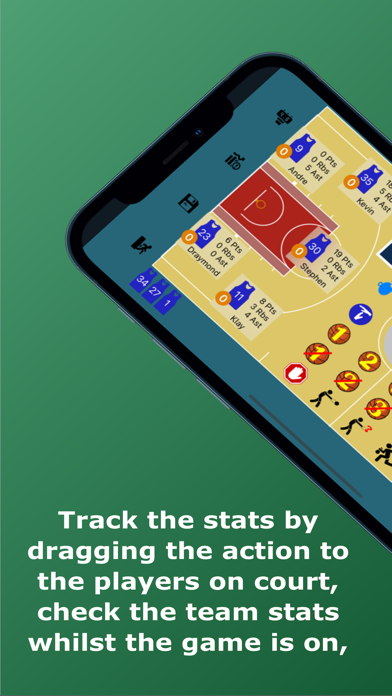
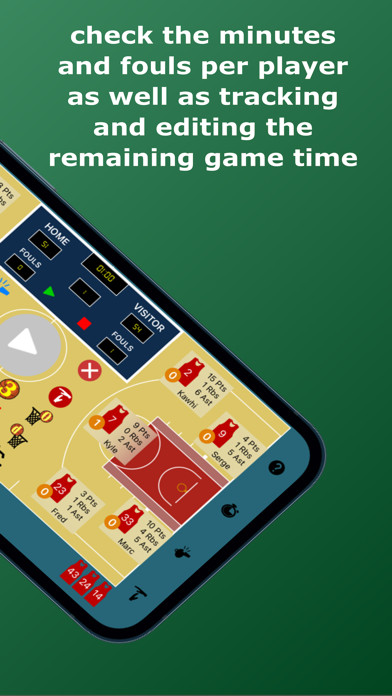
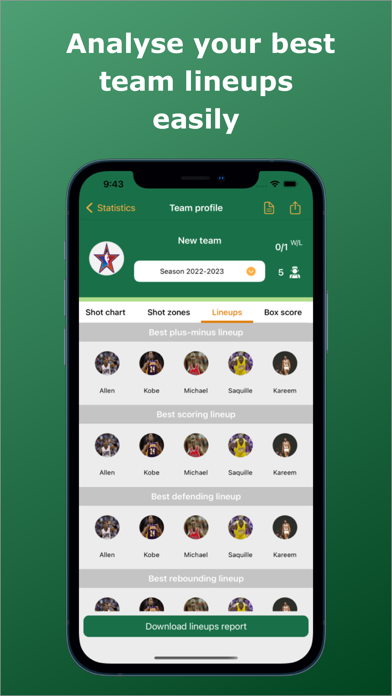
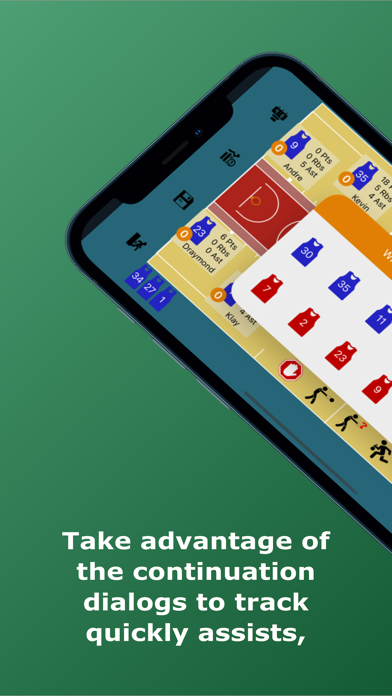
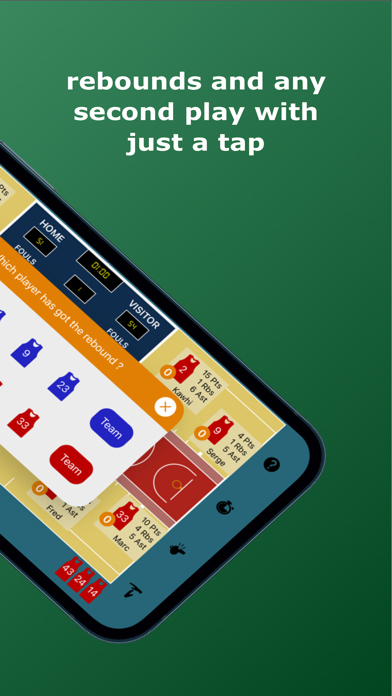
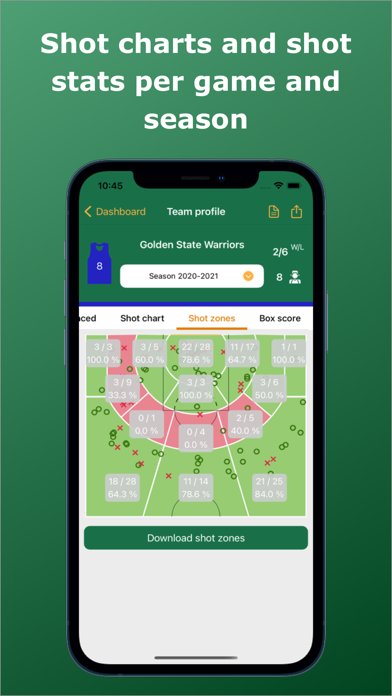
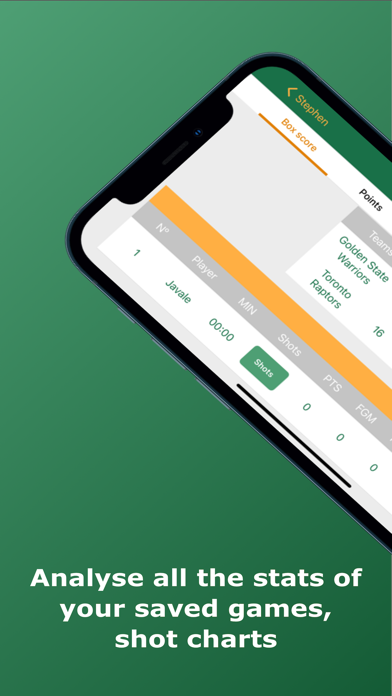
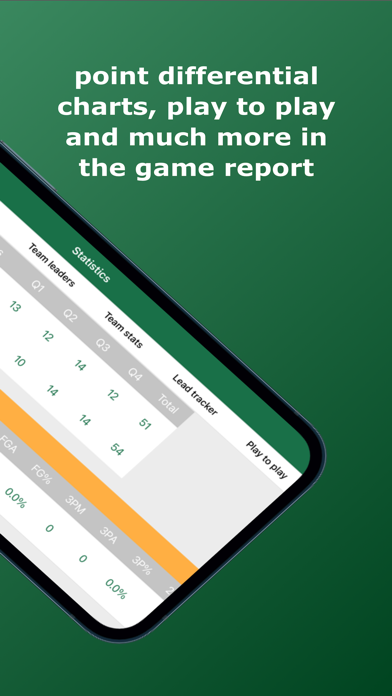
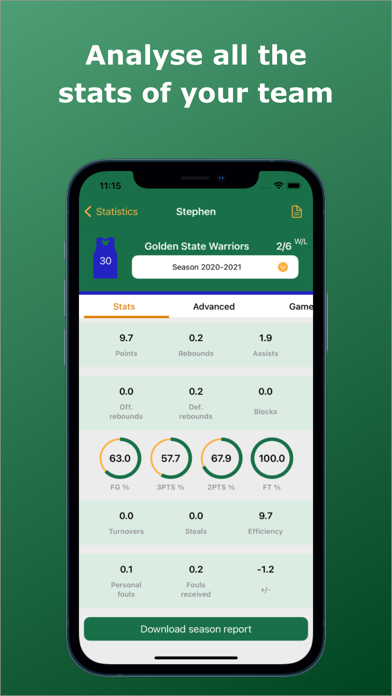
You're on the bench. Game is live. Your assistant is scribbling stats on paper and you're about to miss a possession. Basketball Stats Assistant fixes that: drag-and-drop live tracking so you never lose a stat, miss a play, or enter a game blind again. Basketball Stats Assistant will help you track and analyze your team basketball statistics easily. The best basketball stats keeper app in the market. Discover the new season reports per team and player where you will be able to analyze basketball advanced statistics that will help your team improve their game. REALLY INTUITIVE TRACKING SYSTEM ( DRAG AND DROP ) - By dragging and dropping any basketball action to the selected player on court the system will record the stats so that you do not lose a second of the game. - Track second plays with just a tap thanks to the continuation dialogs that will appear on the screen after any field goal is missed or scored, fouls are committed or drawn, steals or turnovers. - Track the remaining time of the game and the current quarter. Also edit them easily by clicking on the scoreboard directly in case the time differs from the real one. - Check team stats and player stats whilst the game is on - Fix any mistakes quickly by dropping the red cross icon on the player that needs to be fixed. Also edit any shot position even after the game is finished. STATISTICS - Shot charts ( Scored and missed shots as well as percentages) - Free throws - Points - Assists - Rebounds - Fouls committed and drawn - Steals - Turnovers - Blocks - Time outs - Minutes per player REPORTS Reports per game - Stats per player and his/hers shot chart - Team stats comparison chart - Lead tracker chart - Play to play - Box score per team - Efficiency - Plus minus ( +/ - ) Season reports per player - Shot charts and percentages per season - Stats per opponent and date - Season highs per stats Season reports per team - Shot charts and percentages per season - Stats per opponent and date - Overall team statistics - Team season highs - Individual season highs - Advanced statistics ( Shooting, Ball handling, Rebounding and scoring - eFG%, TSA, TS%, FTR) SCOREBOARD AND TIME TRACKING - Track the time easily with the center court play/pause button. In case any mistake happens whilst tracking the time or quarters, you can edit it easily by clicking on the scoreboard and updating it accordingly. - Check the game score and fouls per quarter with a quick look SHARE YOUR STATS - Share your team unique link with your player or other coaches so that they can also analyze the statistics. They will need to log in to the app and click on the unique link you shared with them. They will start receiving notifications as soon as your game is backed up and will see the same stats that you tracked. TIPS - Drag any player to the center of the court to see their live stats whilst the game is on. - Drag any action to the center of the court or click on the interrogation mark on the right menu to see the icons meaning. - Cancel the last action that you tracked on any player by dragging the cancellation icon ( Red circular icon with a white plus symbol ).
What's new · 1.49
TAP TO TRACK No more dragging. Tap the action, then the player. Built for anyone tracking with an Apple Pencil or one-handed. Substitutions work the same way: tap the bench player, then the one coming off. Dragging still works exactly as before. LIVE MINUTES Under a player's total minutes you now see whether they are on court or on the bench, and how long they have been there. SEARCHABLE TABS New search in Games, Teams and Stats: tap the magnifier at the top to find by team, opponent, date or season. RESTORE PURCHASES Already premium and setting up a new iPad or iPhone? The subscription screen now has a link to restore your purchase, and it tells you what happened instead of leaving you waiting. Signing in also recognises your premium straight away, with no need to close and reopen the app. ALSO IN THIS RELEASE • Fixed minutes when overtime is not 5 minutes long. • Tapping empty court now cancels the selected action.
Details