

Easy Remote for TiVo
Thomas Backes · Utilities
Independent analytics for this App Store listing. AppTracker is not affiliated with Thomas Backes.
Chart standing · US
In-app purchases · US
No in-app purchases.
Screenshots

Keywords this app targets
Search terms AppTracker associates with this app — estimates, not search volume. ❝ = in the app's title; a highlighted number is its current position for that term.
Similar apps
Competitors and close alternatives, as estimated by AppTracker.
 Direct Remote for DIRECTV
David Likosar
2 shared topics · 1 shared title word
Direct Remote for DIRECTV
David Likosar
2 shared topics · 1 shared title word
 Itsytv: Apple TV Remote
Nikolajs Ustinovs
2 shared topics · 1 shared title word
Itsytv: Apple TV Remote
Nikolajs Ustinovs
2 shared topics · 1 shared title word
 GTV Remote
Suresh Verma
1 shared topic · 1 shared title word
GTV Remote
Suresh Verma
1 shared topic · 1 shared title word
 Connect TV Remote
East End Technologies Ltd.
1 shared topic · 1 shared title word
Connect TV Remote
East End Technologies Ltd.
1 shared topic · 1 shared title word
 EzRemote Universal Control
Zheng Fang
3 shared topics
EzRemote Universal Control
Zheng Fang
3 shared topics
 Samsung Smart TV remote myTifi
Martijn Koopman
1 shared topic · 1 shared title word
Samsung Smart TV remote myTifi
Martijn Koopman
1 shared topic · 1 shared title word
 Remoto – Universal TV Remote
lighten apps ltd
Remoto – Universal TV Remote
lighten apps ltd
 RemoTV: Universal TV Remote
EpicScale Inc
1 shared topic · 1 shared title word
RemoTV: Universal TV Remote
EpicScale Inc
1 shared topic · 1 shared title word
About
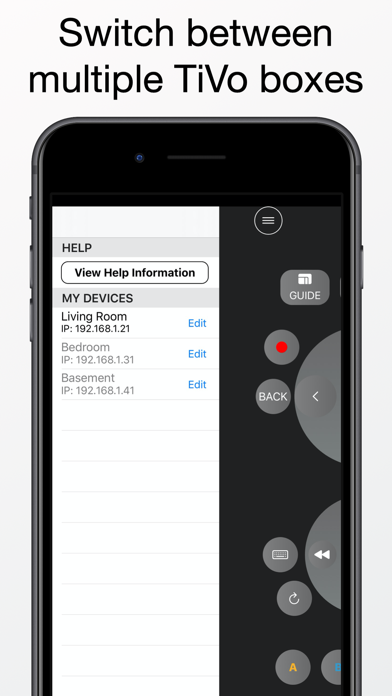
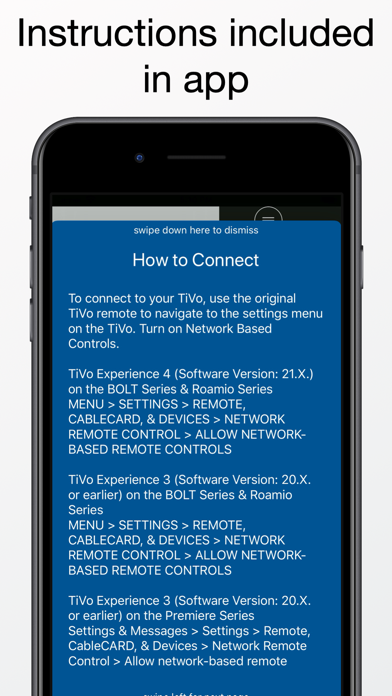
Easy Remote allows you to control your TiVo using your iPhone. You can navigate the guide, setup recordings, and play your stored shows. To get started, press the menu button (3 horizontal lines icon) at the top left of the screen. Please note that you must be connected to the same network as your TiVo box. Features - An easy to use and convenient button layout - QWERTY input by pressing the keyboard button - Automatic DVR device discovery A TiVo Series 3 or later is required. To connect, you will need to enable Network Remote Control. To enable Network Remote Control, go to MENU->SETTINGS->REMOTE & DEVICES -> NETWORK REMOTE CONTROL. From this menu, enable network-based remote controls. You will also need your IP address. The app is able to automatically detect the IP address when adding a new device. The IP address can also be obtained by going to MENU->SETTINGS->NETWORK SETTINGS. The IP address will be shown on the right side of the screen.
What's new · 1.3
Thank you for your interest in the app. This version fixes menu item colors in dark mode.
Details