
Torque OBD 2 & Car Pro
Fantastic Software, Inc. · Utilities
Independent analytics for this App Store listing. AppTracker is not affiliated with Fantastic Software, Inc.
Chart standing · US
What changed · US
Listing changes AppTracker has observed for this app in this storefront — new versions, price moves, rating shifts, and store copy.
Ratings breakdown · US
The star breakdown behind this app's rating in this storefront.
In-app purchases · US
No in-app purchases.
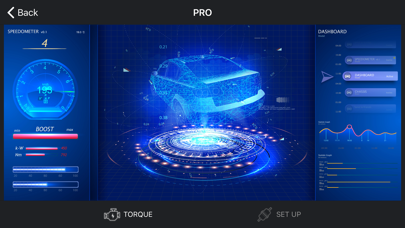
Screenshots
Keywords this app targets
Search terms AppTracker associates with this app — estimates, not search volume. ❝ = in the app's title; a highlighted number is its current position for that term.
Similar apps
Competitors and close alternatives, as estimated by AppTracker.
 OBD2 Car Scanner - EOBD Facile
Outils OBD Facile
3 shared topics · 1 shared title word
OBD2 Car Scanner - EOBD Facile
Outils OBD Facile
3 shared topics · 1 shared title word
 OBD2 Car Scanner - Torque FixD
Digital Car Key LLC
2 shared topics · 2 shared title words
OBD2 Car Scanner - Torque FixD
Digital Car Key LLC
2 shared topics · 2 shared title words
 OBD Connector - OBD-II, ELM327
Karina Balkarova
2 shared topics · 1 shared title word
OBD Connector - OBD-II, ELM327
Karina Balkarova
2 shared topics · 1 shared title word
 OBD Tracker - ELM327 Terminal
SMART Technologies GmBH
1 shared topic · 1 shared title word
OBD Tracker - ELM327 Terminal
SMART Technologies GmBH
1 shared topic · 1 shared title word
 Car Scanner ELM OBD2
Stanislav Svistunov
2 shared topics · 1 shared title word
Car Scanner ELM OBD2
Stanislav Svistunov
2 shared topics · 1 shared title word
 OBD Connect
Alphabit Software Inc.
1 shared topic · 1 shared title word
OBD Connect
Alphabit Software Inc.
1 shared topic · 1 shared title word
 ScanMaster for ELM327 OBD-2
SMART Technologies GmBH
2 shared topics · 1 shared title word
ScanMaster for ELM327 OBD-2
SMART Technologies GmBH
2 shared topics · 1 shared title word
 Carista OBD2
Prizmos OOD
2 shared topics
Carista OBD2
Prizmos OOD
2 shared topics
About
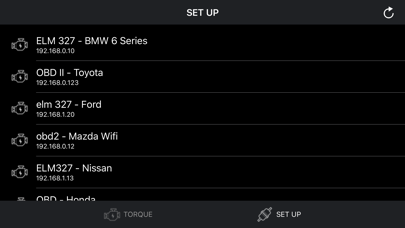
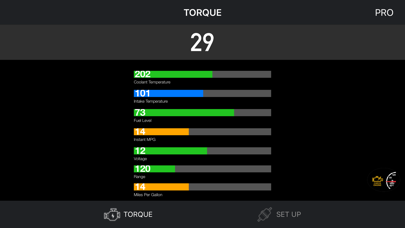
Connect to your car, it will be so easy to communicate with your car and read what's your car doing in real time. Instructions: - Locate the OBD 2 port: get to know where the OBD 2 connection port is located. This is usually found somewhere below the drivers’ seat. - Turn on the car engine: Although the OBDII port is providing power to the scanner, in some cases you will not be able to retrieve any engine data without the engine running. - Open app: Click "SCAN" to get list OBDII / OBD2 / ELM327 devices list via wifi and select. (Make sure you connect correct device - default is 192.168.0.10 or 192.168.0.123) Support OBDII protocols: ISO15765-4 (CAN), ISO14230-4 (KWP2000), ISO9141-2, J1850 VPW, J1850 PWM
Details