

Tigrigna Keyboard
Filmon Eyassu · Utilities
Independent analytics for this App Store listing. AppTracker is not affiliated with Filmon Eyassu.
Chart standing · US
What changed · US
Listing changes AppTracker has observed for this app in this storefront — new versions, price moves, rating shifts, and store copy.
- Bug fixes
In-app purchases · US
No in-app purchases.
Screenshots
Keywords this app targets
Search terms AppTracker associates with this app — estimates, not search volume. ❝ = in the app's title; a highlighted number is its current position for that term.
Similar apps
Competitors and close alternatives, as estimated by AppTracker.
 Type Geez Keyboard
Ashenafi Siyume Girema
2 shared topics · 1 shared title word
Type Geez Keyboard
Ashenafi Siyume Girema
2 shared topics · 1 shared title word
 Tigrinya Keyboard
Vithanco
Tigrinya Keyboard
Vithanco
 GeezIME - Geez Keyboard
Fitsum Gaim
1 shared topic · 1 shared title word
GeezIME - Geez Keyboard
Fitsum Gaim
1 shared topic · 1 shared title word
 Numberie Keyboard
Ratha Sou
3 shared topics · 1 shared title word
Numberie Keyboard
Ratha Sou
3 shared topics · 1 shared title word
 Nkyea Keyboard
Nkyea Learning Systems
1 shared topic · 1 shared title word
Nkyea Keyboard
Nkyea Learning Systems
1 shared topic · 1 shared title word
 Gboard – the Google Keyboard
Google
3 shared topics · 1 shared title word
Gboard – the Google Keyboard
Google
3 shared topics · 1 shared title word
 Kasa Keyboard
Gottfried Owusu Ansah
2 shared topics · 1 shared title word
Kasa Keyboard
Gottfried Owusu Ansah
2 shared topics · 1 shared title word
 XL Keyboard
Piet Hein van Cleef
1 shared topic · 1 shared title word
XL Keyboard
Piet Hein van Cleef
1 shared topic · 1 shared title word
About
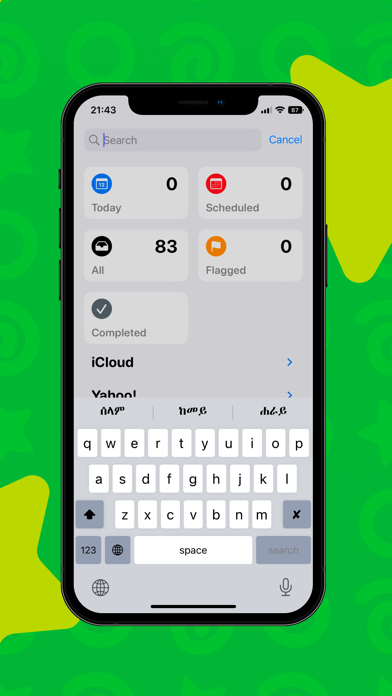
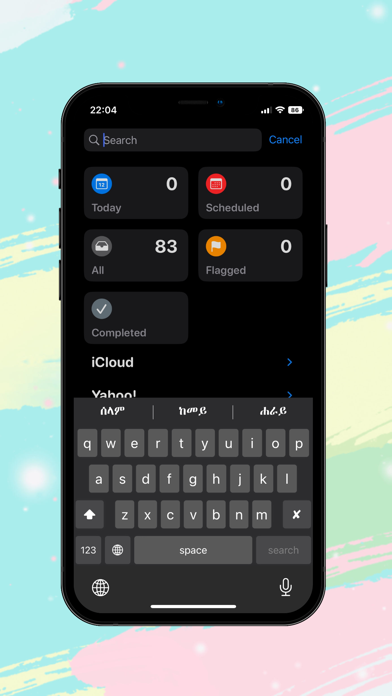
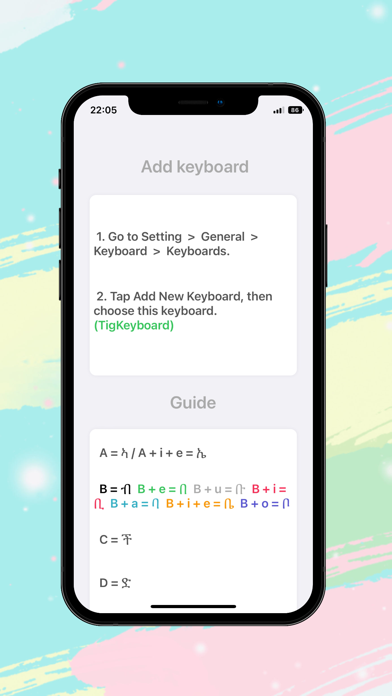
Tigrigna keyboard - Tigrigna Input Method enables you to type in geez (Tigrigna phonetics). How to use: 1. Launch the Settings on your iPhone or iPad. 2. Tap on General. 3. Tap on Keyboard. 4. Tap on Keyboards at the top. 5. Tap on Add New Keyboard... 6. Under Third-Party Keyboards, tap on Tigrigna Keyboard.
What's new · 5.0.3
- Bug fixes
Details