

IPSW Go
恒俭 董 · Productivity
Independent analytics for this App Store listing. AppTracker is not affiliated with 恒俭 董.
Chart standing · US
What changed · US
Listing changes AppTracker has observed for this app in this storefront — new versions, price moves, rating shifts, and store copy.
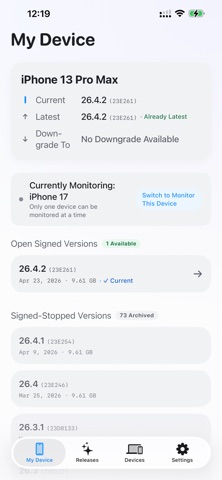
• My Device now shows the current version the way Settings does (for example, 27.0). • Fixed "Downgrade To" sometimes showing the version you're already on. • Improved the version layout on My Device.
In-app purchases · US
No in-app purchases.
Screenshots


Keywords this app targets
Search terms AppTracker associates with this app — estimates, not search volume. ❝ = in the app's title; a highlighted number is its current position for that term.
Similar apps
Competitors and close alternatives, as estimated by AppTracker.
 iBeta - Updates Observer
Mohammad Alhasson
iBeta - Updates Observer
Mohammad Alhasson
 System Status Pro: hw monitor
Techet
System Status Pro: hw monitor
Techet
 Specs: Device Info & Widget
CrioSoft LLC
1 shared topic
Specs: Device Info & Widget
CrioSoft LLC
1 shared topic
 Device Info Toolkit
Jonata Oliveira
Device Info Toolkit
Jonata Oliveira
 Device Info: System Monitor
文武 马
Device Info: System Monitor
文武 马
 Device Insight Dashboard Pro
EyeOS Store Inc.
Device Insight Dashboard Pro
EyeOS Store Inc.
 Mevolit - OneStop iOS Updates
Kieran Rosevear
Mevolit - OneStop iOS Updates
Kieran Rosevear
 Device Status⁺ CPU x Monitor z
Space-Time Transformation Technology Co., Ltd.
Device Status⁺ CPU x Monitor z
Space-Time Transformation Technology Co., Ltd.
About
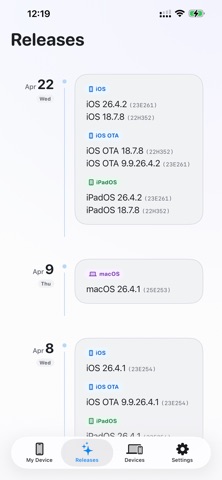
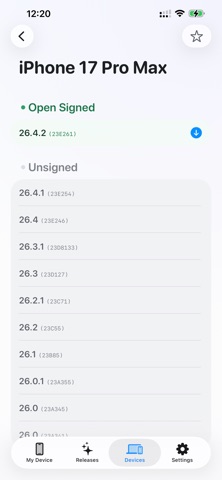
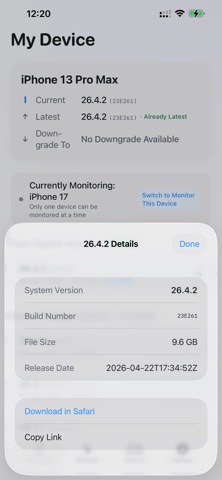
IPSW Go is your ultimate tool for checking and monitoring the firmware signing status for Apple devices (iOS / iPadOS). Whether you are looking to downgrade your system or simply track the latest OS releases, IPSW Go provides you with the most timely and accurate information. [Key Features] - Firmware Directory: Quickly browse the latest system versions, release history, and currently signed downgrade firmwares for all iPhone and iPad models. - "My Device" Dashboard: Intelligently identifies your current device model and OS version, providing the most relevant upgrade and downgrade firmware information at a glance. - Signing Status Monitor: Add your favorite devices to your watchlist, and IPSW Go will automatically monitor their signing status in the background. Receive precise push notifications the moment Apple opens or closes signing for a firmware. - Desktop Widgets: Beautifully designed Home Screen and Lock Screen widgets in various sizes, allowing you to check firmware updates without even opening the app. - Premium Visual Experience: A fully modernized card-based interface with seamless support for elegant Dark and Light modes, ensuring a smooth and comfortable user experience.
What's new · 1.6.1
• My Device now shows the current version the way Settings does (for example, 27.0). • Fixed "Downgrade To" sometimes showing the version you're already on. • Improved the version layout on My Device.
Details