

Schichter - Shift calendar
Martin Schulze (DE) · Productivity
Independent analytics for this App Store listing. AppTracker is not affiliated with Martin Schulze (DE).
Chart standing · US
What changed · US
Listing changes AppTracker has observed for this app in this storefront — new versions, price moves, rating shifts, and store copy.
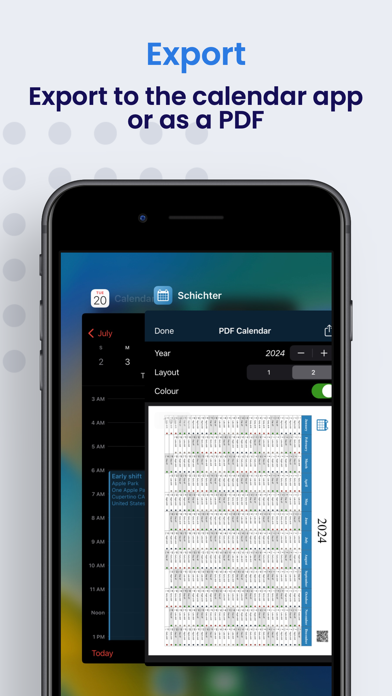
• iCloud sync across your devices is more reliable. • Your data is better protected: automatic backups on this device – including right after an update, even if iCloud is off. Manual backups in iCloud Drive (Schichter > Backups) stay if you delete the app. • Before an iCloud sync, the cloud keeps up to three safety copies for you. • Your PDF calendar in iCloud Drive: current year plus the next two years, layout 1 or 2, preview and Open in Files. When sharing, choose Collaborate, not Send Copy. • The PDF setting now applies on all your devices – independently of the iCloud purchase. • You can export all shifts as an .ics file (including notes and work location) under Data backup. • Under Troubleshooting you can see the time zone and switch to the one on your device. • In Overview / Evaluation: period presets and export as CSV or as a clear PDF. • Weather: tap it in the day view – temperature, wind, UV, hourly and daily forecast for your locations. • Calendar and weather are more reliable, including full calendar access on newer iOS versions. • On iPad: in landscape, calendar and day details sit side by side; in portrait they share the space more evenly. • Translations updated (DE, ES, NL, FR) – clearer wording, informal address throughout. • You’ll find myIBAN in the Apps list.
In-app purchases · US
What this app sells inside itself, grouped by kind and priced for this storefront.
Screenshots



Keywords this app targets
Search terms AppTracker associates with this app — estimates, not search volume. ❝ = in the app's title; a highlighted number is its current position for that term.
Similar apps
Competitors and close alternatives, as estimated by AppTracker.
 Supershift - Shift Calendar
Supershift GmbH
2 shared topics · 3 shared title words
Supershift - Shift Calendar
Supershift GmbH
2 shared topics · 3 shared title words
 ShiftlyWork
Mohamad Gashteh
3 shared topics
ShiftlyWork
Mohamad Gashteh
3 shared topics
 shift calendar pro
Alex Gugel
3 shared topics · 3 shared title words
shift calendar pro
Alex Gugel
3 shared topics · 3 shared title words
 MyShift – Dienstplan & Zulagen
Jeton Haxhaj
2 shared topics
MyShift – Dienstplan & Zulagen
Jeton Haxhaj
2 shared topics
 Shift Worker
Production Shed Pty Ltd
2 shared topics · 1 shared title word
Shift Worker
Production Shed Pty Ltd
2 shared topics · 1 shared title word
 Work Cycle
Theo Battello
2 shared topics
Work Cycle
Theo Battello
2 shared topics
 MyShiftWork
MTSoft MTSoft
2 shared topics
MyShiftWork
MTSoft MTSoft
2 shared topics
 My Shift Planner - Calendar
MyBuzz Technologies Limited
2 shared title words
My Shift Planner - Calendar
MyBuzz Technologies Limited
2 shared title words
About
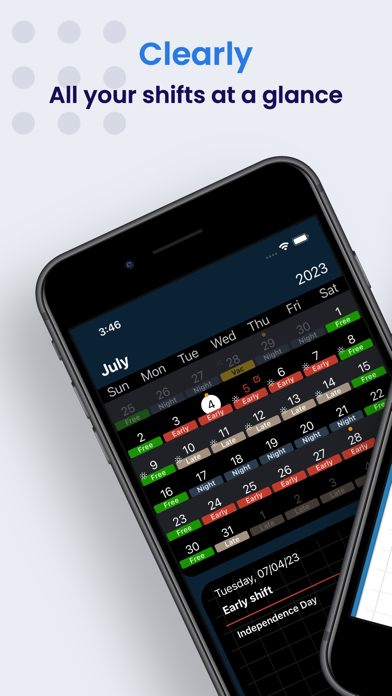
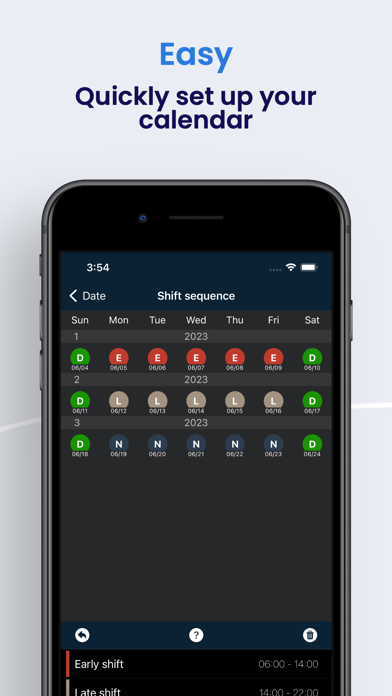
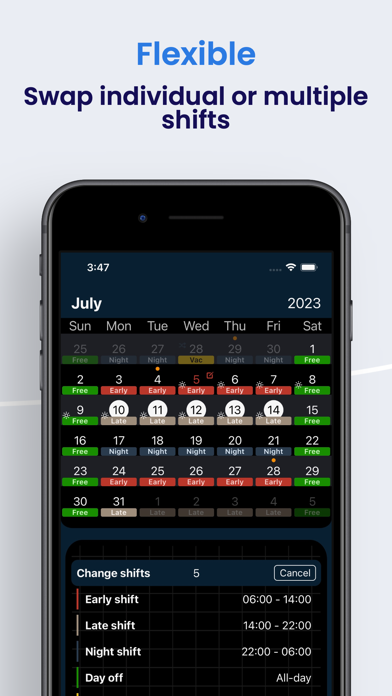
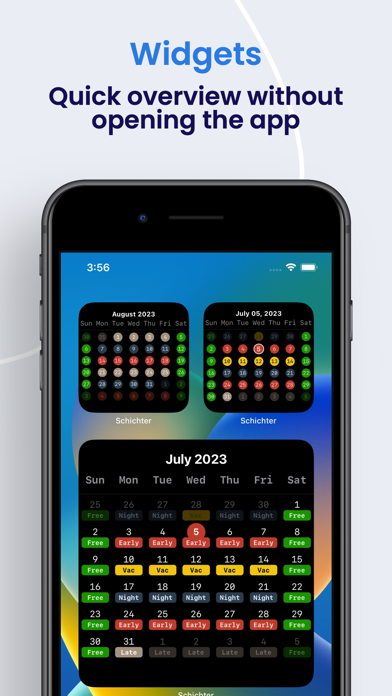
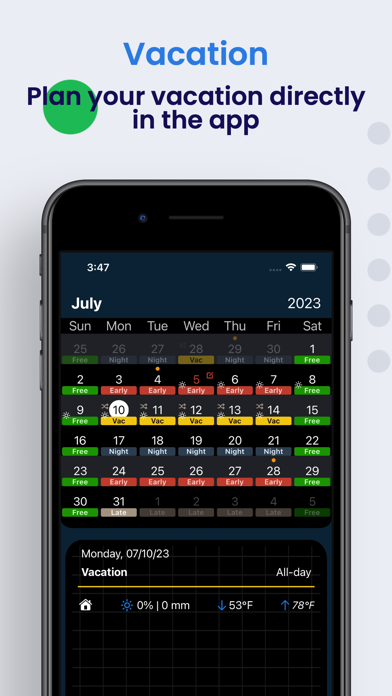
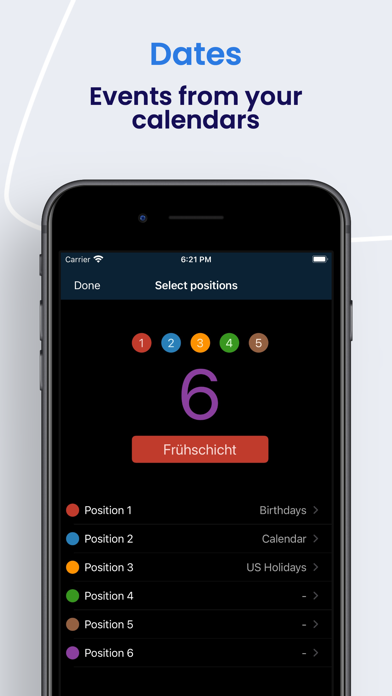
You want to know when you’re working – and when you’re off. Schichter is your shift calendar for that: on iPhone, iPad and Apple Watch. Early, late, nights or rotating shifts: you build the roster the way you actually work, swap duties and log vacation. Your hours stay in view. Whether you work in healthcare, emergency services, production or hospitality – when the roster changes, your plan stays clear. WHAT YOU CAN DO • Build your shift plan Create templates and turn them into your calendar. When the roster changes, you adjust it in a few taps. • Make it yours Colors, notes and breaks per shift type, so you see what’s next at a glance. • Stay flexible Swap shifts, log vacation and manage time off without losing the overview. • Review hours and time off Working hours, vacation days and more in clear summaries. Period presets, export as CSV or as a PDF report. • Connect your iOS Calendar Add shifts to the system calendar so appointments and duties sit together. Optionally export all shifts as an .ics file (including notes and work location). • Widgets and Apple Watch Your plan on the Home Screen or your wrist – without opening the app. • iPad In landscape, calendar on the left and day details on the right. In portrait, more room for both. • Weather and Dark Mode Weather for your shifts – tap for details, hourly and daily forecast. Plus a comfortable dark appearance. • iCloud (optional In-App Purchase) Backup and sync across all your devices, if you want it. • Data backup Automatic backups on this device – including right after an update, even if iCloud is off. Manual backups in iCloud Drive (Schichter > Backups) stay if you delete the app. • PDF calendar Export your calendar as PDF (current year plus the next two years) – optionally to iCloud Drive, including sharing. The Drive setting applies on all your devices. You can reach me in English and German – questions and ideas are welcome. Schichter is for you if you work shifts and want work and free time easier to plan together.
What's new · 2.1.0
• iCloud sync across your devices is more reliable. • Your data is better protected: automatic backups on this device – including right after an update, even if iCloud is off. Manual backups in iCloud Drive (Schichter > Backups) stay if you delete the app. • Before an iCloud sync, the cloud keeps up to three safety copies for you. • Your PDF calendar in iCloud Drive: current year plus the next two years, layout 1 or 2, preview and Open in Files. When sharing, choose Collaborate, not Send Copy. • The PDF setting now applies on all your devices – independently of the iCloud purchase. • You can export all shifts as an .ics file (including notes and work location) under Data backup. • Under Troubleshooting you can see the time zone and switch to the one on your device. • In Overview / Evaluation: period presets and export as CSV or as a clear PDF. • Weather: tap it in the day view – temperature, wind, UV, hourly and daily forecast for your locations. • Calendar and weather are more reliable, including full calendar access on newer iOS versions. • On iPad: in landscape, calendar and day details sit side by side; in portrait they share the space more evenly. • Translations updated (DE, ES, NL, FR) – clearer wording, informal address throughout. • You’ll find myIBAN in the Apps list.
Details